December 2025 (Admin Back-Office)
December 14, 2025
Properties > In Construction Configuration

See Properties > In Construction Toggle in the Web Application release notes for the corresponding web app feature.
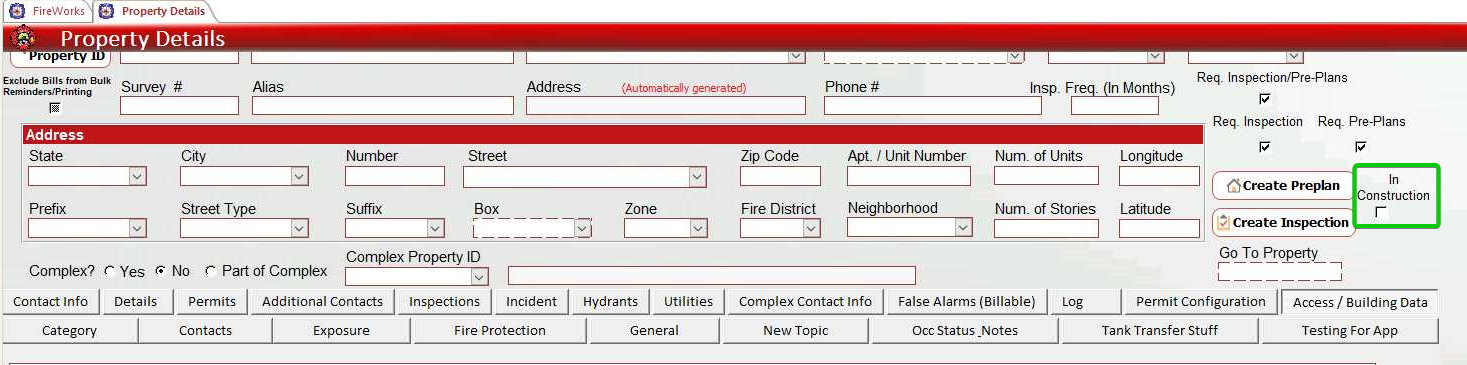
You can now designate properties as In Construction directly from the Property Details page in the Admin Back-Office. The In Construction checkbox is located on the right side of the property form, allowing you to set or modify the construction status for new and existing properties.
December 8, 2025
Inspections, Billing > Remark Presets Configuration
See Inspections, Billing > Remarks Presets in the Web Application release notes for the corresponding web app feature.
You can now configure remark presets for Inspections and Billing modules through dedicated settings pages in the Admin Back-Office. These presets streamline documentation by allowing users to quickly apply commonly used remarks in the web application.
Page Name | Location | Description |
|---|---|---|
Inspection Remarks | Inspections > Settings > Inspection Remarks | Configure general inspection remarks. |
Violation Remarks | Inspections > Settings > Violation Remarks | Configure violation remarks. |
Billing Remarks | Billing > Settings > Bill Remarks | Configure remarks for bill creation. |
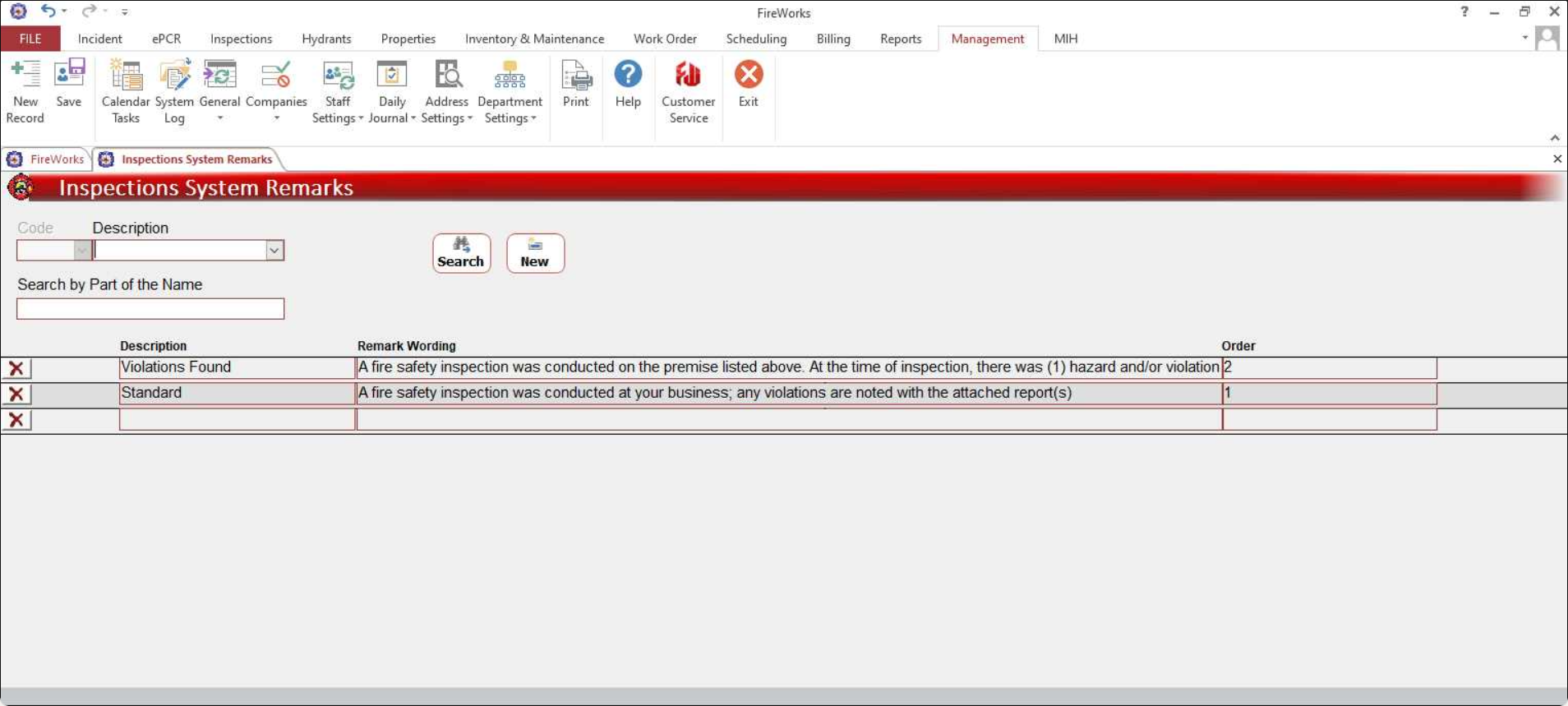
Configure preset titles, wording, and display order to customize the preset options available in the web application remarks dropdowns.