Complaint
Overview
Document patient chief complaint and assessment information using the EPR FireWorks ePCR Assessment Complaint section. This section captures clinical data for protocol activation, treatment prioritization, and regulatory compliance including symptom timing, anatomic location, patient acuity, and encounter context.
Recording Chief Complaint Information
Document initial patient presentation timing and location data for protocol activation and treatment prioritization.
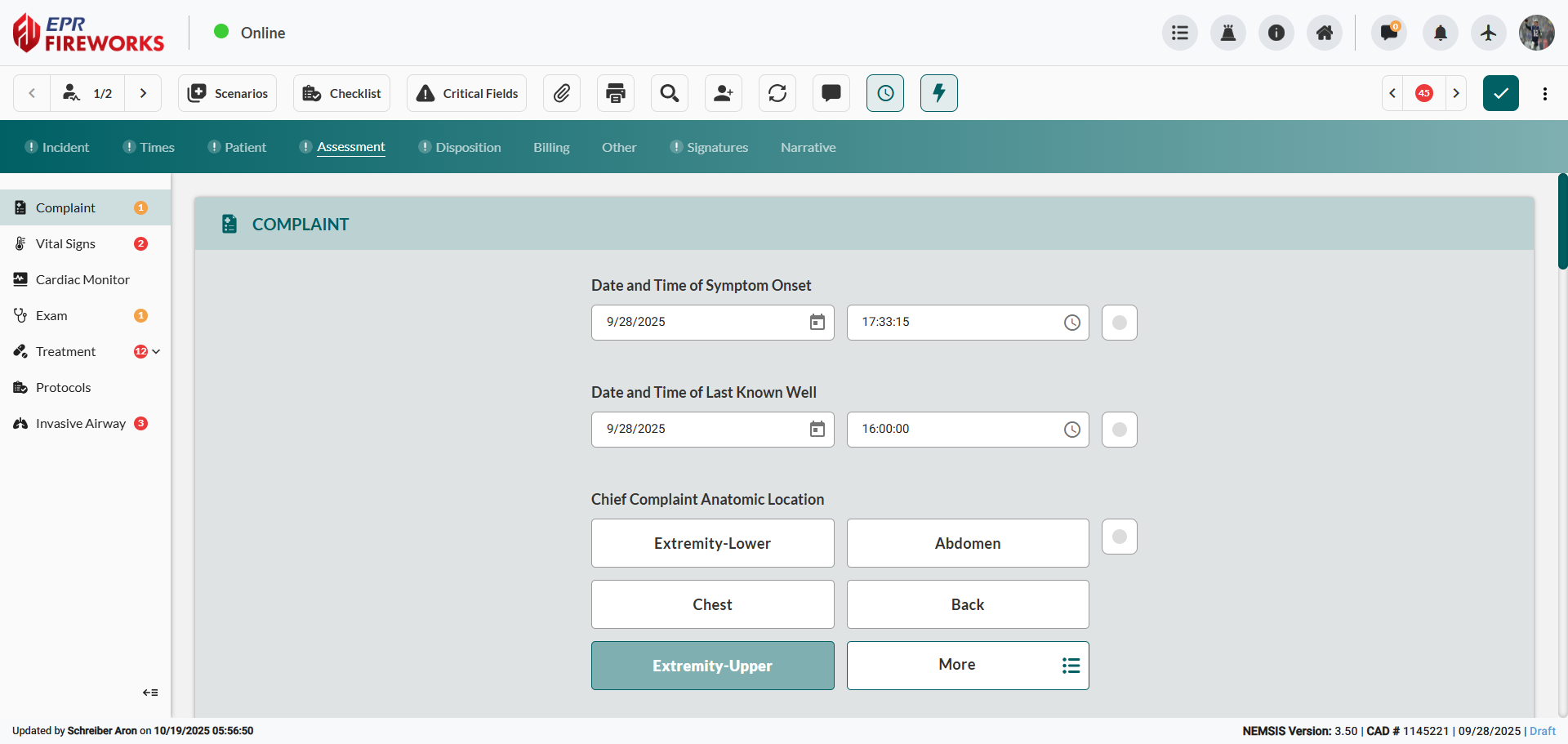
Establish symptom timeline. Set the Date and Time of Symptom Onset and the Date and Time of Last Known Well.

Define the Chief Complaint.
Select Chief Complaint Anatomic Location.
Select Chief Complaint Organ System.

Document primary symptom. Select Primary Symptom from the sidebar.
Record associated symptoms. Select Other Associated Symptoms from the sidebar.
Document clinical impressions. Select Provider's Primary Impression and Provider's Secondary Impression from sidebars.

Adding Patient Complaint Details
Create detailed complaint entries for comprehensive patient history and hospital communication.
In the Patient Complaint section, click Add.

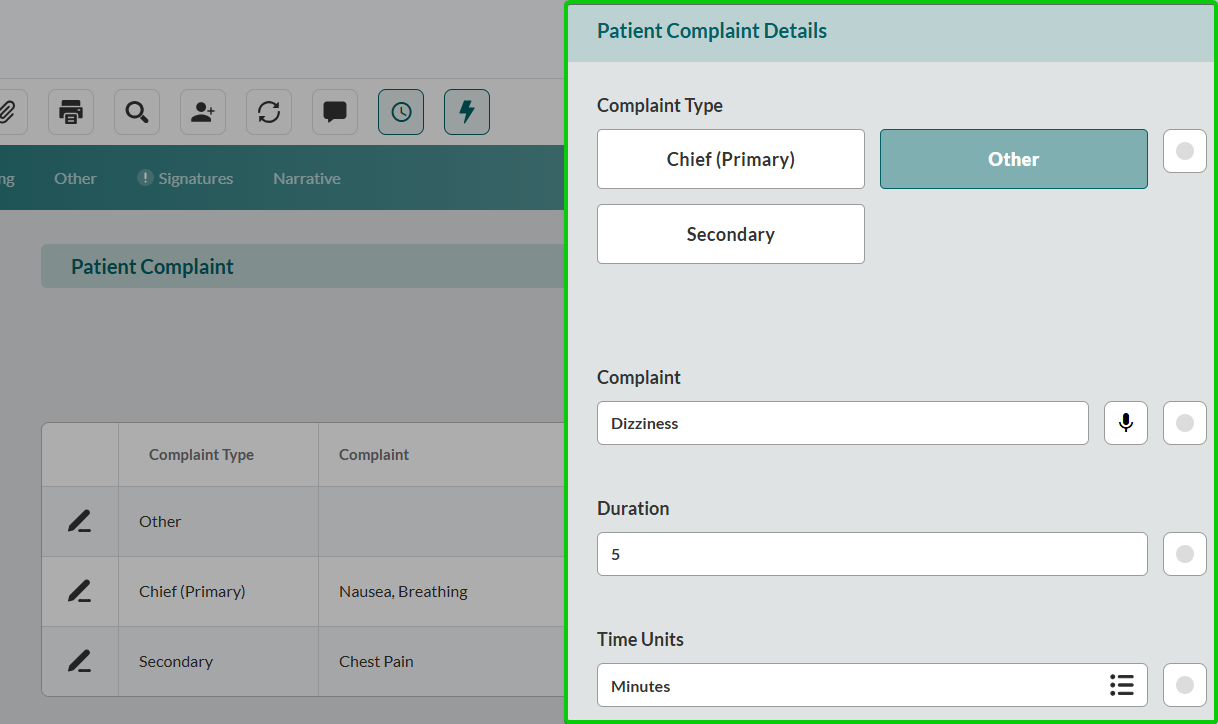
Complete the Patient Complaint Details sidebar:
Select the Complaint Type
In the Complaint field type the patient’s description of the complaint.
Record Duration
Select Time Units.
Close the sidebar to save changes. Repeat for additional complaints.
Recording Patient Assessment and Conditions
Record patient acuity and critical conditions for treatment prioritization and tab activation.
Select the Initial Patient Acuity level.

Determine injury status. Select Possible Injury classification.
Record Cardiac Arrest assessment:
Select Cardiac Arrest status (No, Yes Prior to Any EMS Arrival, or Yes After Any EMS Arrival).
Note: Any EMS includes Transport EMS and Medical First Responders.Document Stroke assessment. If the patient suffered a stroke, complete Stroke/CVA Symptoms Resolved.


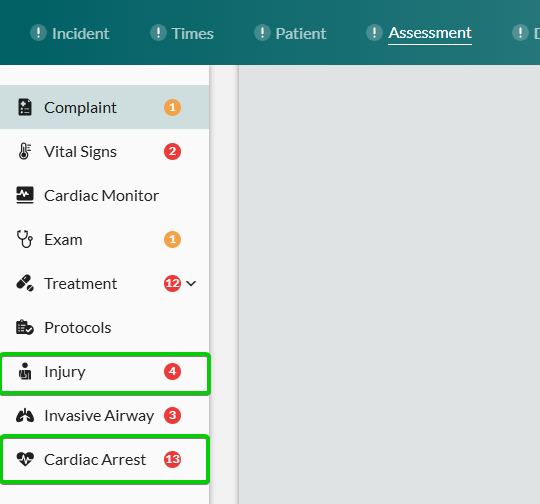
Note: Selecting Yes for the Possible Injury or Cardiac Arrest fields activates corresponding tabs for further documentation.
Documenting Work-Related and Transfer Information
Complete encounter context for regulatory compliance and care coordination.
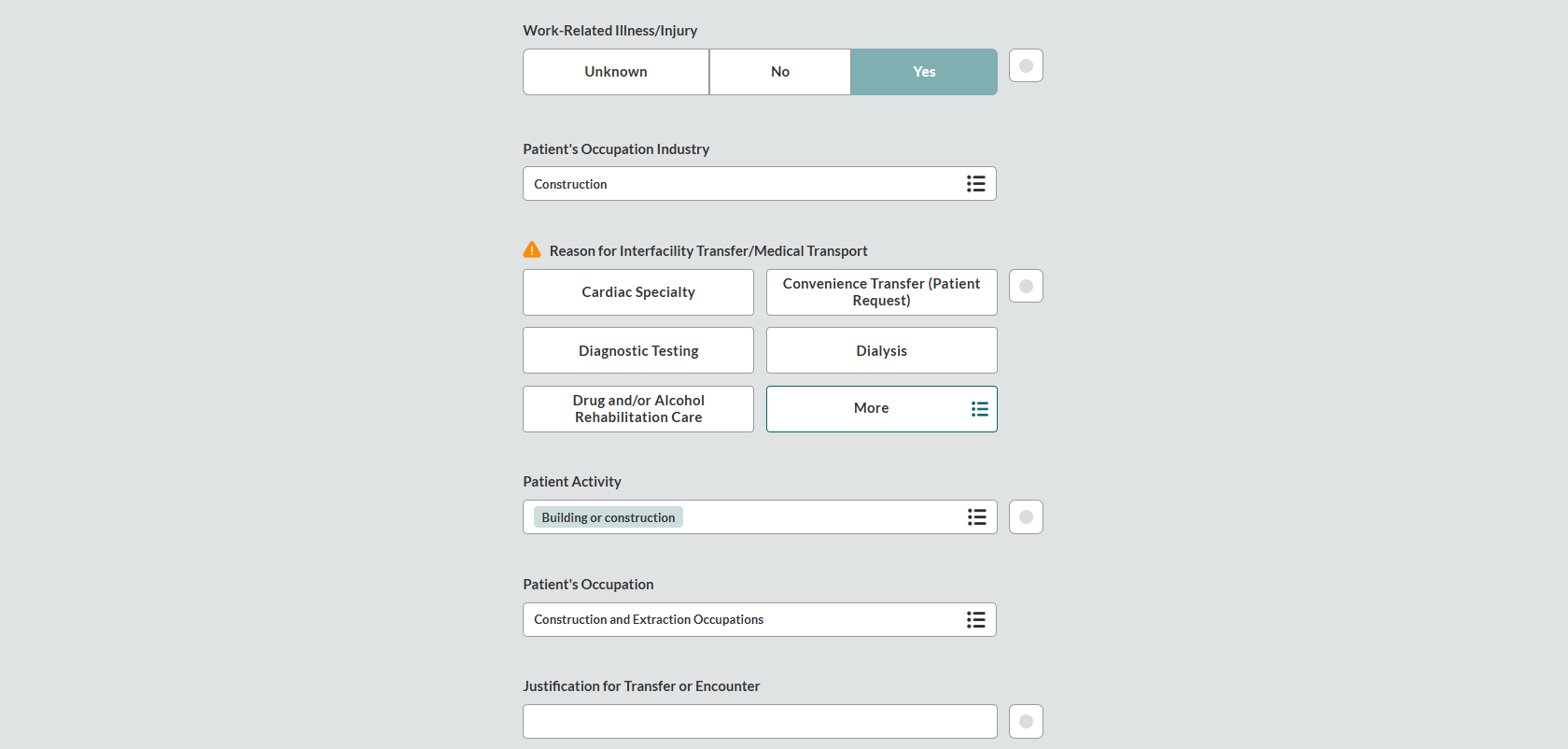
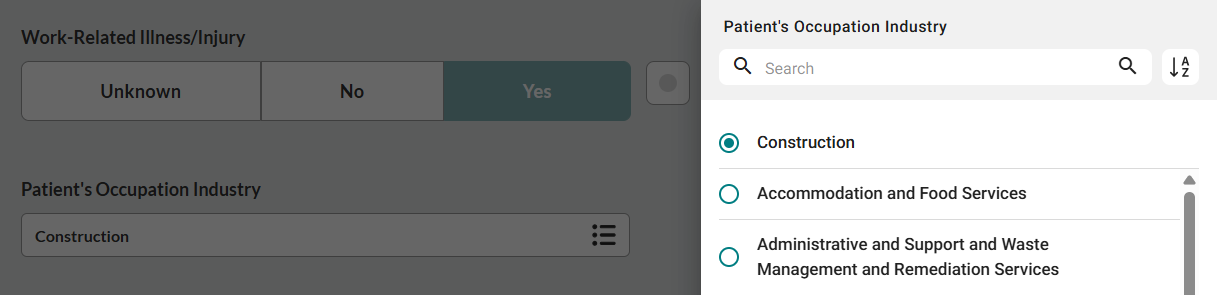
Determine if injury/illness is work-related. Select Work-Related Illness/Injury.

If you selected Yes or Unknown, complete Patient's Occupation Industry.
Document transfer reason (where applicable). Choose Reason for Interfacility Transfer/Medical Transport.
Record activity at time of incident. Select Patient Activity.
Complete occupation details. Enter Patient's Occupation if work-related injury was indicated.
Document encounter justification. Enter Justification for Transfer or Encounter.