Cardiac Monitor
Overview
Document cardiac monitor data, including ECG waveforms, defibrillation events, and pacing interventions in the EPR FireWorks ePCR Assessment tab. This section captures data from integrated cardiac monitors or allows manual entry for cardiac events.

You can import data directly from your cardiac monitor. See Importing Device Data for further information
Reviewing Imported Cardiac Monitor Data
Review and verify cardiac monitor data imported from integrated devices in the EPR FireWorks ePCR Cardiac Monitor section.
Navigate to Assessment > Cardiac Monitor.
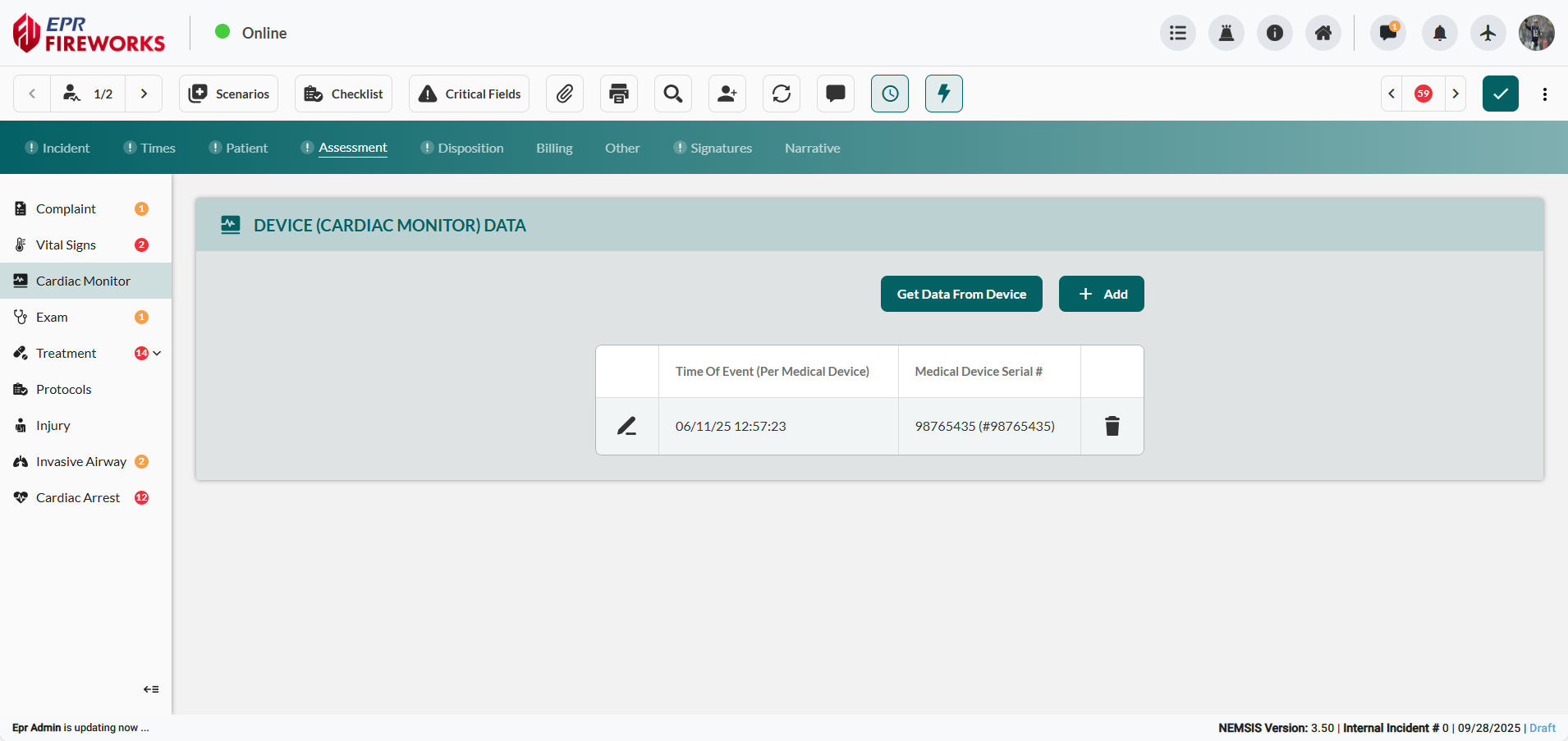
Click Get Data From Device.
Select data entry from the Import Device Data modal.
Note: To import previously processed data, enable Include Processed Data.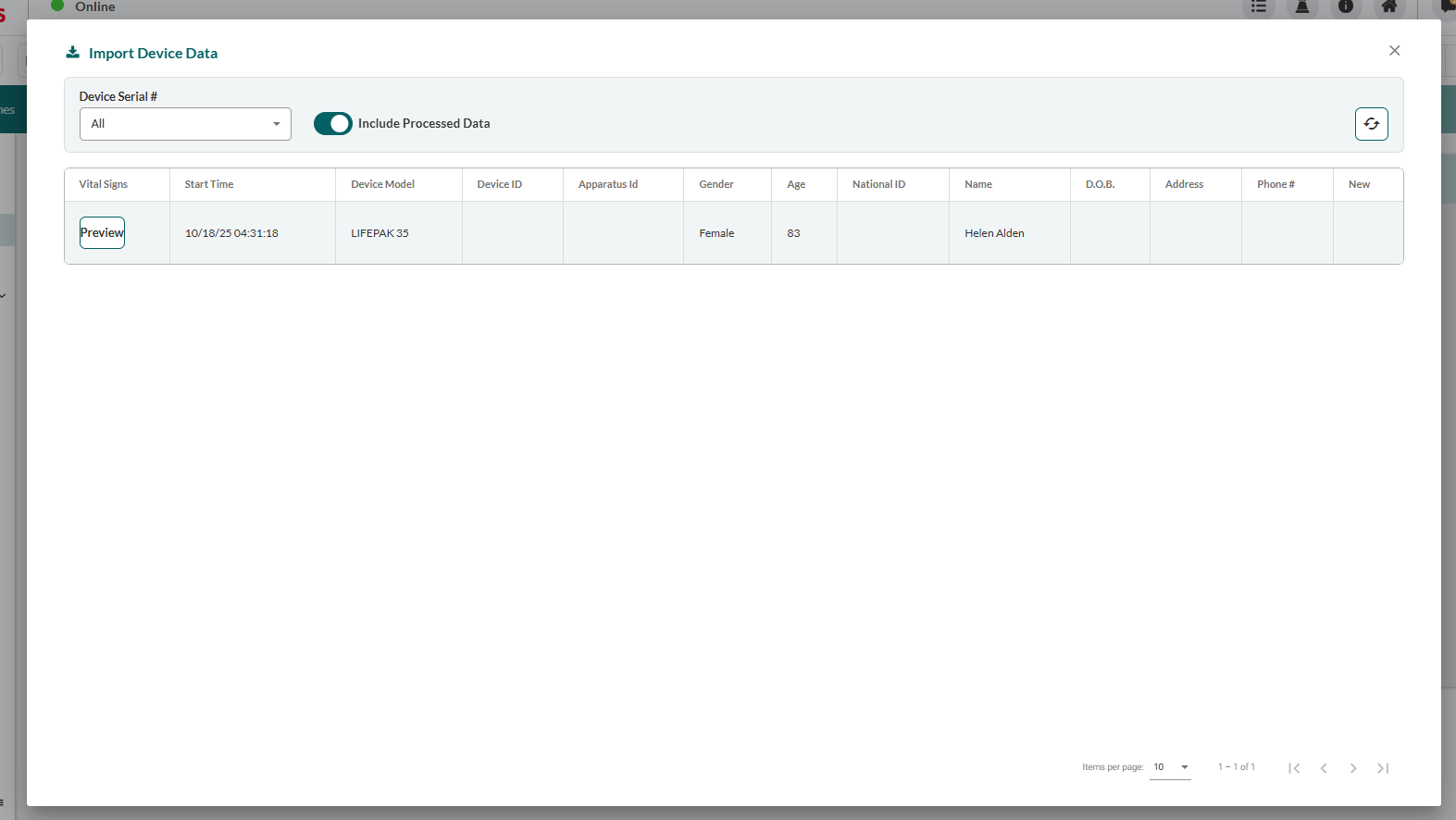
Click the Edit icon to the left of the entry.
In the Device Details sidebar, complete missing data.
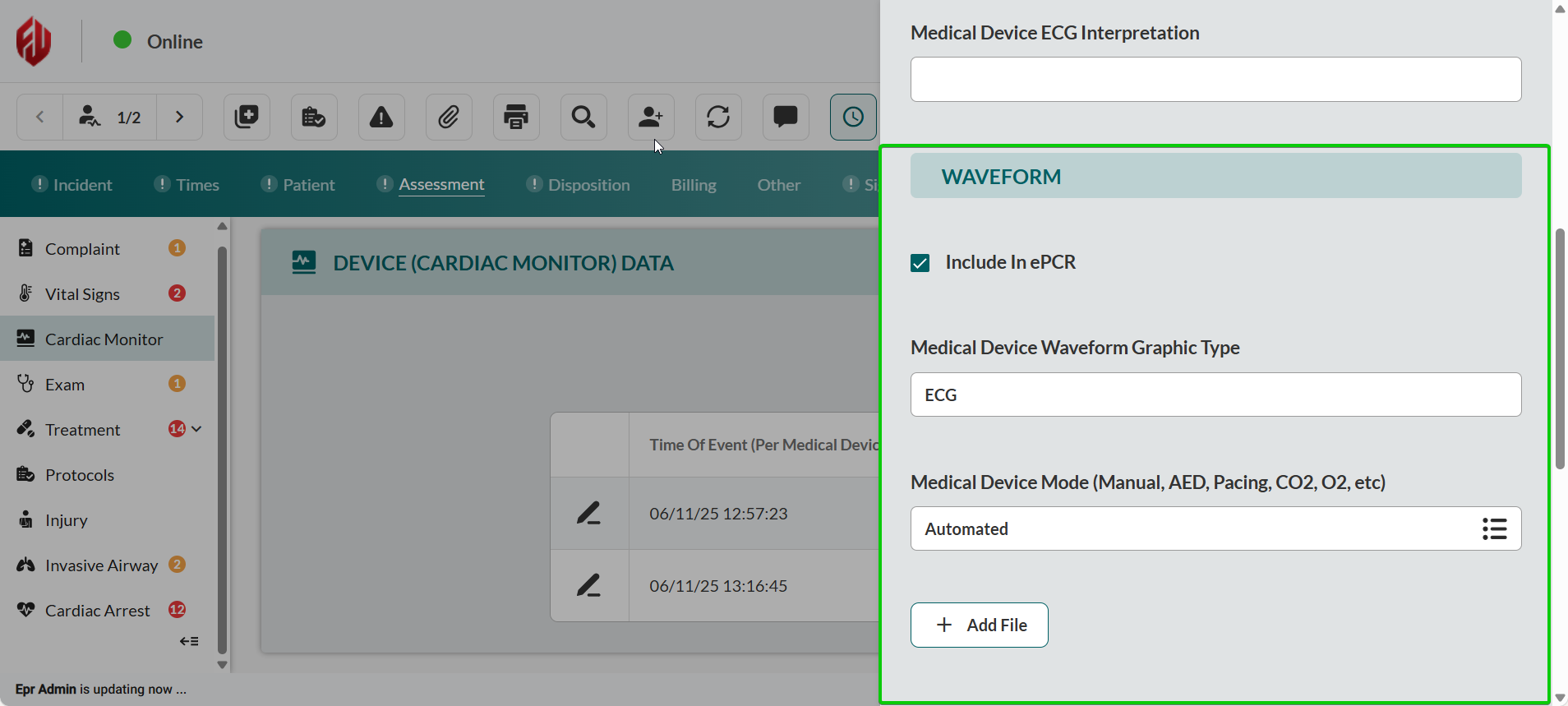
Review waveform files. Ensure the Include in ePCR checkbox is selected.
Adding Manual Cardiac Monitor Data
Manually document cardiac monitor events, including ECG data, defibrillation, and pacing interventions, in the EPR FireWorks ePCR Cardiac Monitor section.
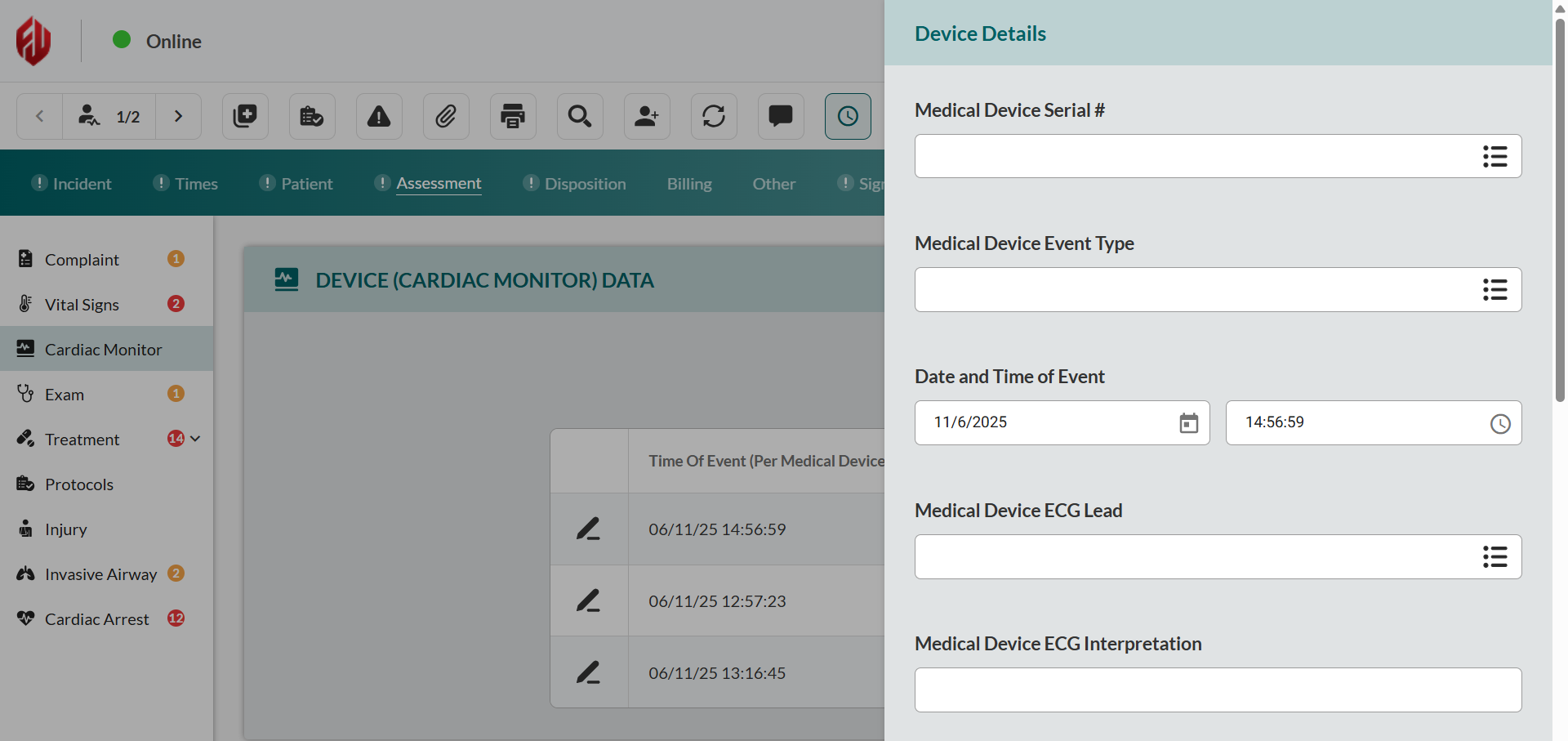
Click Add to open the Device Details sidebar.
Complete device identification. Enter Medical Device Serial #, Medical Device Event Type, and Date and Time of Event.
Configure ECG parameters. Complete Medical Device ECG Lead and Medical Device ECG Interpretation fields.
Add waveform files if available:
Select Include in ePCR.
Complete Medical Device Waveform Graphic Type.
Select Medical Device Mode.
Click Add File, and then select the file from your device.
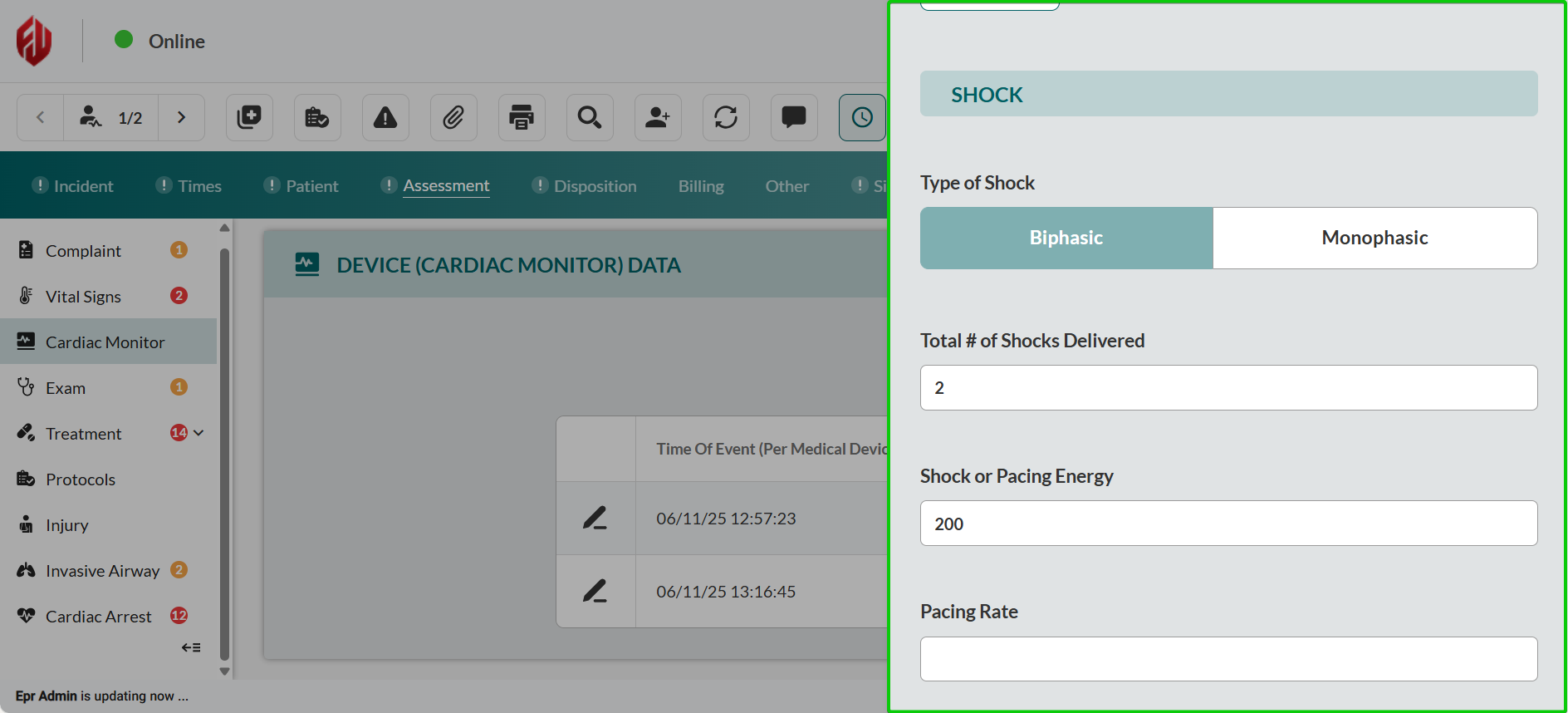
Record defibrillation parameters if applicable. Complete Type of Shock, Total # of Shocks Delivered, and Shock or Pacing Energy.
Enter Pacing Rate if pacing was performed.
Close the sidebar to save changes.