
Critical Fields
Overview
Critical Fields are REQUIRED NEMSIS fields that must be completed for ePCR submission. Complete all required fields (marked with red asterisks) across all three tabs.
Access: Click the Critical Fields icon (triangle with exclamation mark) in the top toolbar.

Completing Critical Fields
Complete required NEMSIS fields for ePCR submission.
Open the Incident tab and complete all required fields (red asterisks).
Open the Assessment tab and complete all required fields.
Open the Disposition tab and complete all required fields.
Critical Fields by Tab
Incident Tab
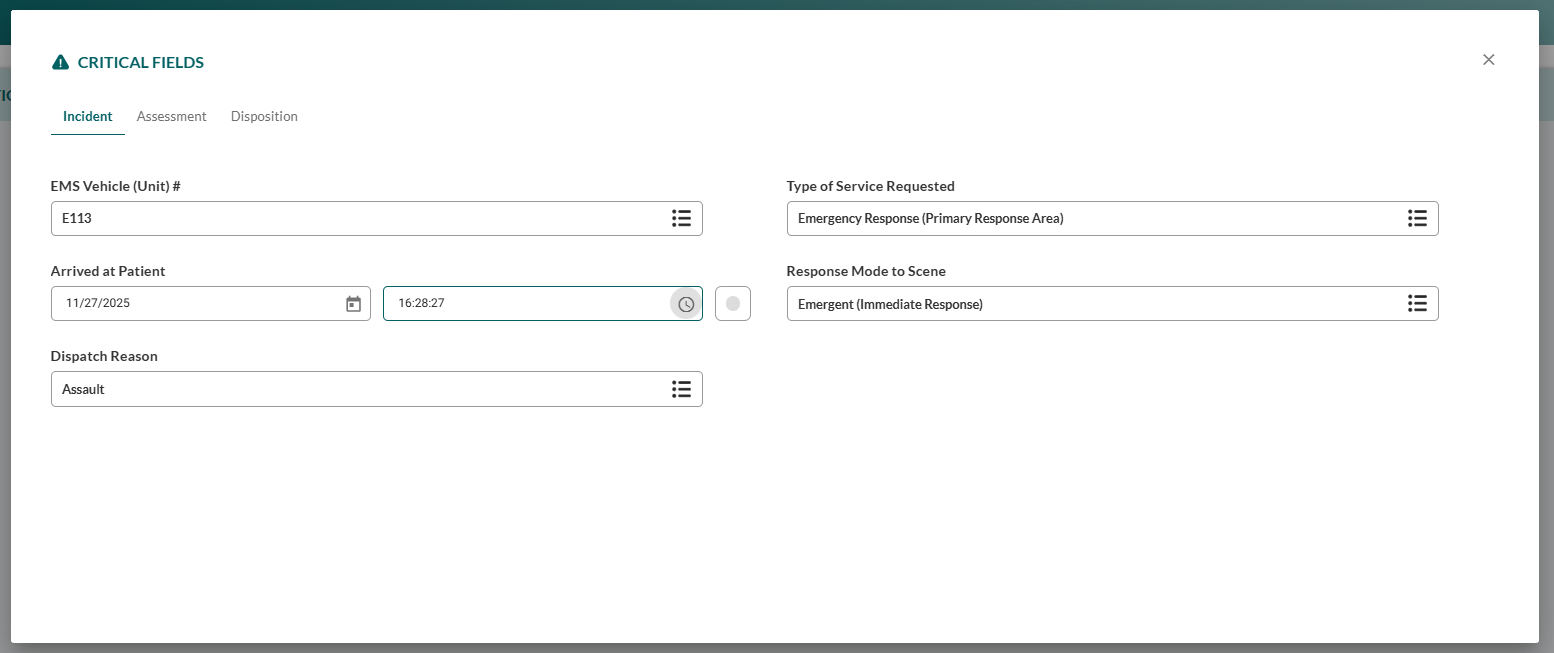
Field | Description |
|---|---|
EMS Vehicle (Unit) # | EMS unit information |
Type of Service Requested | Emergency response category |
Arrived at Patient | Patient contact timestamp |
Response Mode to Scene | Response urgency level |
Dispatch Reason | Primary dispatch classification |
Assessment Tab
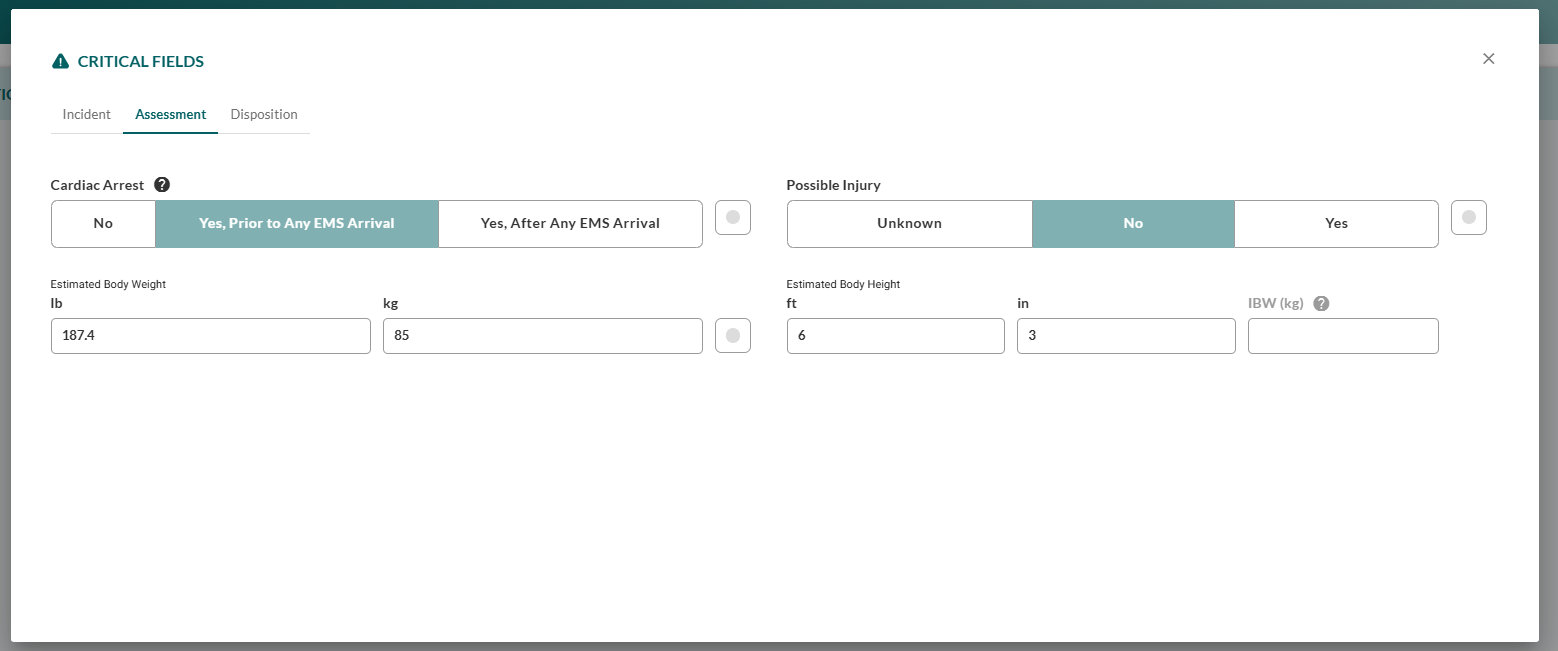
Field | Description |
|---|---|
Cardiac Arrest | Resuscitation event status |
Possible Injury | Trauma indication flag |
Estimated Body Weight | Patient weight for drug calculations (converts to kg) |
Estimated Body Height | Patient height measurement |
IBW (kg) | Ideal Body Weight (auto-calculated) |
Disposition Tab
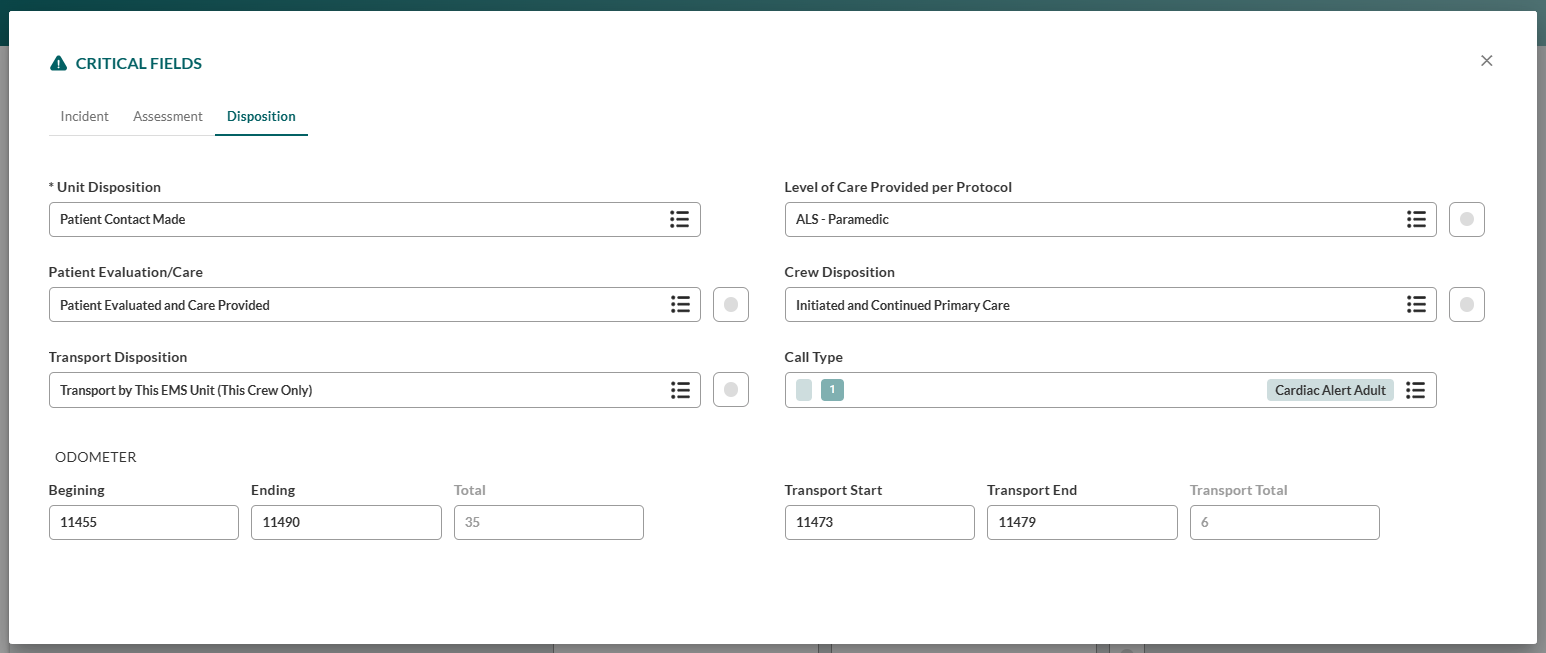
Field | Description |
|---|---|
Unit Disposition | Patient contact outcome |
Level of Care Provided per Protocol | Care level delivered (BLS/ALS/Critical Care) |
Patient Evaluation/Care | Patient interaction summary |
Crew Disposition | Crew role in patient care |
Transport Disposition | Transport method and destination |
Call Type | Incident classification |
ODOMETER | Vehicle mileage tracking |