
Destination
Overview
Record transport information, destination details, and patient acuity in EPR FireWorks for NEMSIS-compliant reporting.
Before You Start
Complete unit disposition documentation and verify transport documentation requirements
Ensure a transport option requiring destination documentation is selected in the Transport Disposition field (destination fields only appear for transport options involving patient transport by this unit, such as "Transport by This EMS Unit")
Recording Destination and Mileage
Complete transport destination documentation for NEMSIS compliance by documenting destination codes and facility types, recording all required odometer readings, and completing destination address fields.
Documenting Destination Codes and Types
Document transport endpoint and odometer readings.
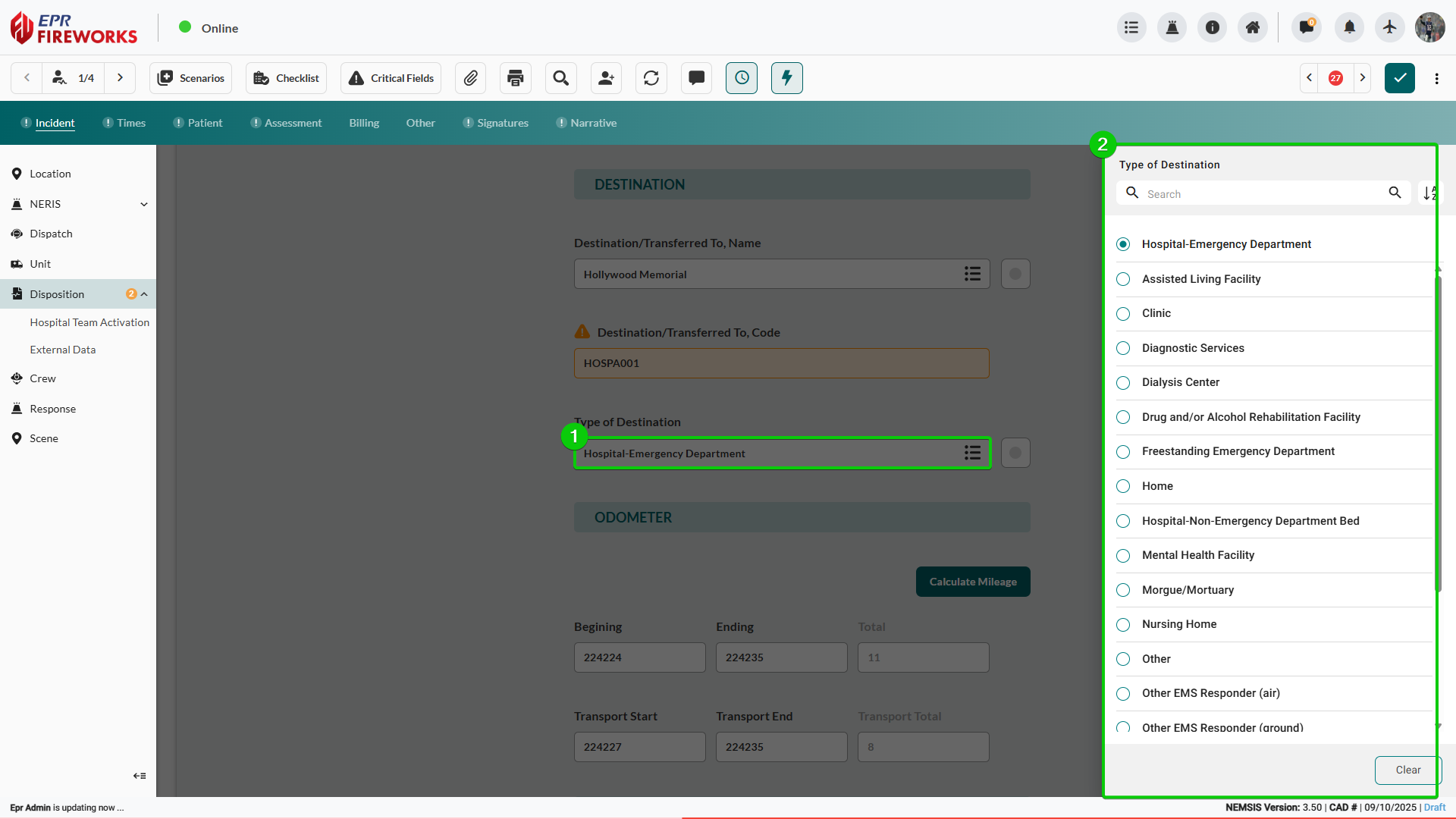
Click Destination/Transferred To, Name and select the destination from the sidebar.
Verify Destination/Transferred To, Code auto-populates or enter the destination code manually.
Select Type of Destination from the sidebar.
If you select Other, click Alternate Care Site to indicate whether there is an additional care site destination beyond the primary transport destination (such as a landing zone followed by hospital transfer).
Capturing Odometer Readings
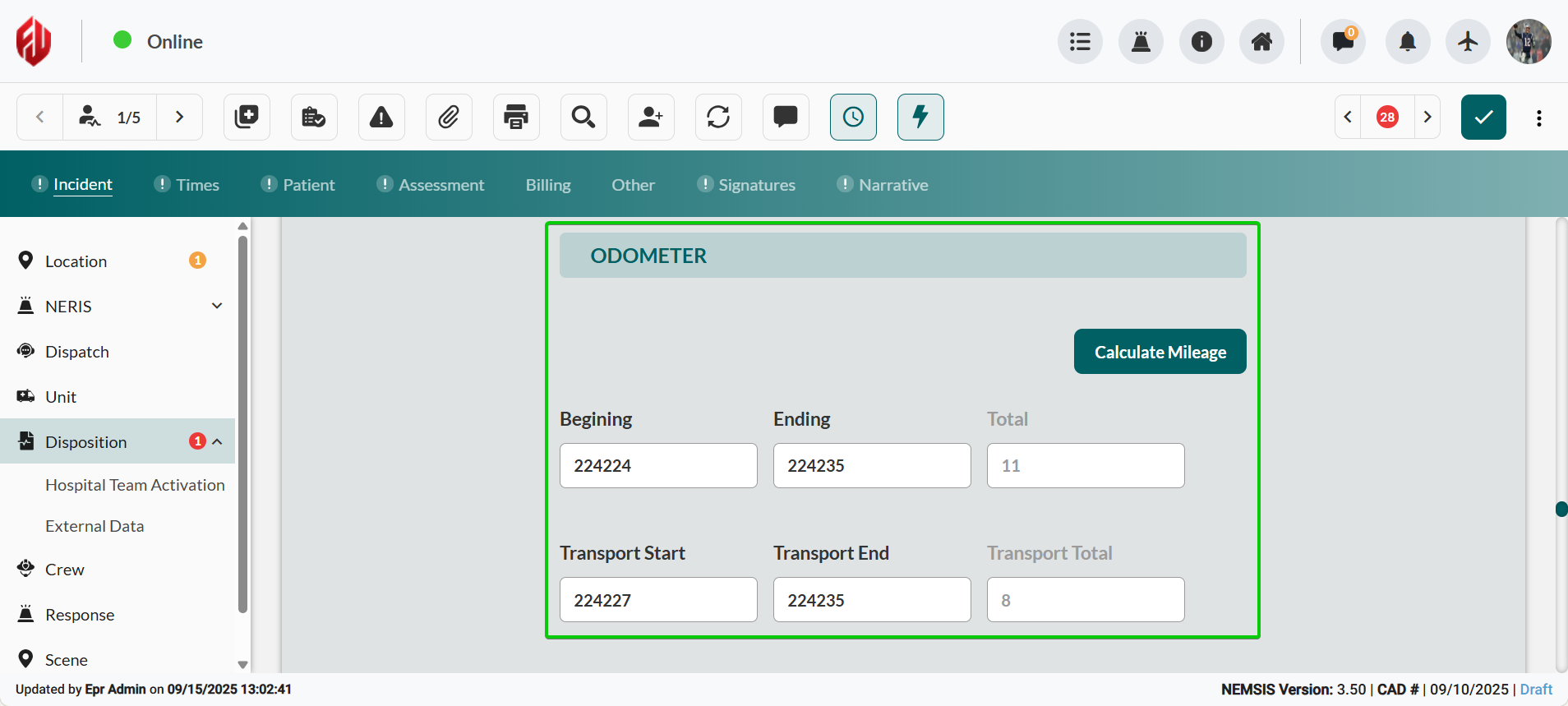
In the Odometer section, complete readings:
Complete mileage documentation for transport tracking.
In the Beginning field, enter mileage reading before dispatch.
In the Ending field, enter mileage reading after returning from the incident.
In the Transport Start field, enter mileage reading when transport began.
In the Transport End field, enter mileage reading when you arrived at the destination.
Click Calculate Mileage to compute transport distance.
Adding Destination Address
Complete destination address information for accurate location documentation and NEMSIS compliance.
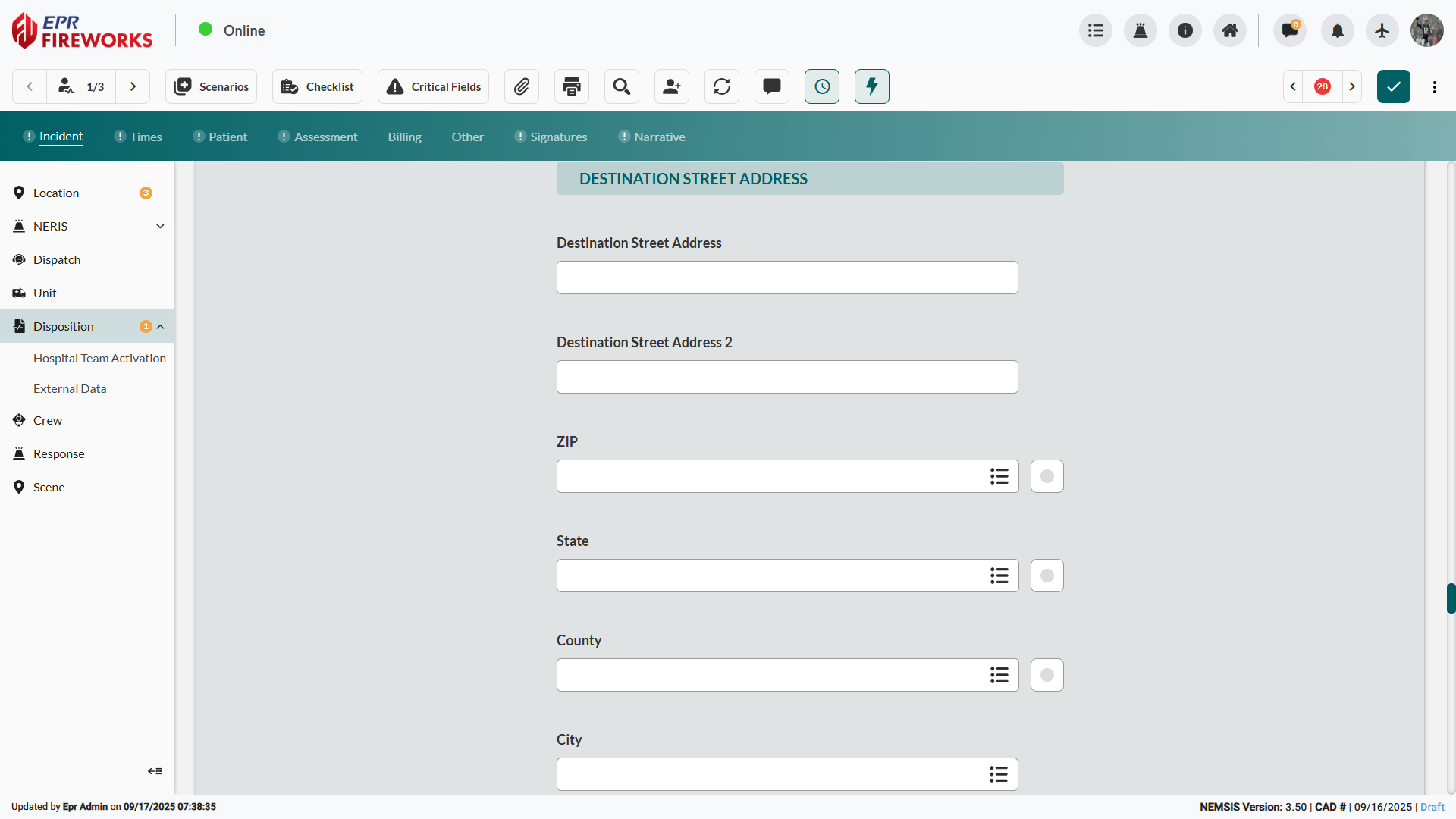
Complete the Destination Street Address and Destination Street Address 2 fields.
Select the ZIP code, State, and County using the list icons next to each field.
Enter the destination City name in the City field using the dropdown if available.
Next Steps
Continue to Transport Details documentation to complete the transport record.