
Transport
Overview
Enter hospital team activation and external data requirements in EPR FireWorks for comprehensive incident documentation.
Before You Start
Navigate to the TRANSPORT section of the EPR FireWorks EMS report
Ensure patient assessment is complete
Verify transport authorization if required by department protocol
Recording Transport and Patient Information
Document patient transport specifics and final acuity.
Enter Number of Patients Transported in this EMS Unit.
Select Position of Patient During Transport from available options.
Choose How Patient Was Moved To Ambulance method.
Select How Patient Was Moved From Ambulance method.
Choose Final Patient Acuity:
Critical (Red)
Emergent (Yellow)
Lower Acuity (Green)
Dead with Resuscitation Efforts (Black)
Dead without Resuscitation Efforts (Black)
Non-Acute/Routine
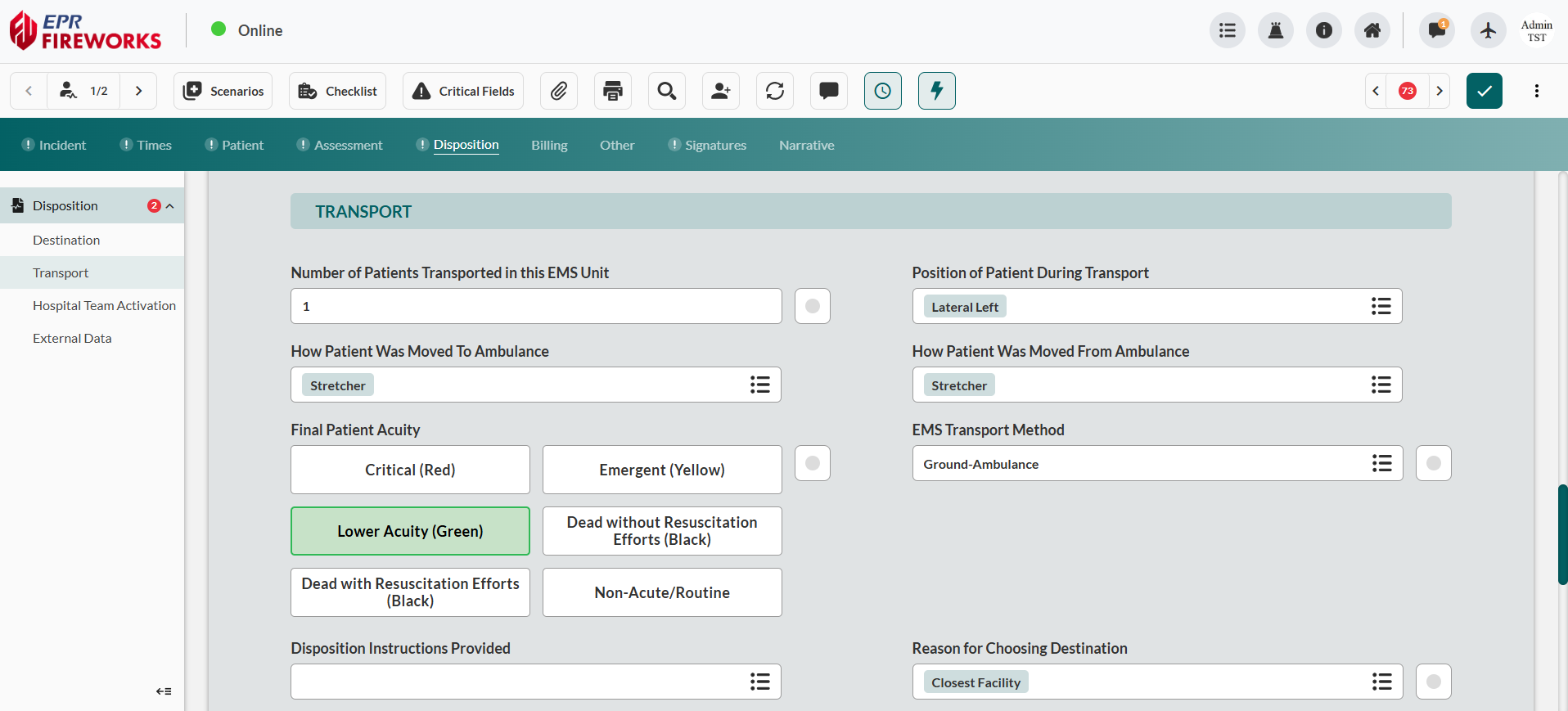
Select EMS Transport Method from sidebar.
Complete remaining transport details:
Select Disposition Instructions Provided options.
Choose Reason for Choosing Destination.
Enter Hospital in Patient Destination.
Specify Transport Made from Scene details.
Document Hospital Capability requirements.
Complete Additional Transport Mode Descriptors as needed.
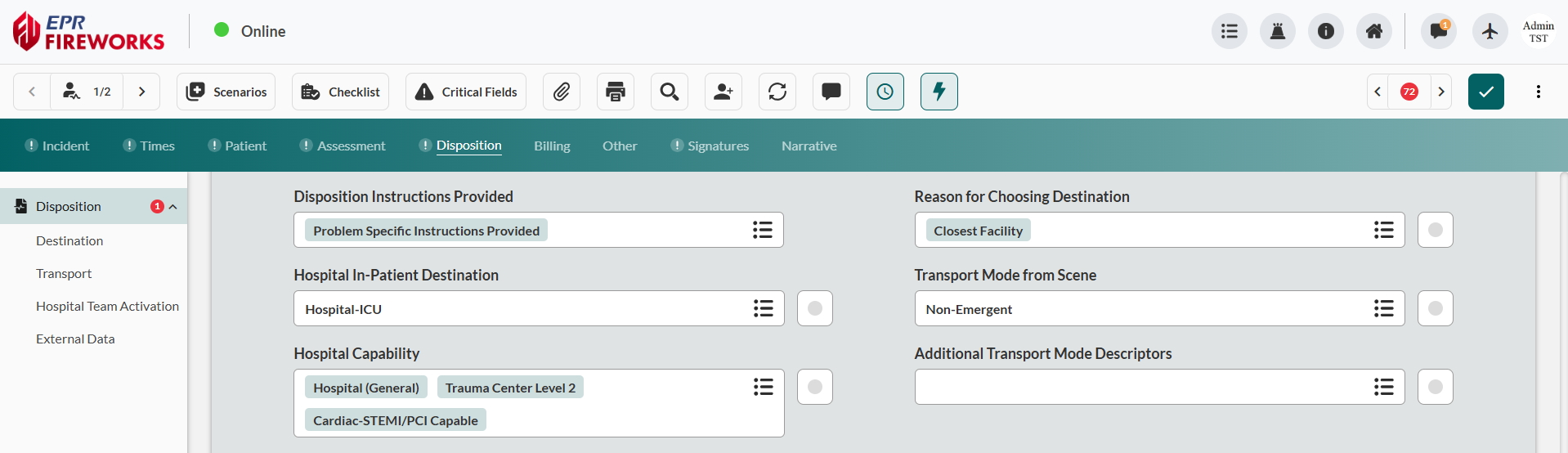

Result: EPR FireWorks captures comprehensive transport data with NEMSIS-compliant patient acuity documentation for continuity of care reporting.
Next Steps
Proceed to Hospital Team Activation to record hospital team activation events.