
Location (NEMSIS)
Overview
The ePCR Location section captures incident location data according to NEMSIS standards for EMS patient care reporting compliance. The same incident location is also documented in the NERIS section below according to NERIS V1 standards for fire incident reporting. Both sections document the same geographic location but according to different regulatory frameworks.
Before You Start
Verify incident location accuracy for both NEMSIS and NERIS compliance requirements.

Note: EPR FireWorks can automatically populate location fields using the Copy Location from NERIS data button if associated NERIS fire incident records are available.
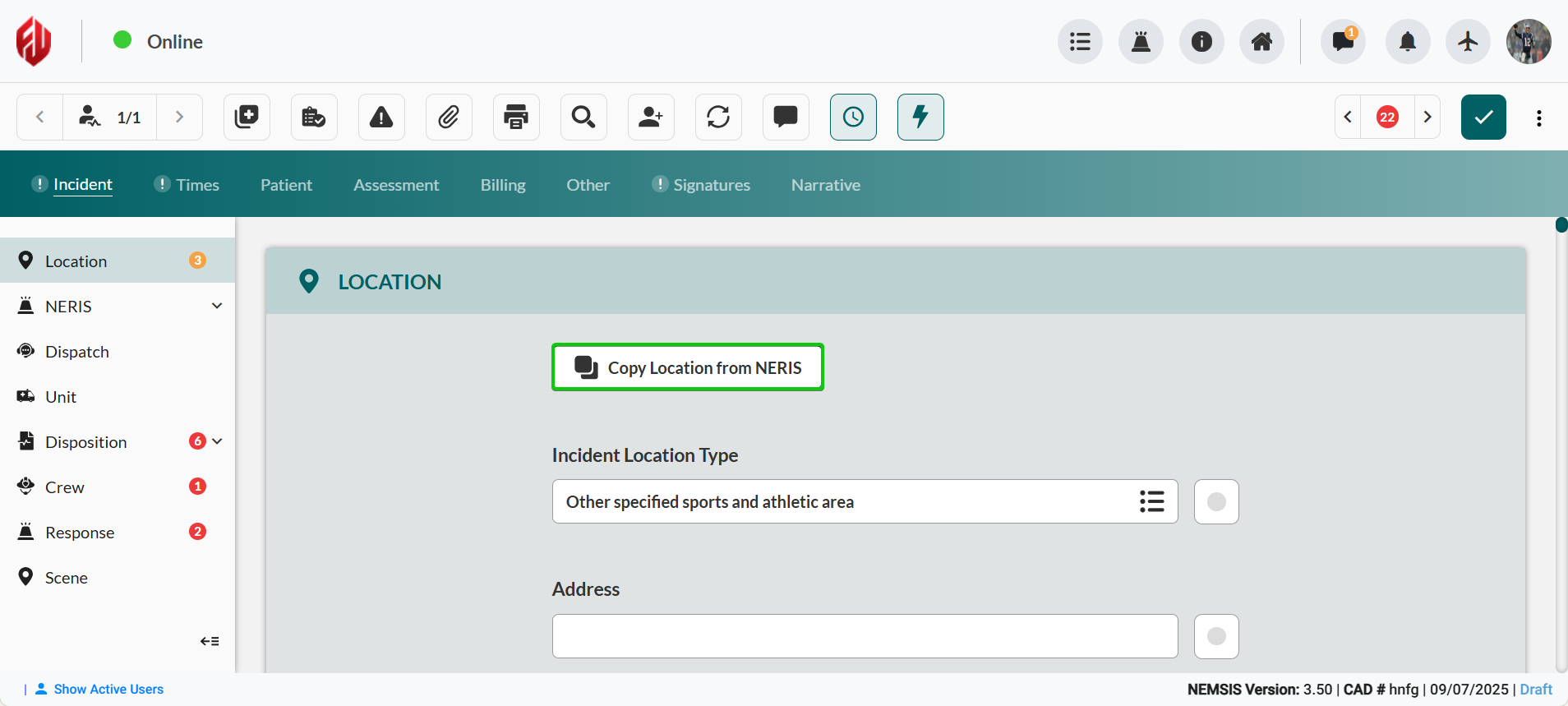
Manual Location Entry
Complete incident location documentation when NERIS integration is not available.
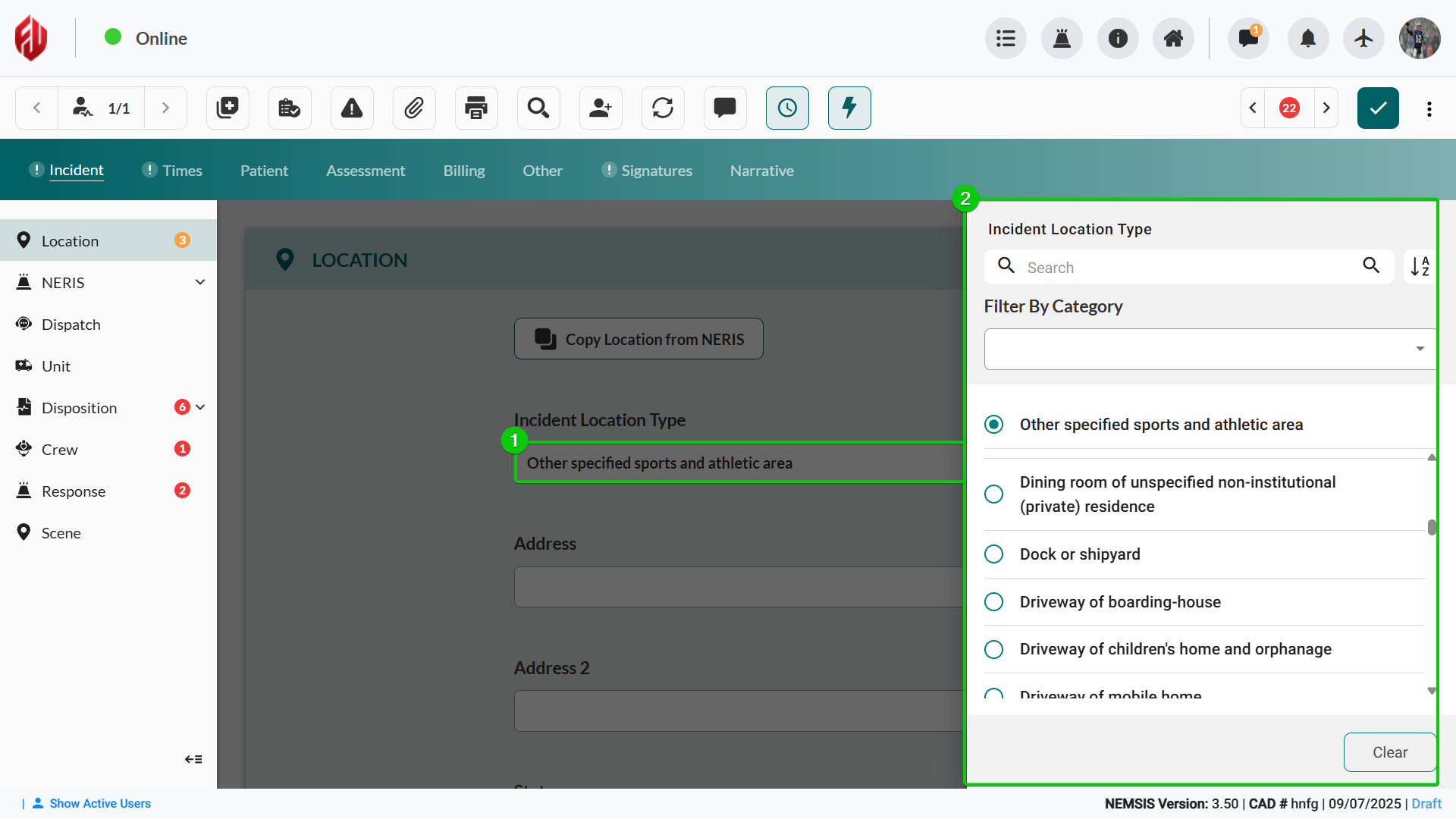
Click Incident Location Type, and then select the appropriate option from the sidebar.
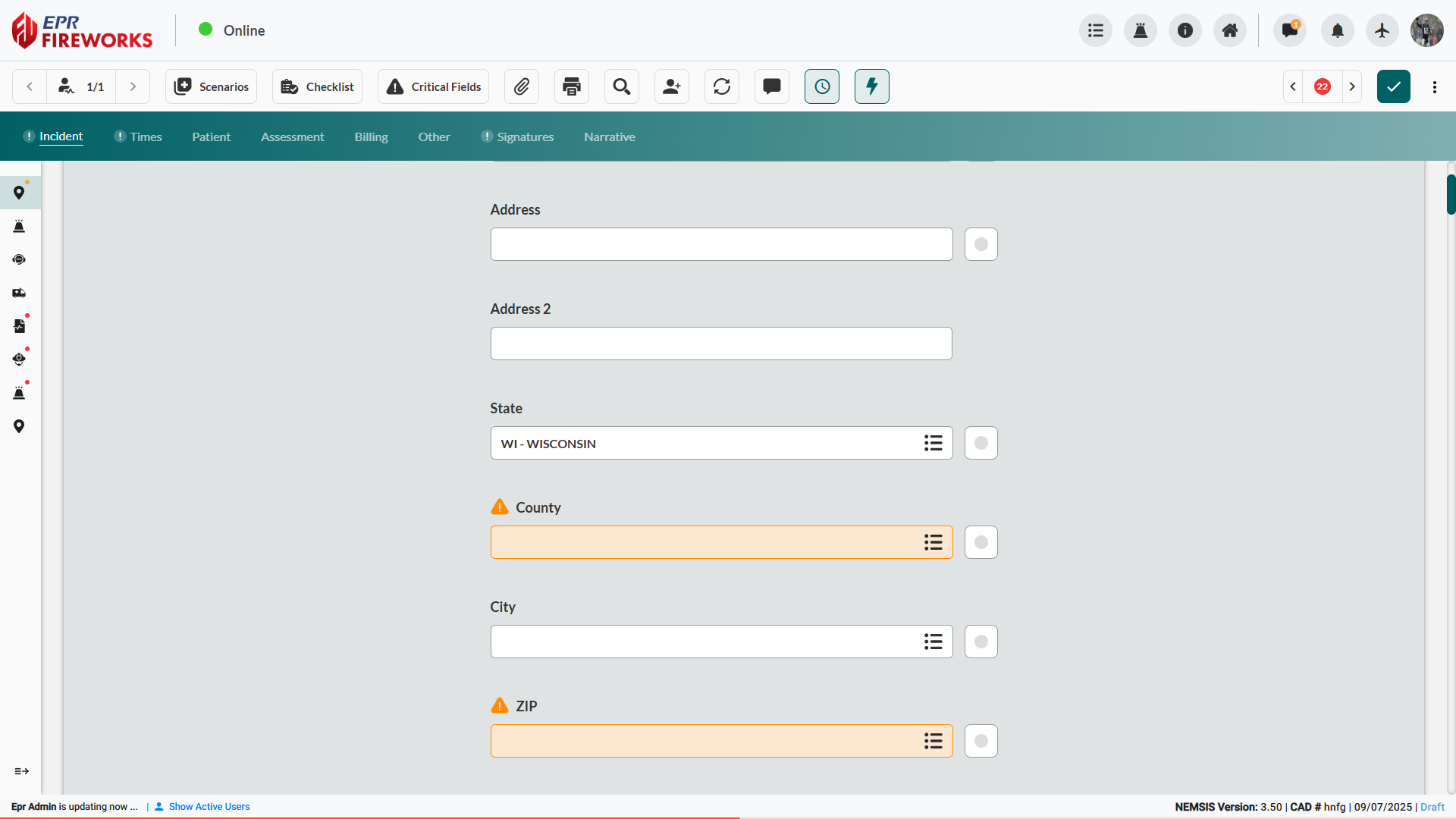
Complete Address, City, County, State, and ZIP fields.
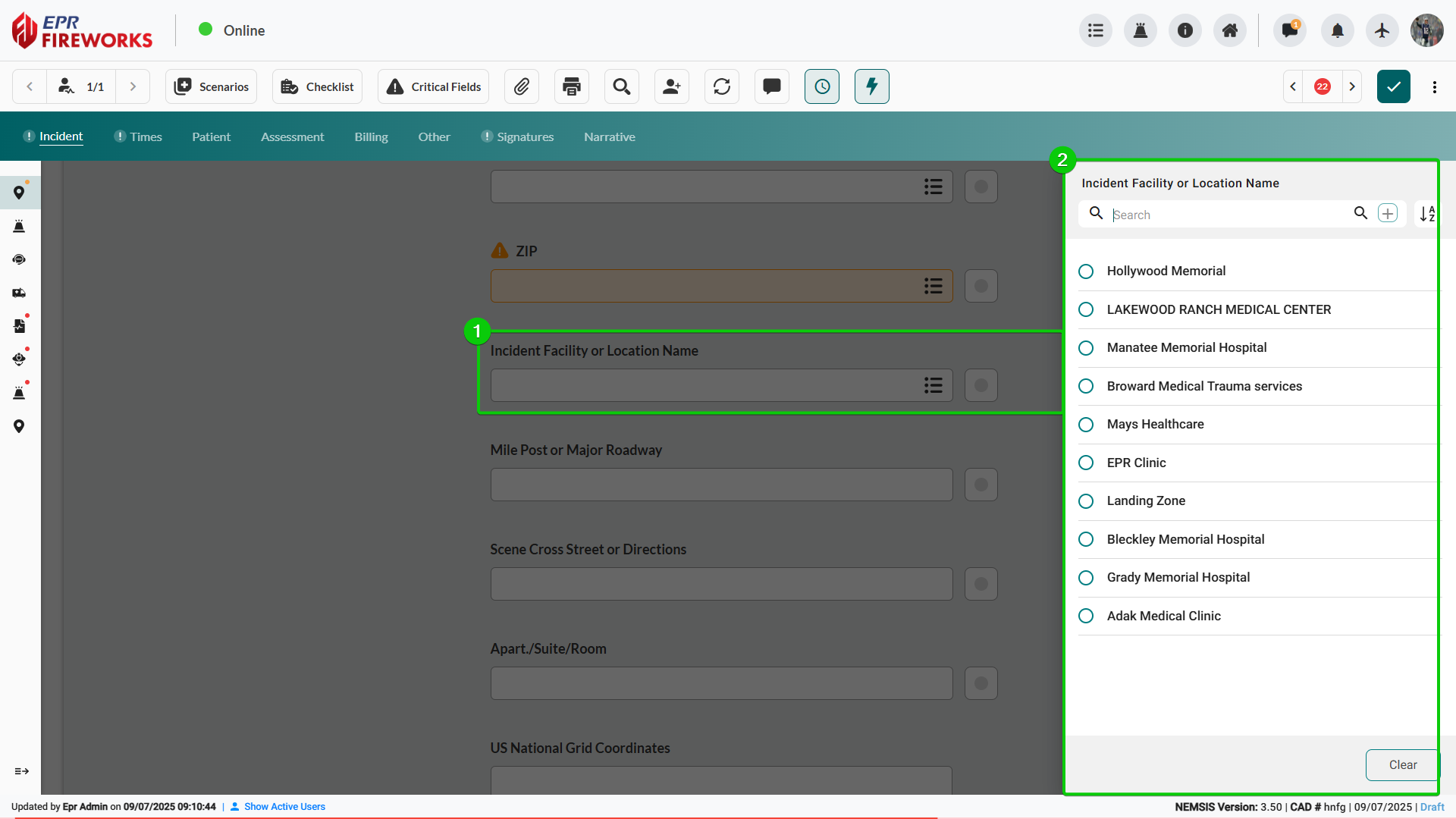
Click Incident Facility or Location Name, and then select the appropriate option from the sidebar.
Complete Scene Cross Street or Directions for precise location identification.
Enter Apt./Suite/Room # details when relevant.
Complete Scene GPS Location and Census Tract as required.
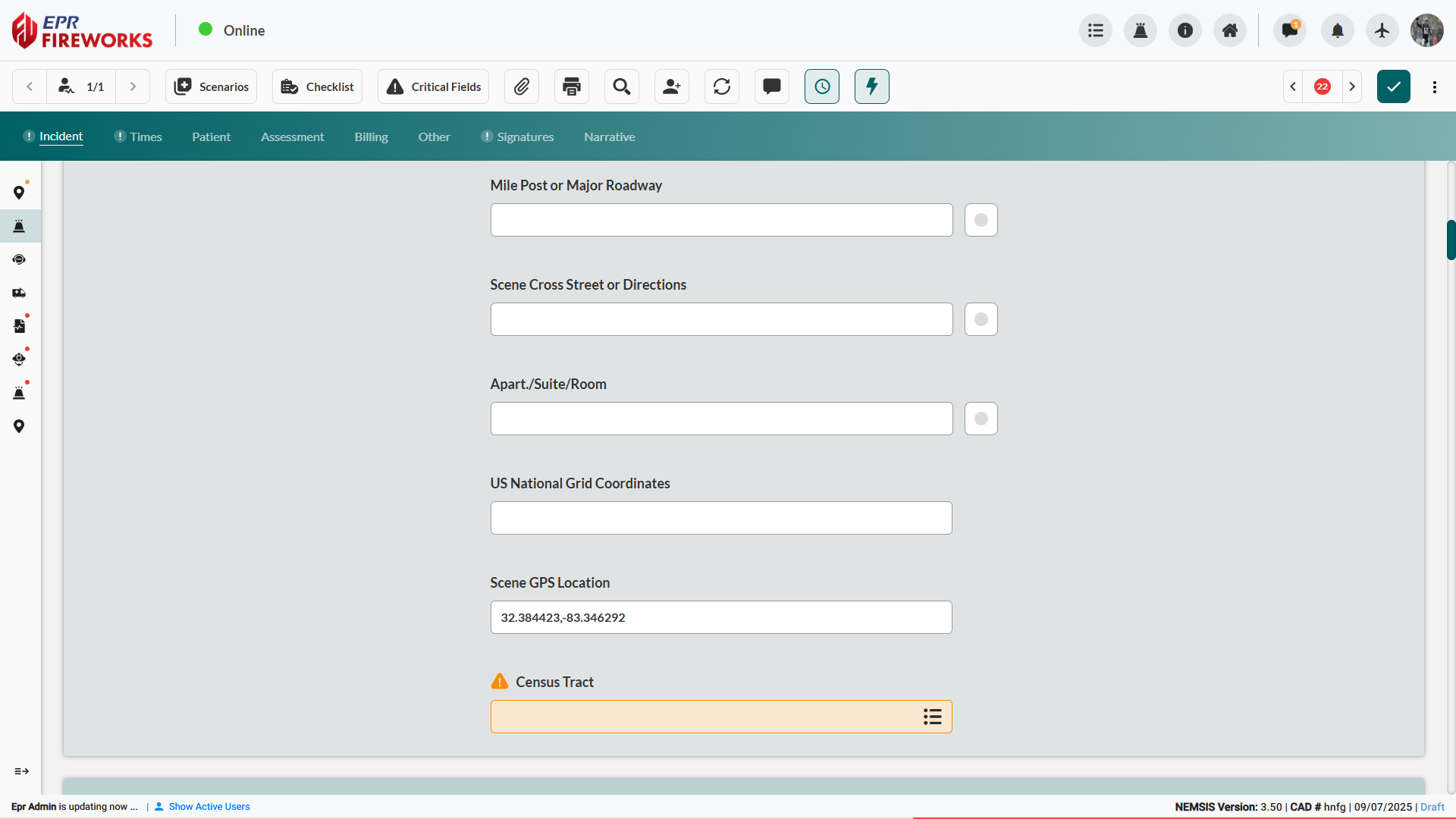
Verify all location information for NEMSIS compliance and accuracy.

Result: Location information documented (NEMSIS compliant)
Next Steps
Proceed to NERIS (ePCR Summary) to document the incident per NERIS standards.