
Medical History
Overview
Document patient medical history in EPR FireWorks ePCR Medical History section. Record medical conditions, current medications, allergies, immunizations, and healthcare barriers.
Before You Start
Access the Medical History section after completing patient demographics.
Recording Basic Medical Information
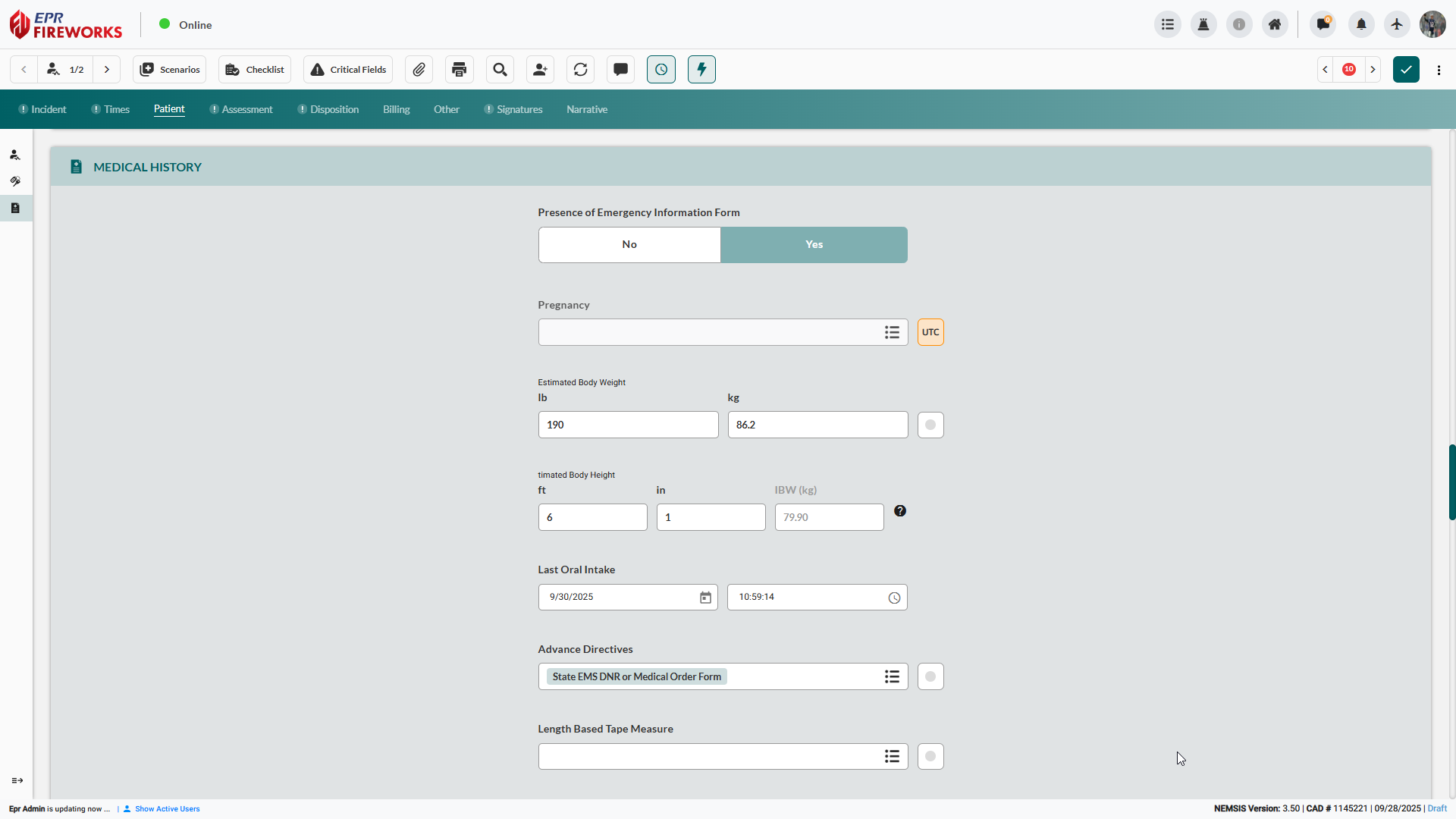
Record patient measurements and status.
Using the Yes/No toggle, indicate the Presence of Emergency Information Form.
(For female patients) Document Pregnancy status.
Enter Estimated Body Weight in lb/kg.
Enter Estimated Body Height in ft/in.
Note: The system calculates and displays IBW automatically based on height entries.(For oral meds): Use the Last Oral Intake field to record the date and time of the last intake.
Add Advance Directives. Click the Advance Directives field, and then select all applicable directives from the sidebar.
(For pediatric patients) In the Length-Based Tape Measure field, record the resuscitation tape color zone.
Documenting Medical Conditions
Document the patient’s medical and surgical history.
Define medical status:
Click the Medical/Surgical History field.
Select all applicable conditions from the sidebar.
Note: Use Filter by Category, Commonly Used, and Recommended filters to narrow selections or search for specific conditions.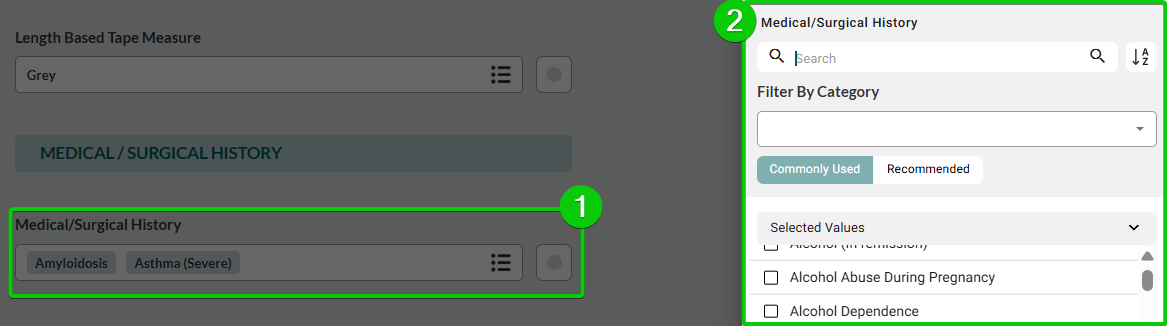
When done, click Apply.
Record the source of the surgical and medical history:
Click the Medical History Obtained From field
Select all relevant sources from the sidebar.
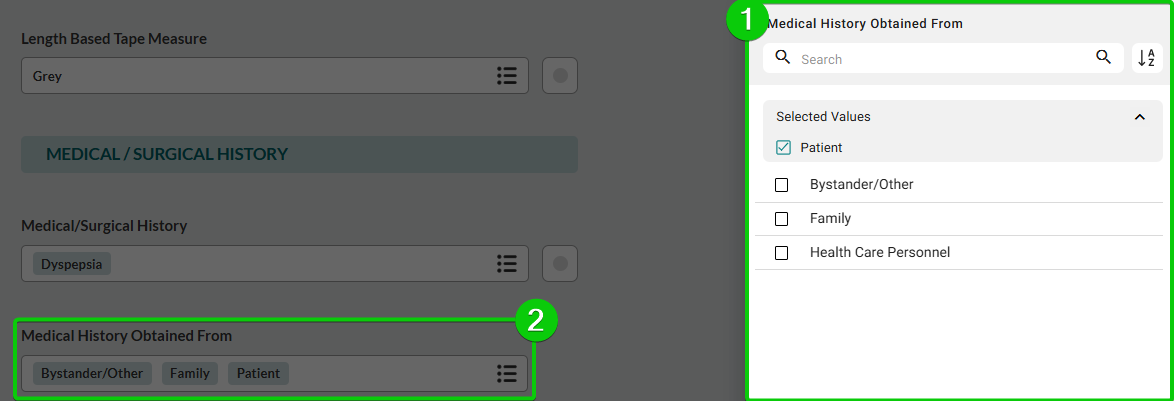
When done, click Apply.
Documenting Allergies and Barriers
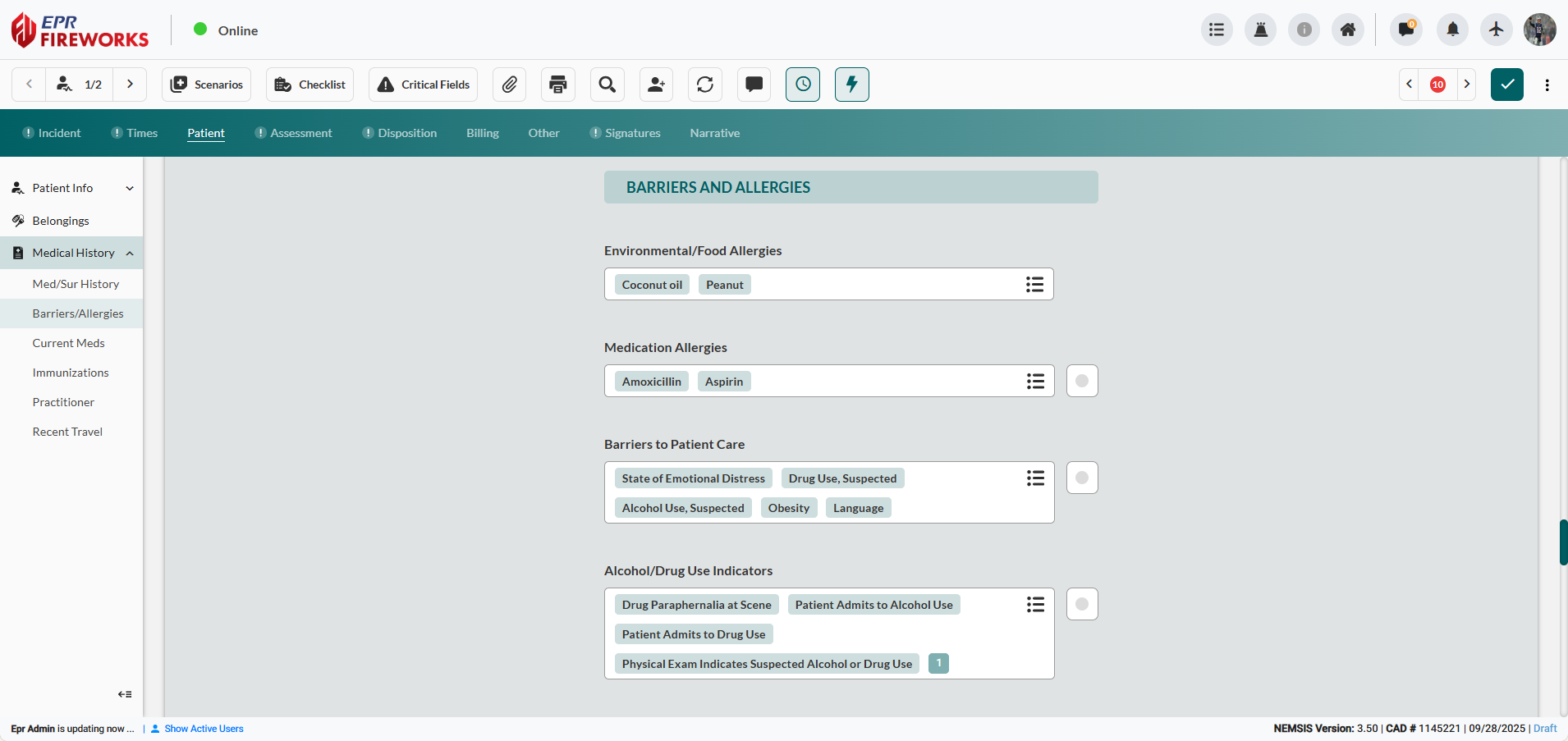
Record patient allergies, care barriers, and substance use.
Document allergies:
For environmental or food allergies: open the Environmental/Food Allergies field, and then select all applicable items from the sidebar
For medication allergies: open the Medication Allergies field, and then select the relevant medications.
Note: Use filters as needed to narrow by class
Use the Barriers to Patient Care field to document any factors that may limit or delay treatment:
Click the Barriers to Patient Care field.
Select barriers from the sidebar.
Record observed indications of alcohol or substance use in the Alcohol/Drug Use Indicators field.
Listing Medications
Record all current patient medications and dosages to support treatment decisions and prevent drug interactions.

Note: If the patient reports no current medications, click No Medications Taken, and then proceed to Immunizations.
Click Current Medications field and select all applicable medications from the list.
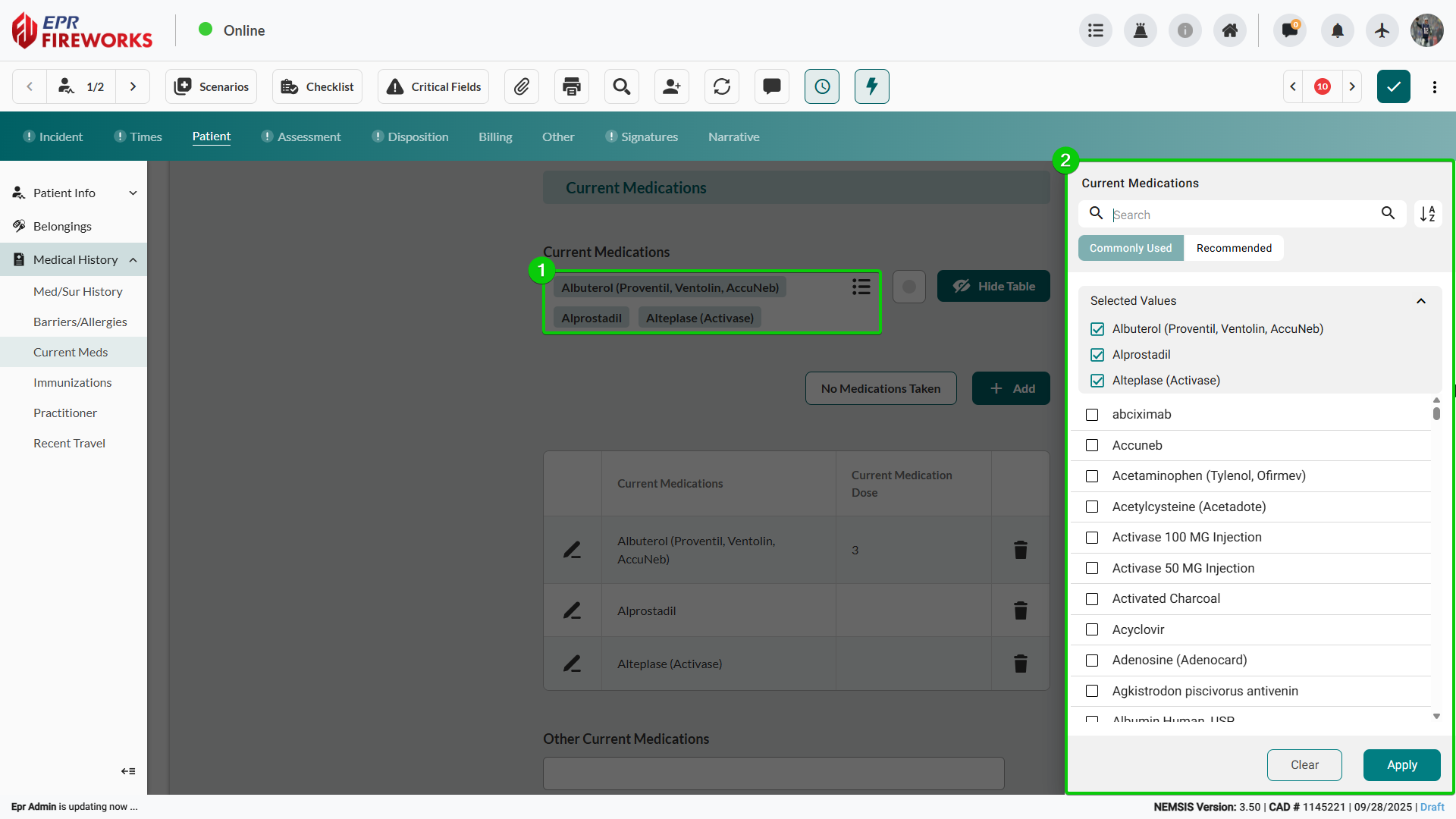
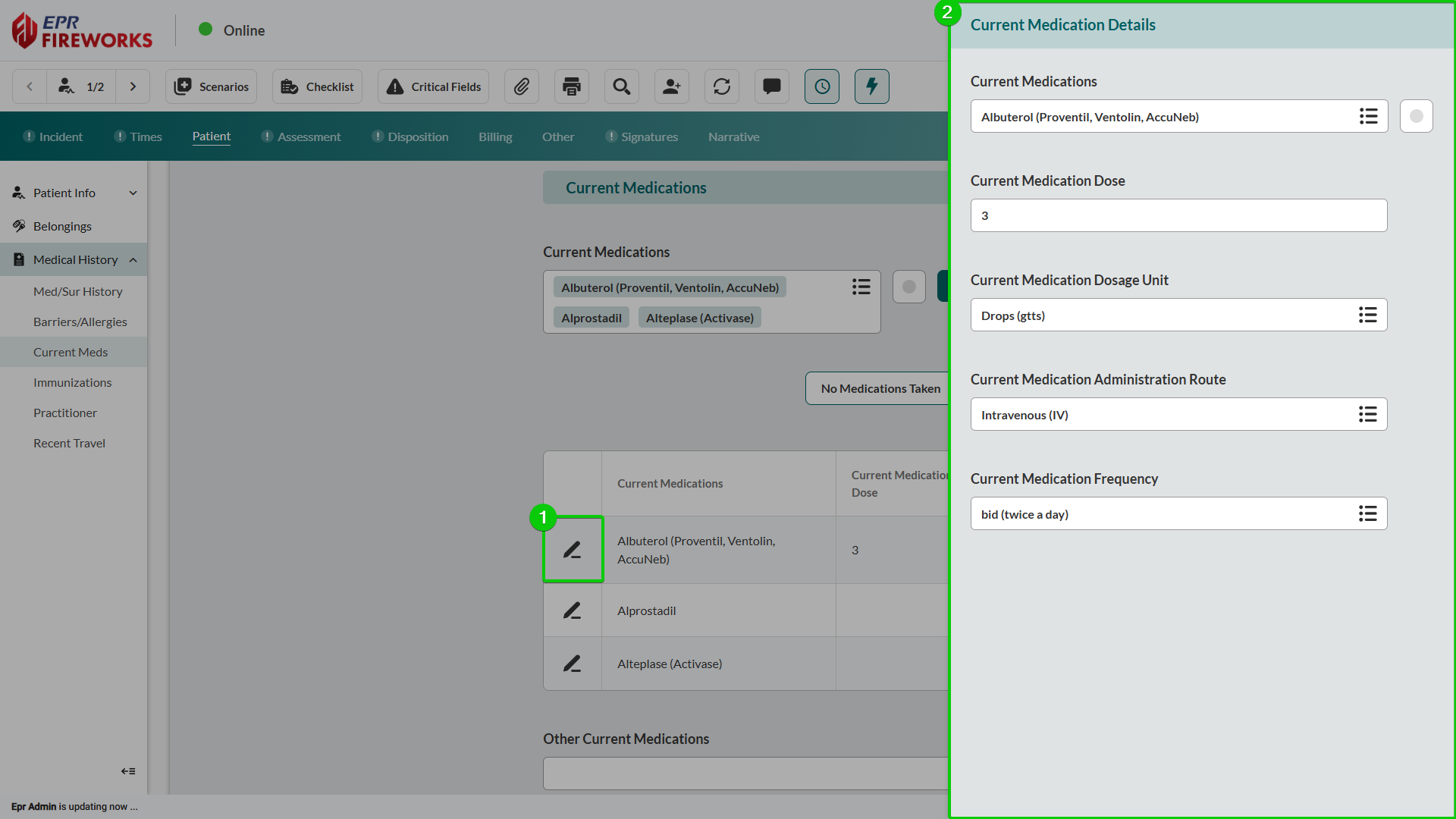
Click the pencil icon next to each medication to add dosage, unit, administration route, and frequency details in the sidebar.
In Other Current Medications field, enter any medications not available in the system list.

Note: Use Hide Table to display medications as a list without dosage information.
Recording Immunization History
Document patient vaccination history to assess infectious disease exposure risk and identify potential contraindications for treatment.
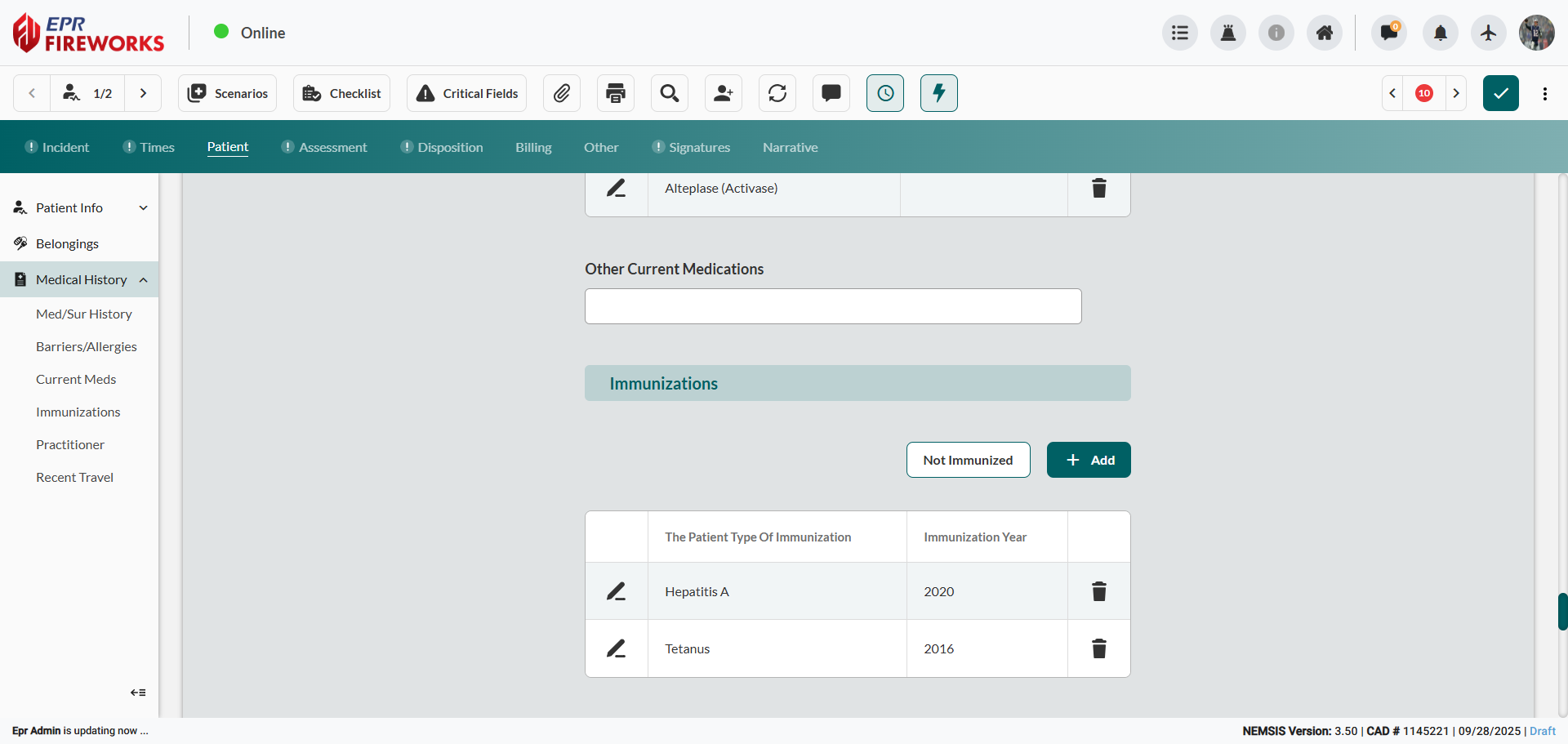
Note: If the patient reports no immunizations, click Not Immunized, and then proceed to Practitioners.
Click Add.
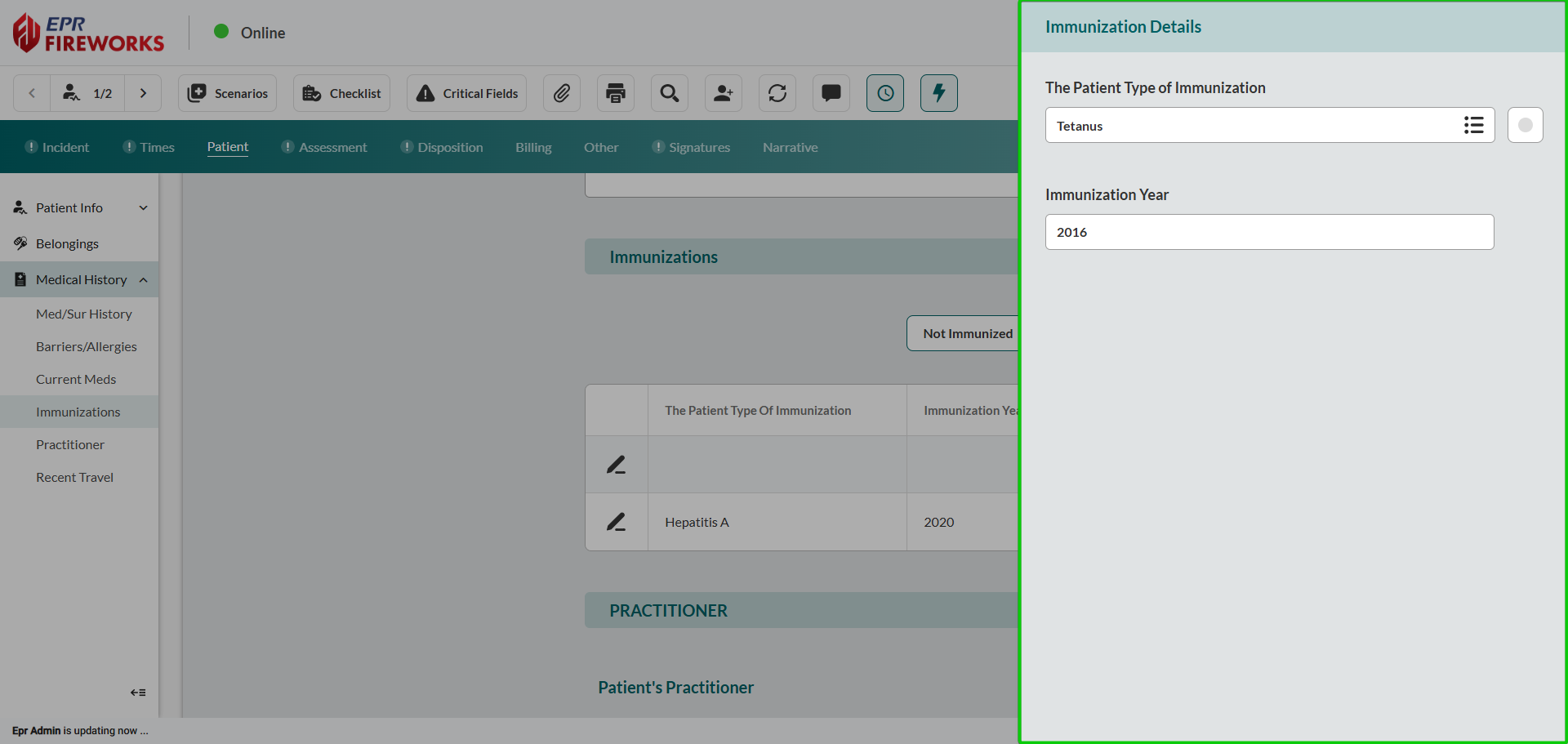
In the Immunization Details sidebar, select the Patient Type of Immunization, and then enter the Immunization Year.
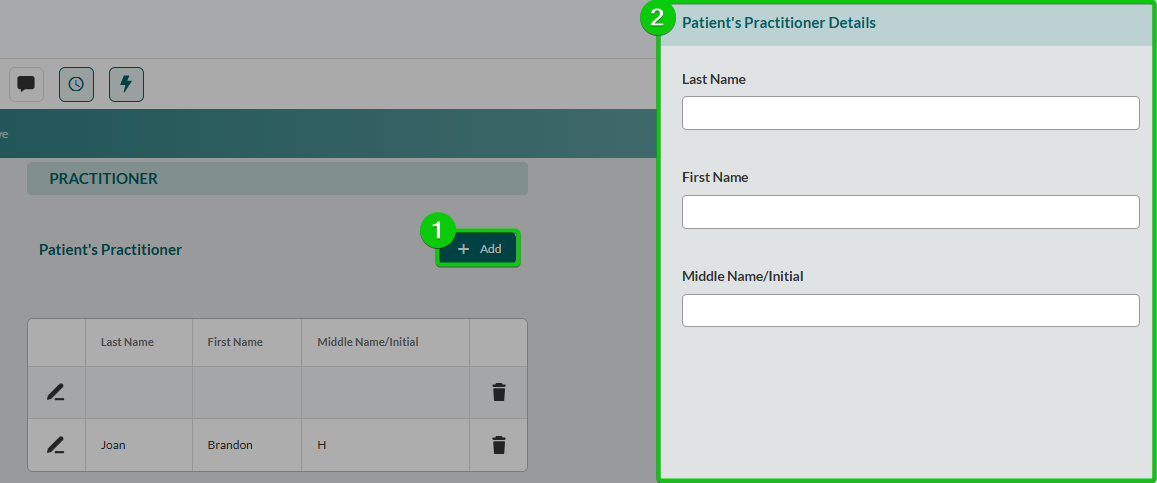
Documenting Healthcare Practitioners
Add patient healthcare provider information.
Click Add.
Enter the practitioner’s details in the corresponding sidebar.
Recording Recent Travel History
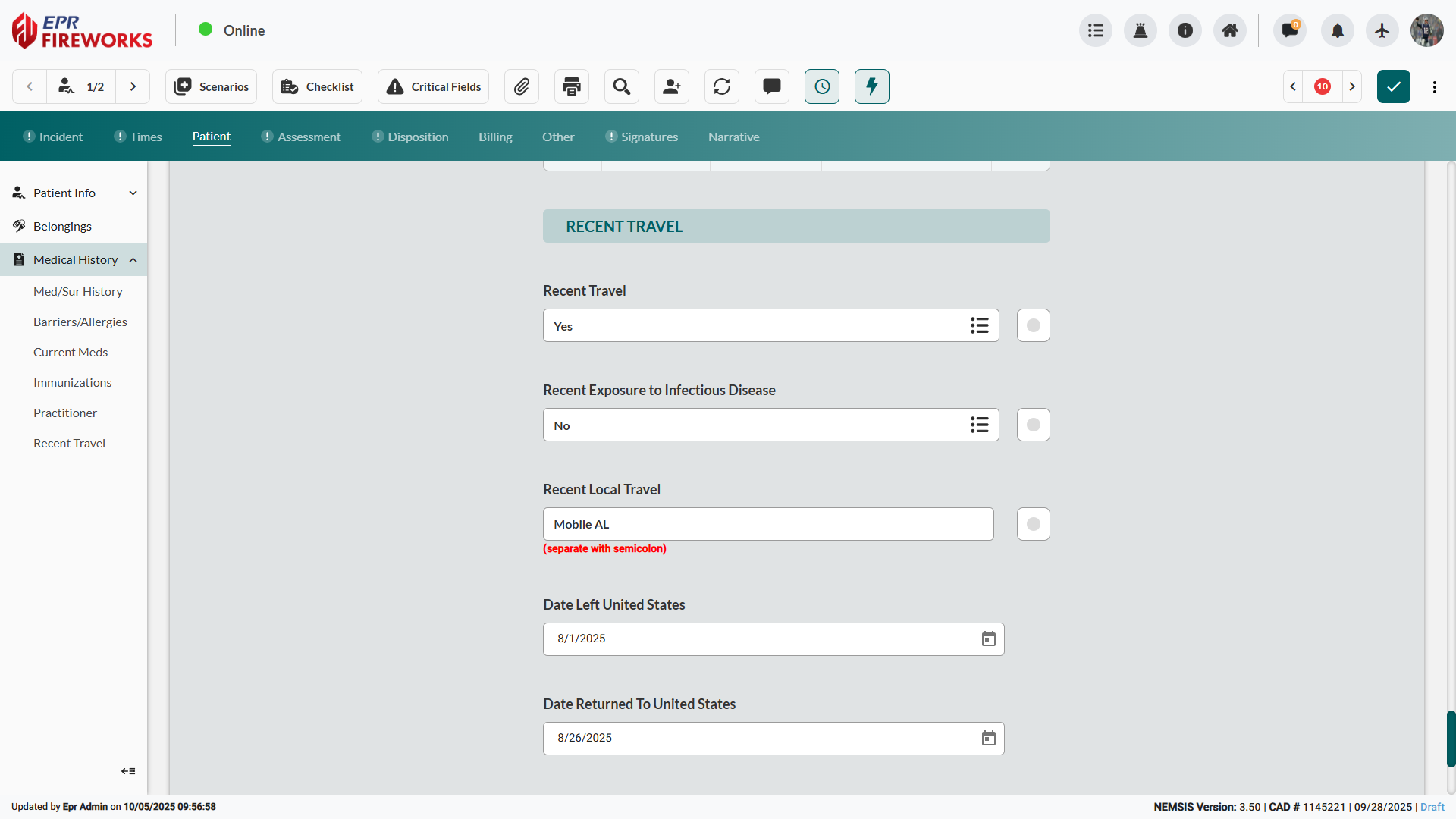
Document patient travel and exposure to infectious diseases.
Indicate Recent Travel status.
Select whether the patient had Recent Exposure to Infectious Disease.
Enter Recent Local Travel location (US).
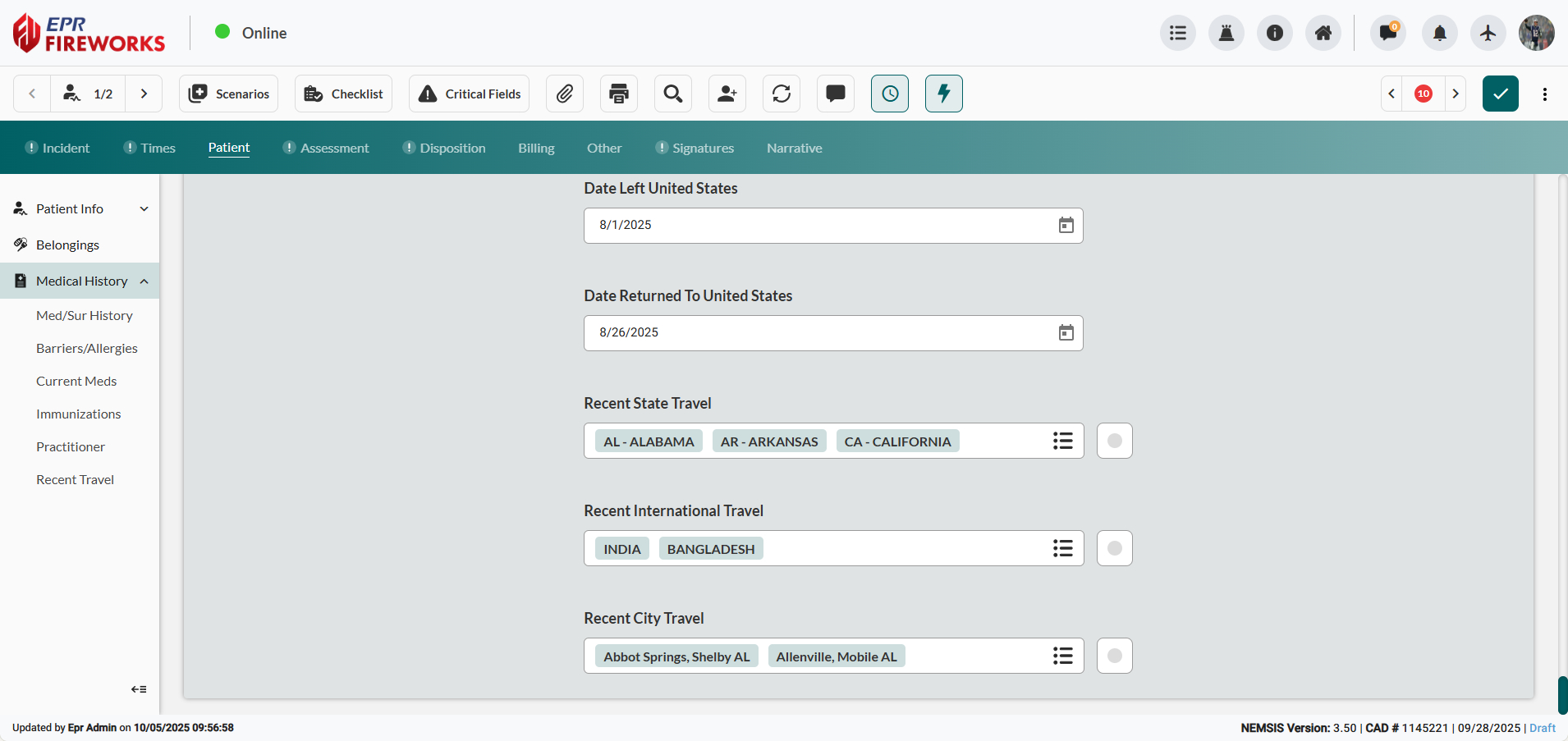
Set Date Left United States and Date Returned To United States.
Select travel destinations in the Recent State Travel, Recent International Travel, and Recent City Travel fields.
Next Steps
Proceed to the Assessment tabs to capture clinical findings.