
MVC Details
Completing MVC Details in ePCR
Overview
Complete MVC Details documentation for motor vehicle collision incidents using the EPR FireWorks ePCR module. This section captures critical collision data including ACN information, vehicle specifications, and occupant safety details for NEMSIS 3.5 compliance.

Important: The MVC Details section only appears when MVC is marked as Yes in the Scene section of the Incident tab.
Before You Start
Ensure:
Collision details and vehicle information available
ACN data from the automated collision notification system (if applicable)
Recording Automated Collision Notification Information
Access the MVC Details section and document Automated Collision Notification (ACN) data when available.
Scroll down to MVC Details.
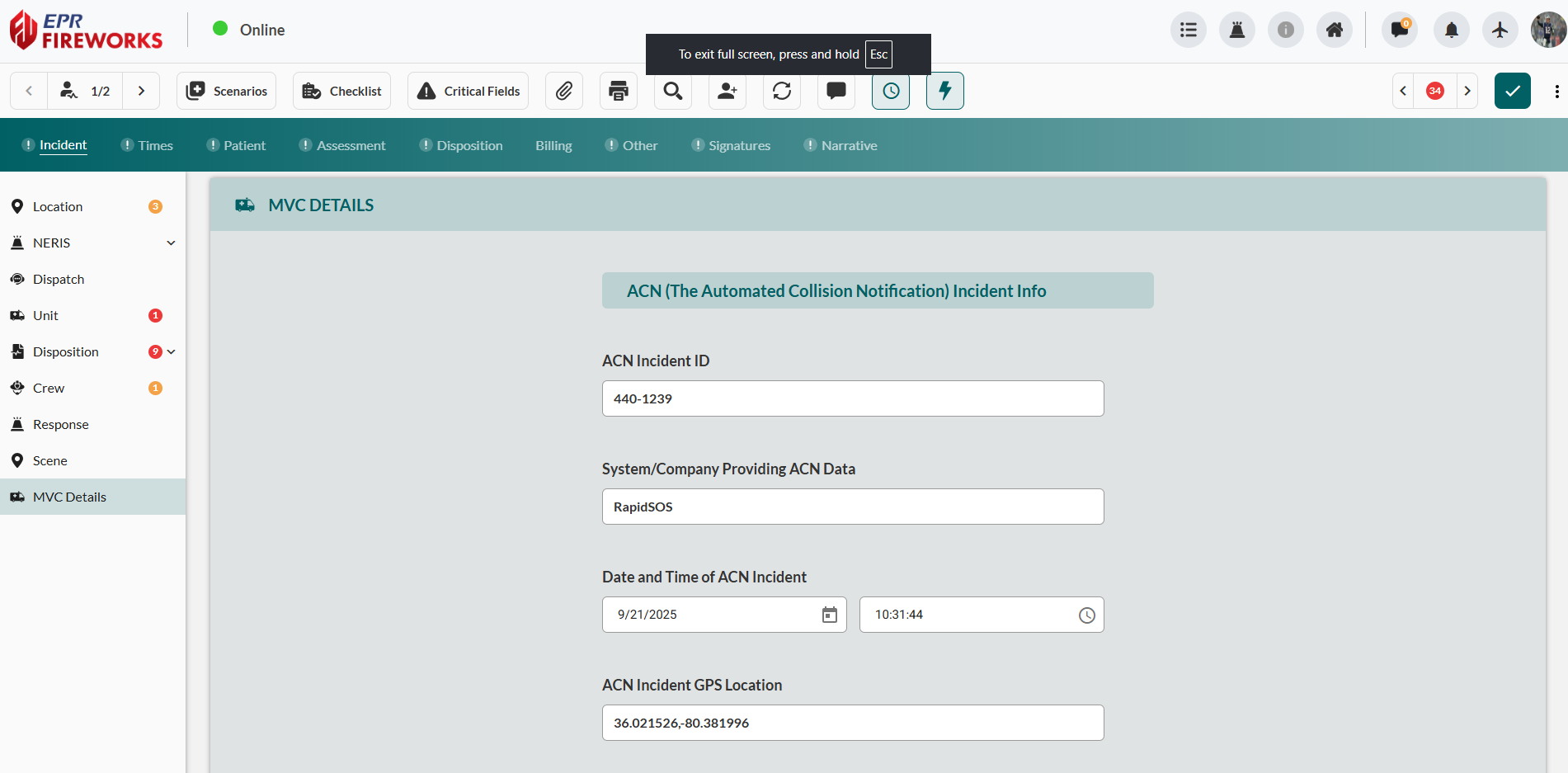
Enter the collision identifier in ACN Incident ID field.
Specify the data source in the System/Company Providing ACN Data field.
In the Date and Time of ACN Incident fields, select the date and time of the collision.
In the ACN Incident GPS Location field, input the GPS coordinates.
Completing Vehicle Information
Document vehicle specifications and collision impact characteristics.
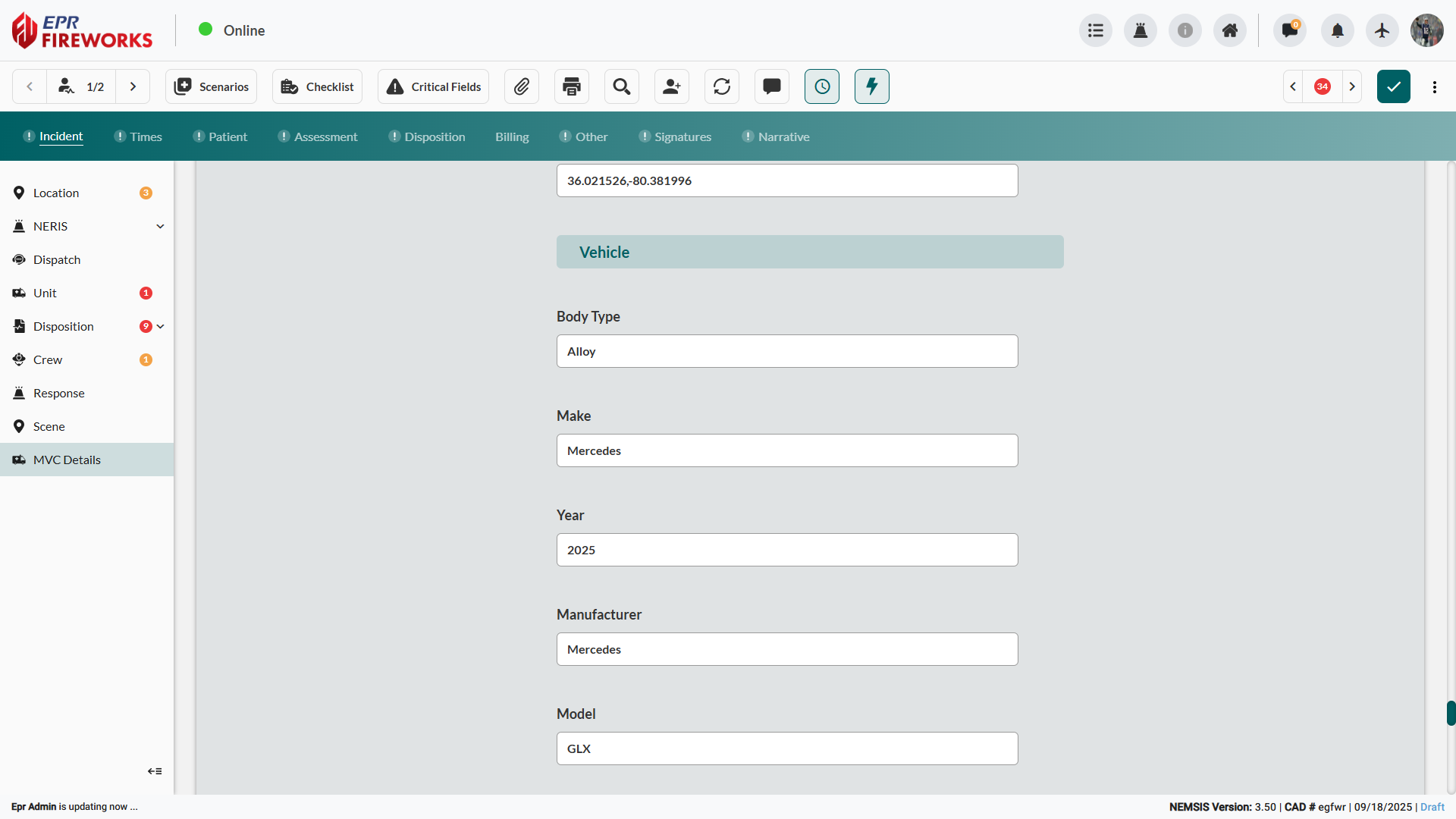
Scroll down to the Vehicle section.
Complete Body Type, Make, Year, Manufacturer, and Model fields.
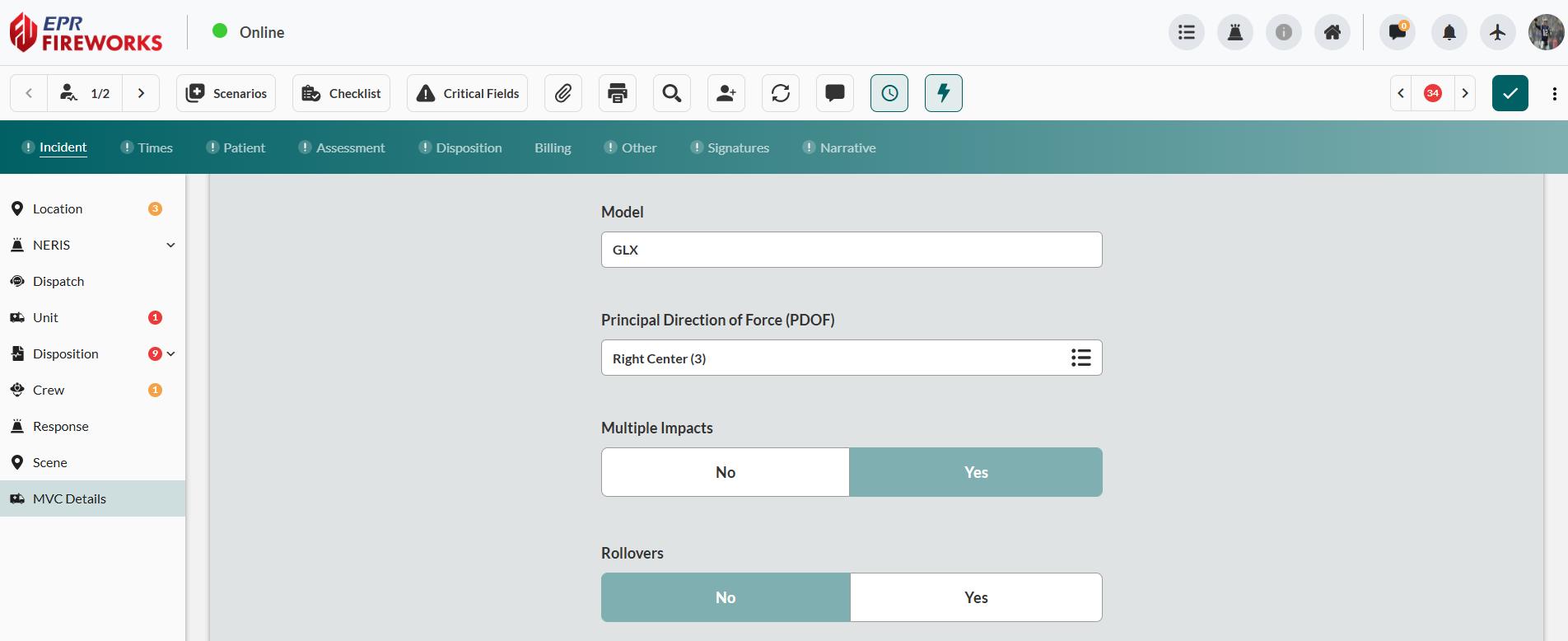
Select impact direction in Principal Direction of Force (PDOF) field.
Indicate Multiple Impacts (No/Yes).
Indicate Rollovers (No/Yes).
Documenting Collision Impact and Safety Systems
(Vehicle cont.)
Record collision damage area, patient position, and safety equipment deployment status.
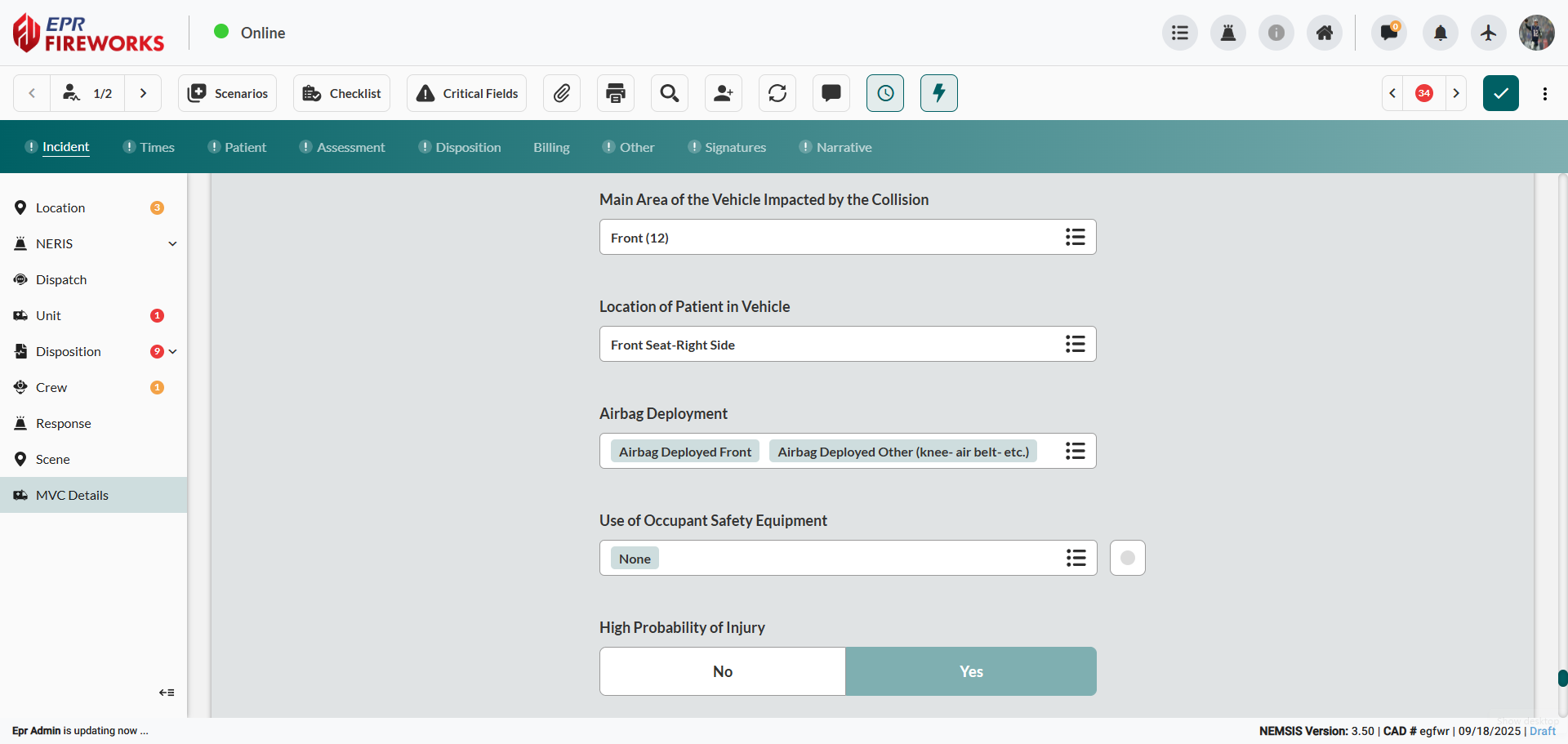
Select primary damage area in Main Area of the Vehicle Impacted by the Collision.
Specify patient position in Location of Patient in Vehicle.
Check appropriate boxes in Airbag Deployment to indicate deployed systems.
Select relevant options in Use of Occupant Safety Equipment.
Indicate High Probability of Injury (No/Yes).
Adding Seat Group Details
Configure occupancy and safety equipment details for each vehicle seating position.
Navigate to Seat Group. Click Add to open sidebar.
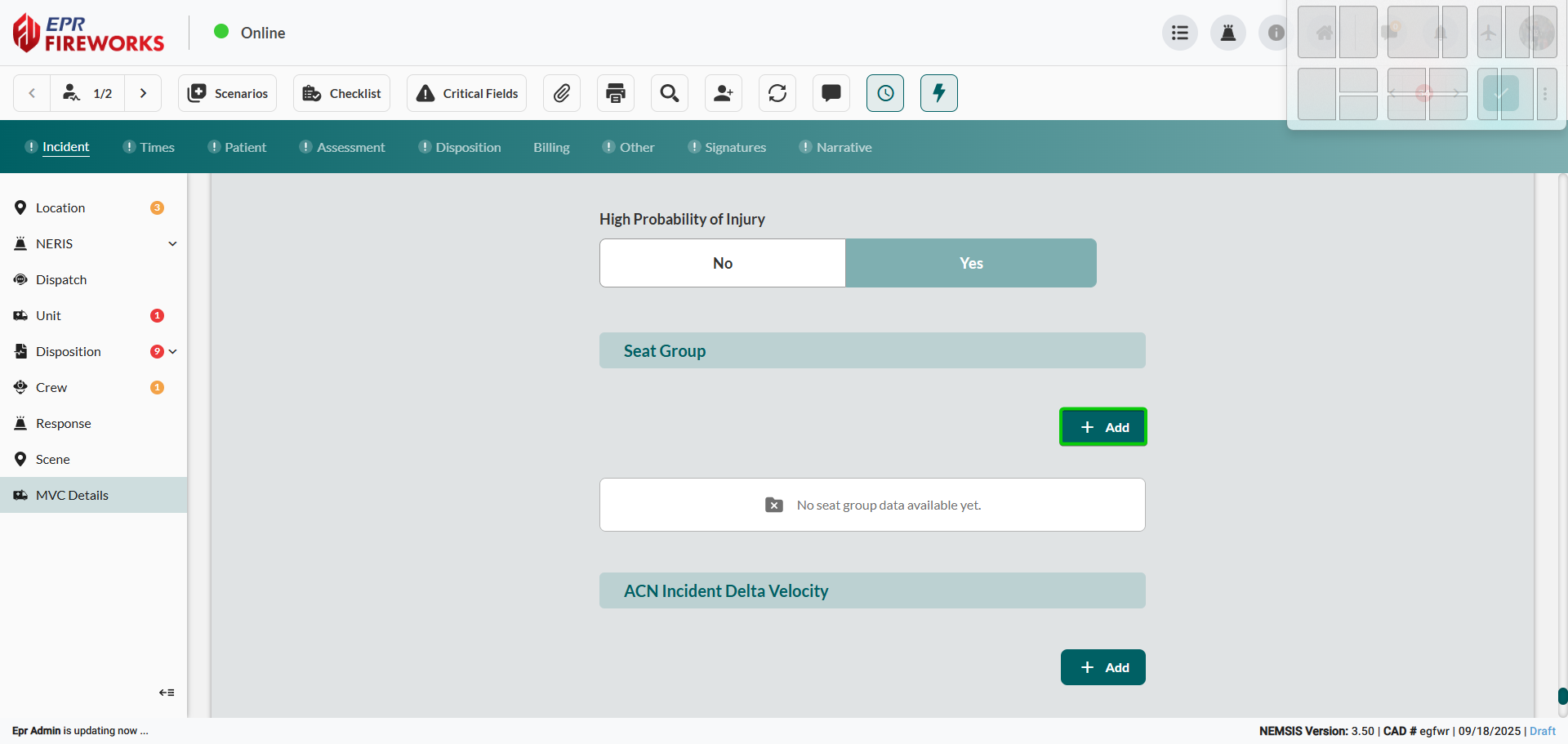
Complete the Seat Group details sidebar:
Select position in Vehicle Seat Location.
In the Seat Occupied, define seat occupancy (No/Yes).
Configure Seatbelt Use (No/Yes).
Configure Airbag Deployed details.
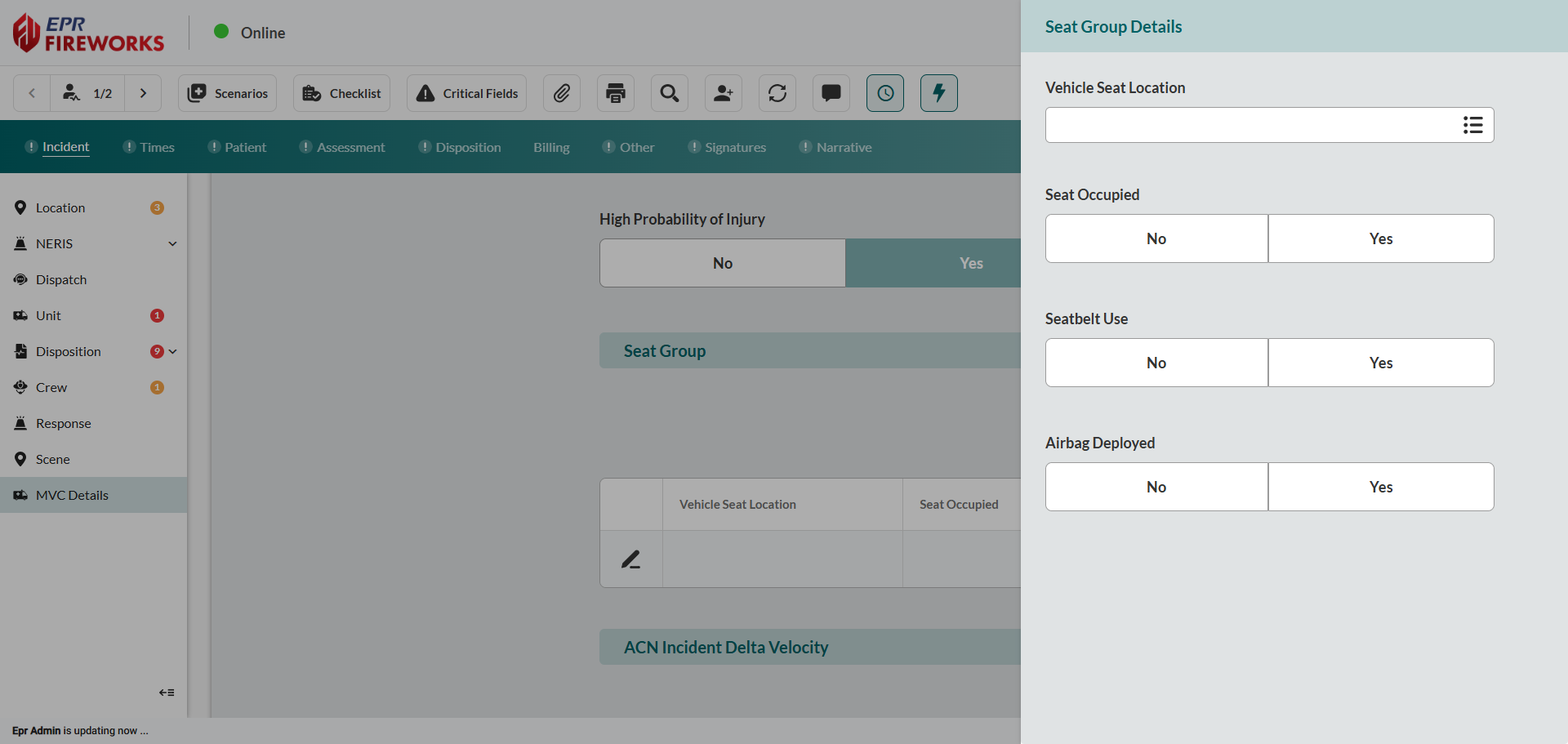
Close the sidebar to save changes.
Repeat steps 1-2 for all relevant seating positions.
Entering Automated Collision Notification Velocity and Contact Information
Document collision dynamics data and emergency callback information from Automated Collision Notification (ACN) systems.
Access ACN Incident Delta Velocity. Click Add to open sidebar.
Complete the Delta Velocity sidebar:
Complete Velocity Unit. Enter Value for collision delta velocity.
Enter Delta Velocity Ordinal information if available.
Complete the Call Back sidebar:
Go to ACN Call Back #. Click Add to open sidebar.
Complete Phone Number Type. Enter Value for callback contact.
Next Steps
Proceed to Times documentation to continue incident reporting.