
January 2026 (Back-Office)
[NERIS] Scenario Configuration, Non-Active Units
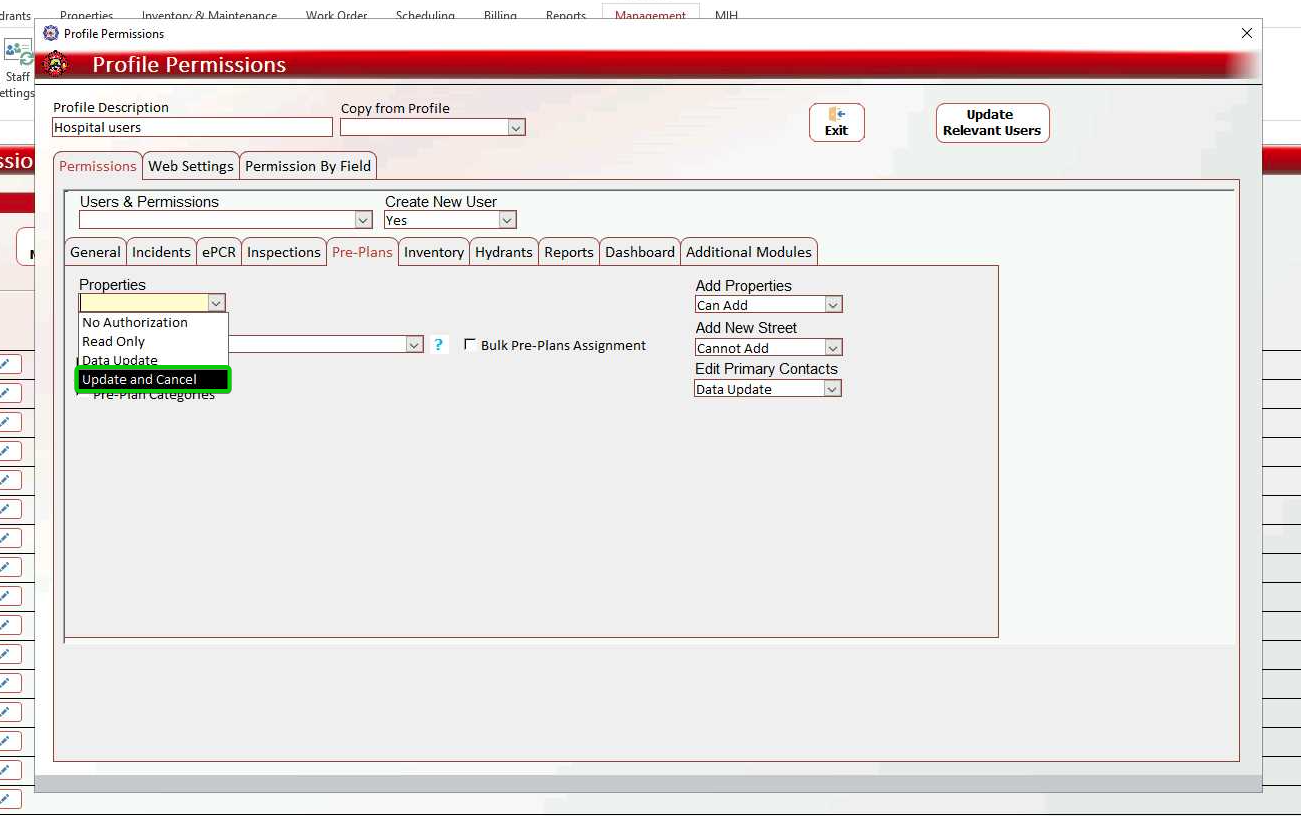
Properties > Merge and Archive Permission
Control which users can merge and archive properties through granular permission settings. This complements the Merge and Archive functionality released in the Web Application, giving you administrative control over who can perform these data management operations.
How to configure: Navigate to Management > Staff Settings > User Profiles > Pre-Plans > Properties, and then enable the Update and Cancel permission for profiles that should have merge and archive capabilities.
(NERIS)
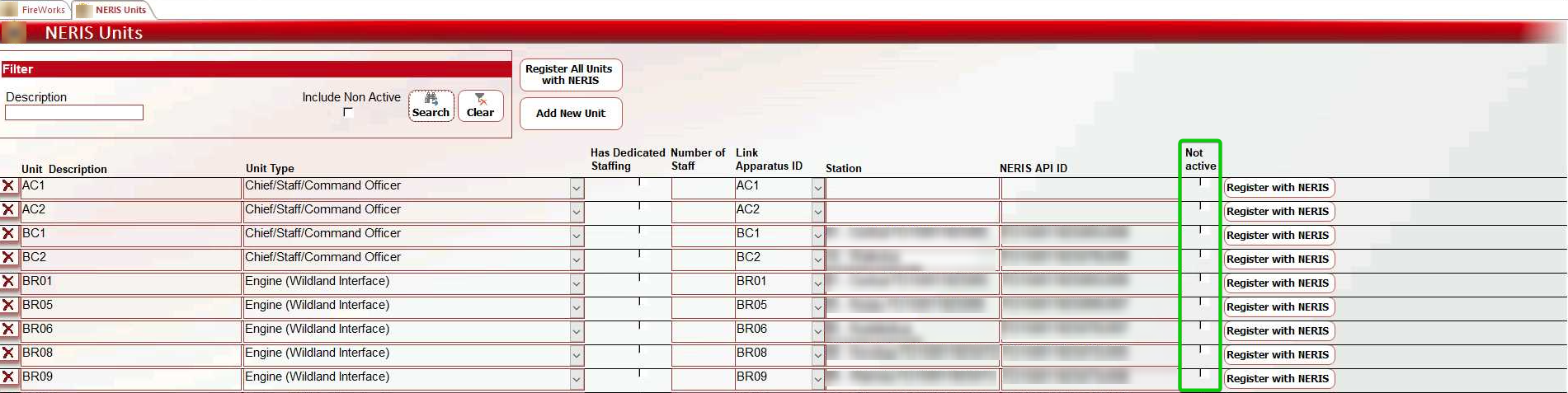
NERIS > NERIS Units > Non-Active Unit Indicator
We added the option to set registered units as Non-Active.
(NERIS)
NERIS > Scenario Configuration
You can now create department-wide NERIS scenario presets to accelerate documentation of common incident types. Configure default values for frequently used field combinations, allowing responders to automatically populate routine fields by selecting the appropriate scenario.

See Web App release notes and NERIS Incident Info user guide for using Scenarios in the web app.
Creating New Scenarios
Navigate to NERIS Settings > NERIS Default Values in the Admin Back-Office.
Double-click the Scenario field to open the NERIS Scenarios window.
Click New or click the empty row.
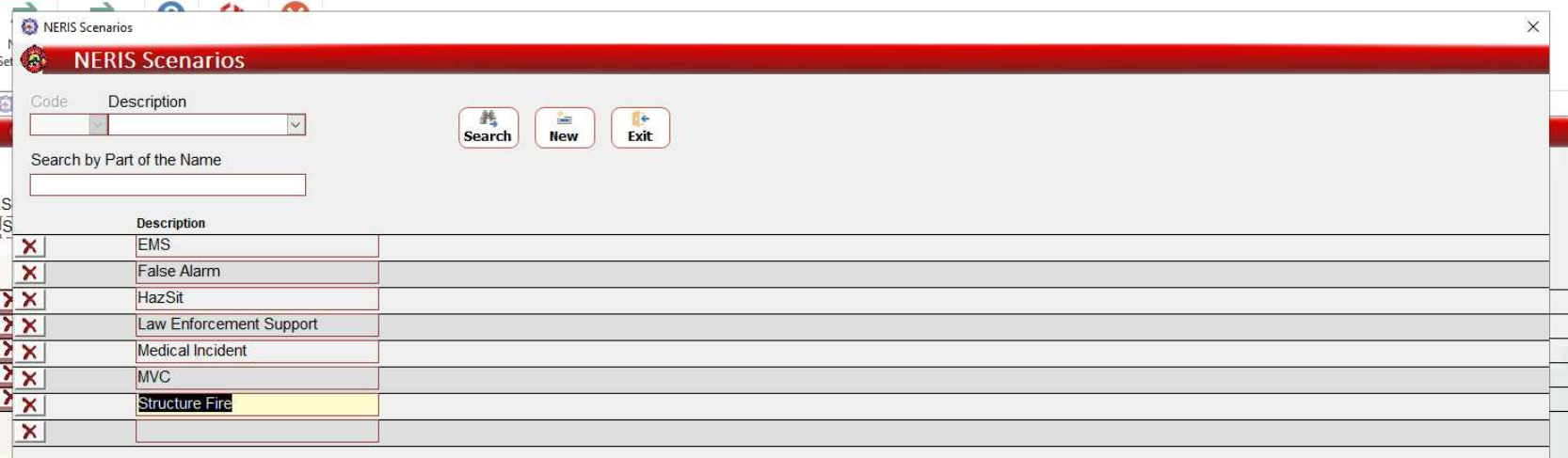
Enter the scenario name and click Exit to save changes.
Configuring Default Values
In the NERIS Default Values page, expand the Scenario dropdown and select your scenario.
Use the dropdowns to select default subjects, fields, and values.
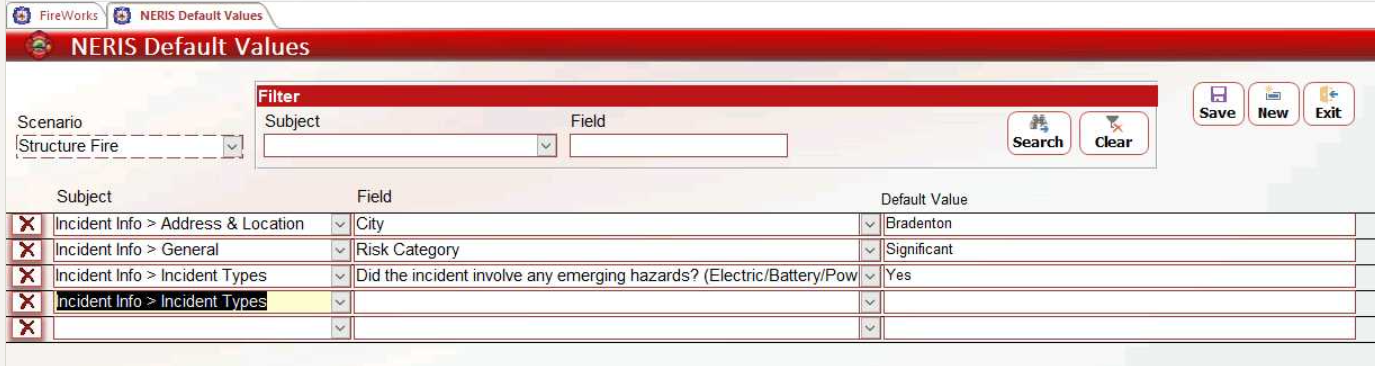
Click Exit to save changes.