January 2026 (Web App)
Announcing ePCR 3!
COMING SOON
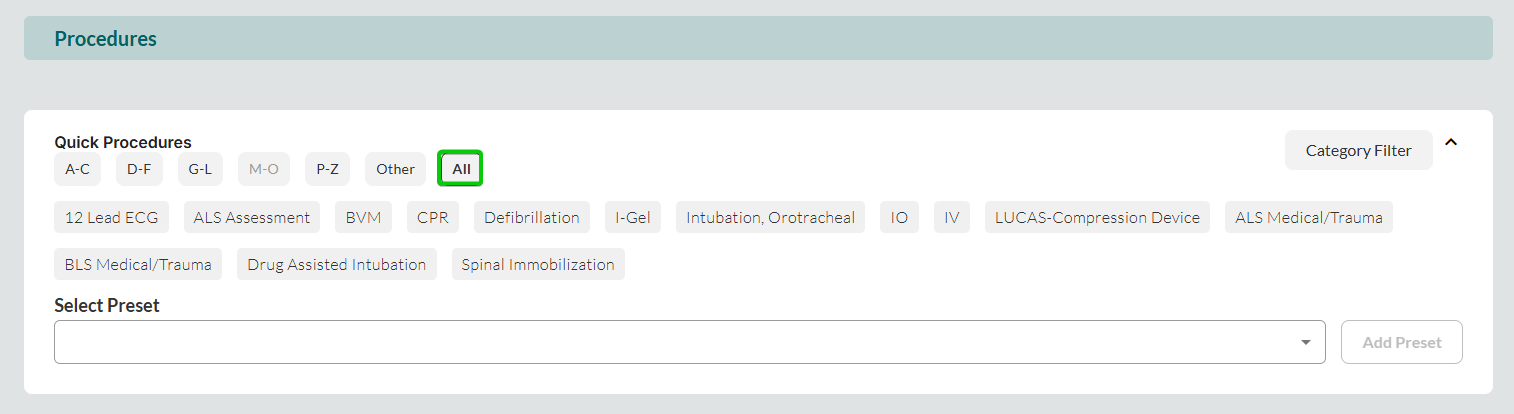
We are releasing ePCR 3 to all FireWorks ePCR users on January 18th, 2026. ePCR 3 introduces a completely refreshed user interface with significant performance improvements and redesigned screens. For this phase of release, we added the option to transition between the current and new designs manually.
Incident > NERIS > Apparatus Narrative
You can now add apparatus-specific narratives within the NERIS section of the Incident tab, allowing you to document apparatus-level details separate from the overall incident narrative.

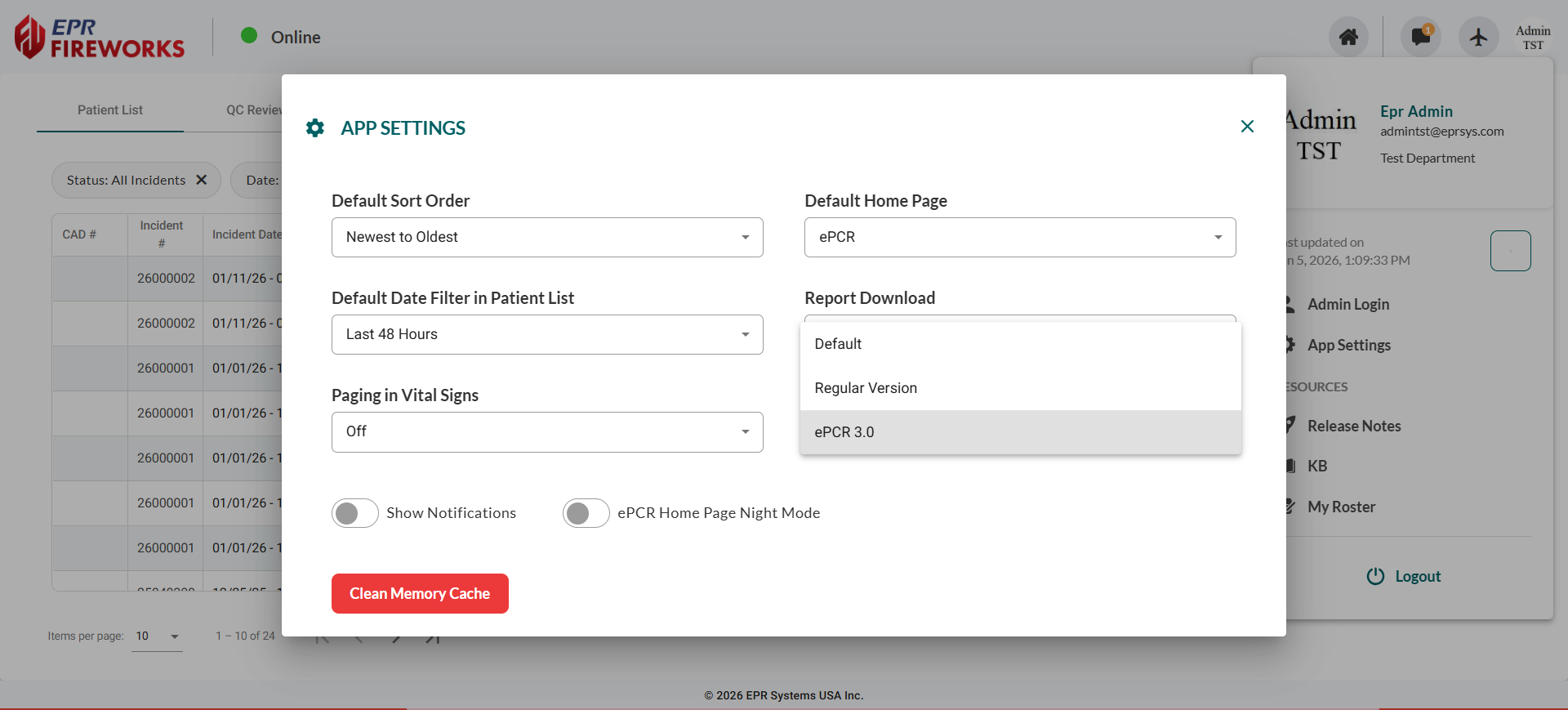
Patient List > NERIS Filters
You can now filter incidents in the Patient List by NERIS incident type and action taken using the three-level classification hierarchy (Incident Type > Specific Type > Detail Level).
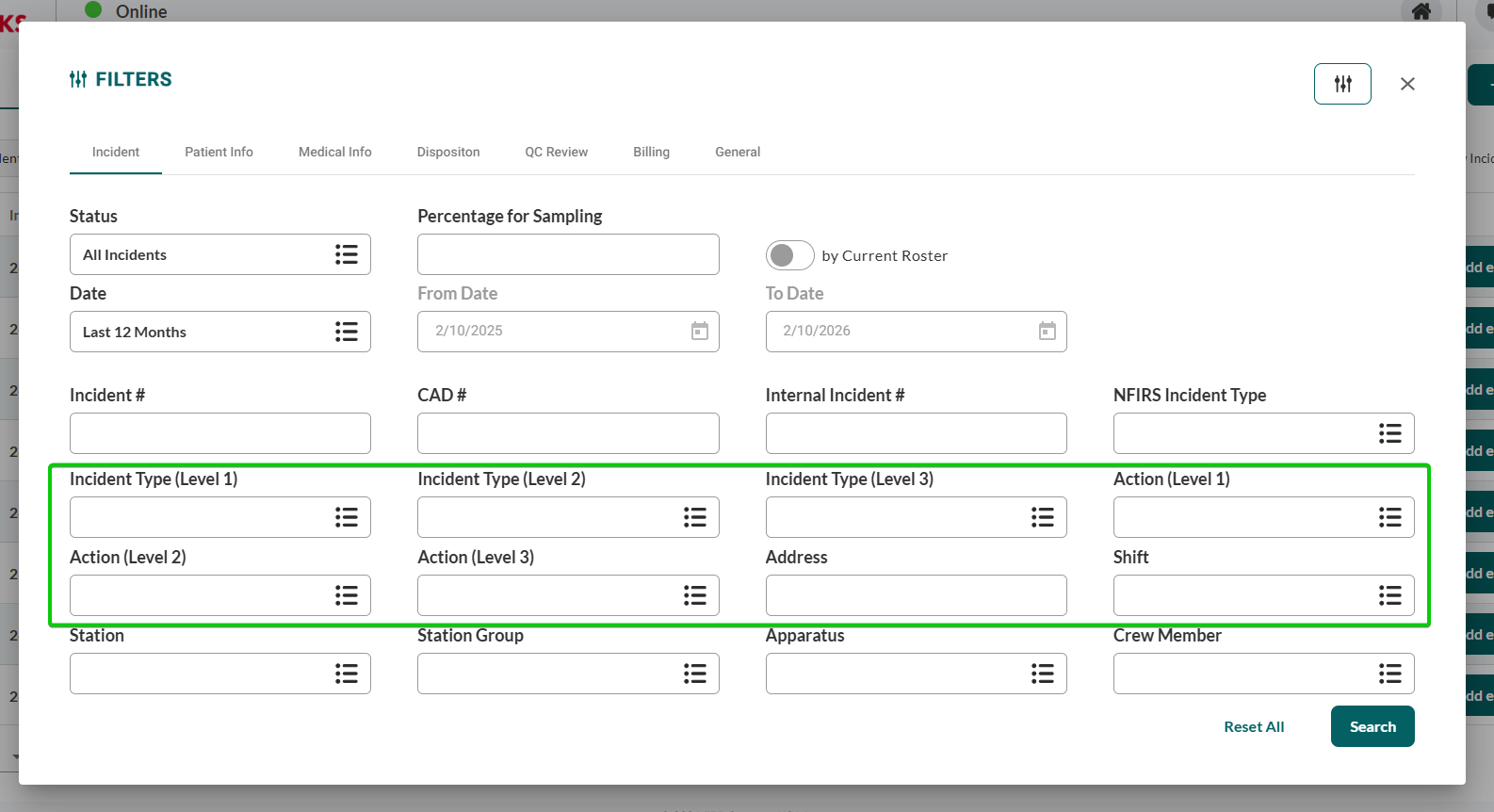
Treatments > Quick Procedures/Medications > Display All Presets
You can now display all available presets in a single view within Quick Procedures/Medications instead of organizing by alphabetical categories, providing faster access to frequently used procedures/medications.
COMING SOON
Properties List > Merge and Archive Properties
We added the options to archive properties and merge duplicates.

Merging Properties
Merge duplicate properties to consolidate records and maintain data integrity.
To merge properties:
In the property row, click
 .
.Select Merge Properties.
Search for the duplicate property.
Click Merge Properties to confirm.
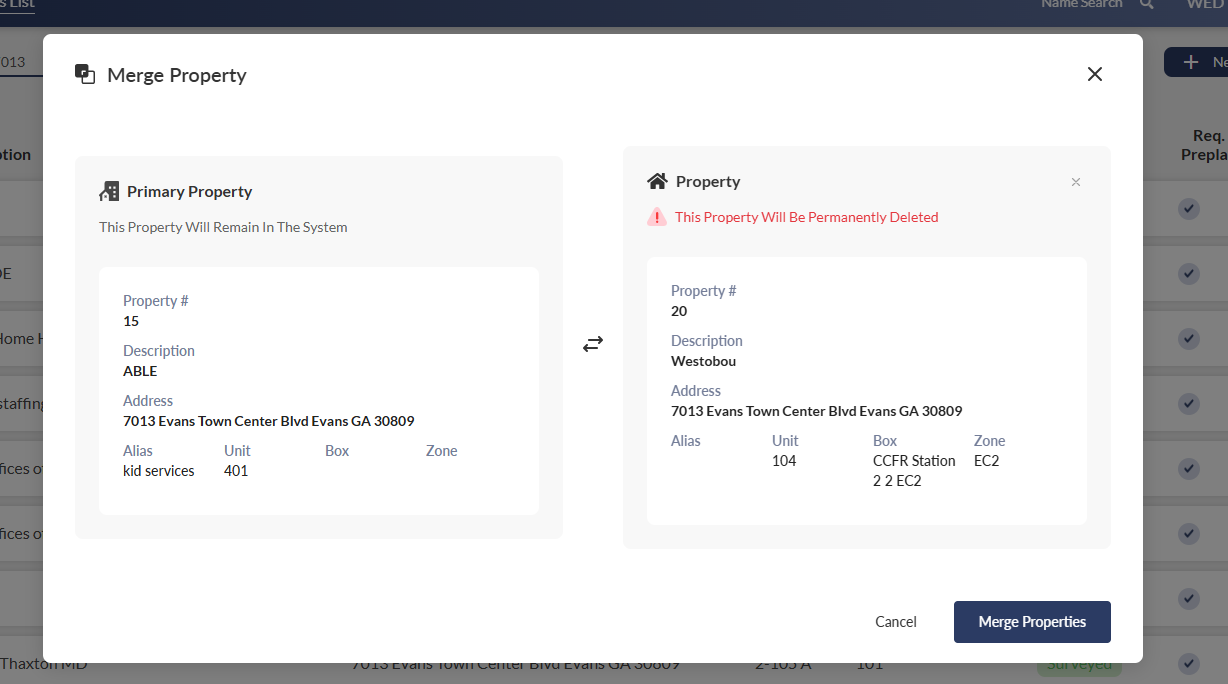

The duplicate property is permanently deleted, and all associated records are transferred to the primary property.
Delete Properties
Delete properties that are no longer active to remove them from your Property List and all module records.
To delete a property:
In the property row, click the actions menu.
Select Delete Property.
Confirm the archive action.
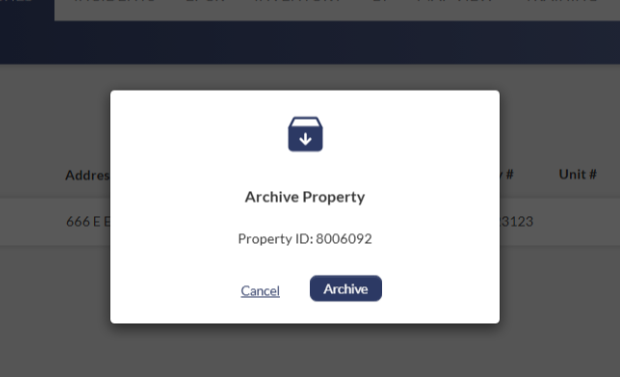
Archived properties can be retrieved by contacting Support at support@eprsys.com.
Property is removed from the Property List and all module records.

Note:
You cannot archive properties with open inspections or pre-plans.
To retrieve archived properties, contact our Support team at support@eprsys.com.
The Merge and Archive features require a designated user profile permission. Learn how to enable these features (administrator access required).
Inspections > Billing > Batch Bill Invoice Enhancement
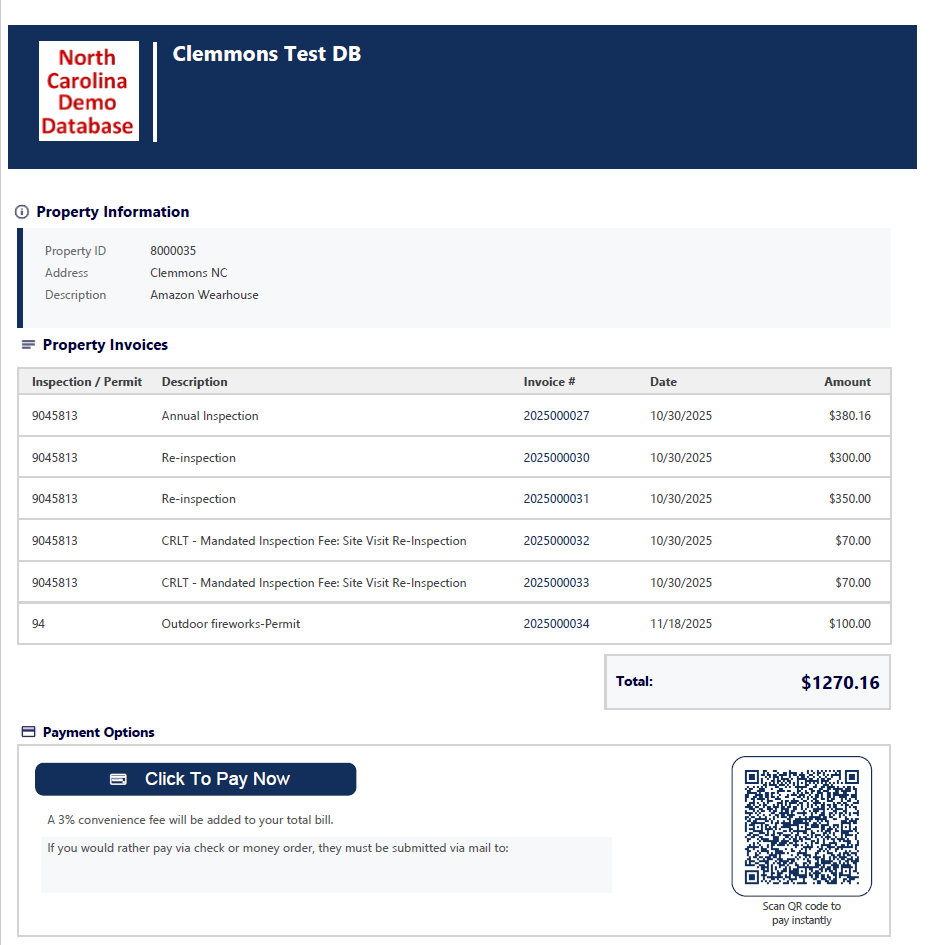
The batch bill invoice PDF now displays selected bills in an organized table format, improving clarity when processing multiple invoices simultaneously.
Inspections > Billing > Bill Preview
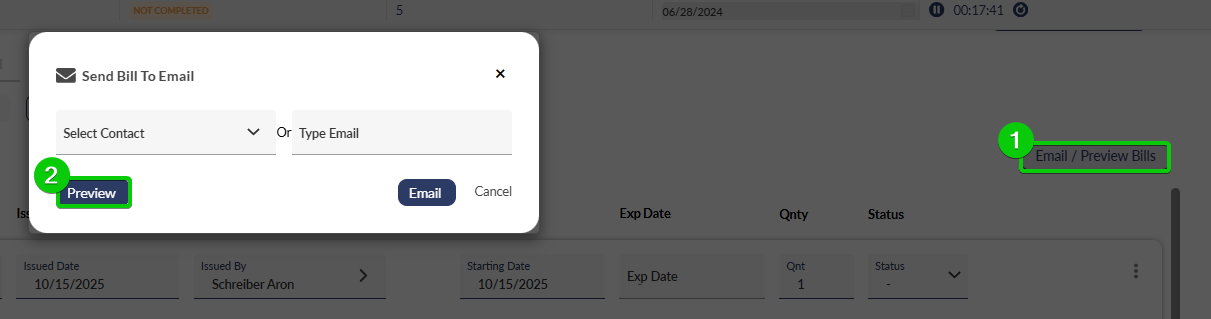
Preview bills before submission to verify accuracy and completeness, reducing errors in your billing workflow.
ePCR Reports > HIPAA Redacted Report
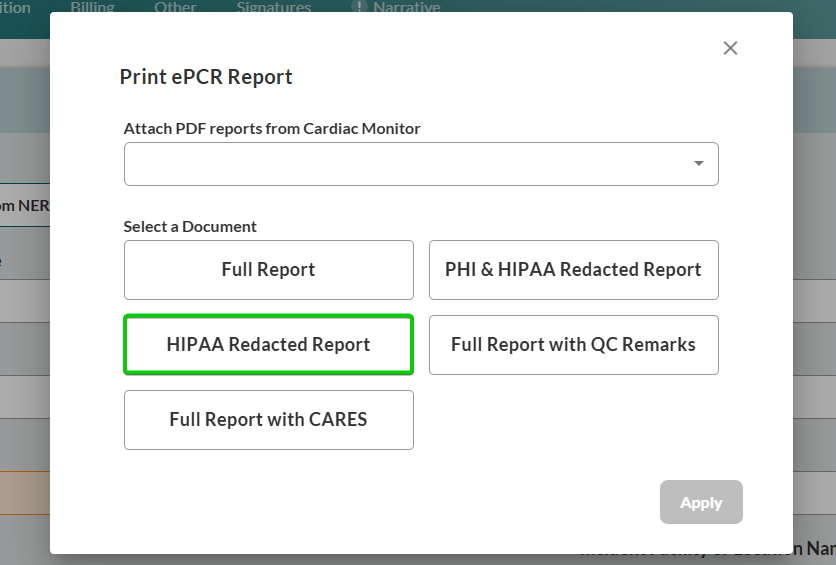
You can now generate the new HIPAA Redacted Report with expanded data coverage that meets state-specific reporting requirements. This new report replaces the previous version, which is now available as PHI & HIPAA Redacted Report.
Note: To print the previous HIPAA report format, select PHI & HIPAA Redacted Report.
Assessment > Vitals > CO Field Added
You can now document carbon monoxide levels directly in the Vitals table. The new CO field accepts percentage values for carbon monoxide measurements.

Learn more about respiratory values in the Vital Signs section of the Assessment tab
Assessment > Treatment Editing Restored
You can now edit treatments directly from the Treatments table on desktop devices, streamlining your documentation workflow without opening the full sidebar.

Note: This feature is available on PC devices only. Tablet users can edit treatments by clicking  to open the treatments sidebar.
Learn more about managing Treatments, Medication, and Procedures in ePCR
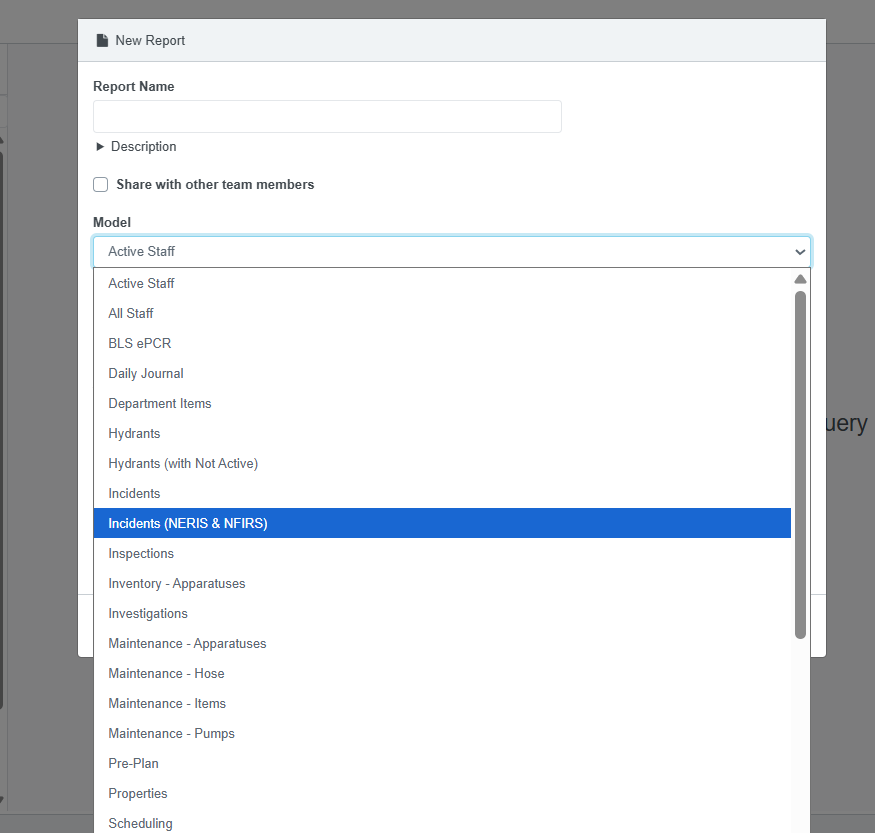
BI > Report Generator > NERIS Fields
You can now generate NERIS-compliant reports using the Report Generator.
(NERIS Update)
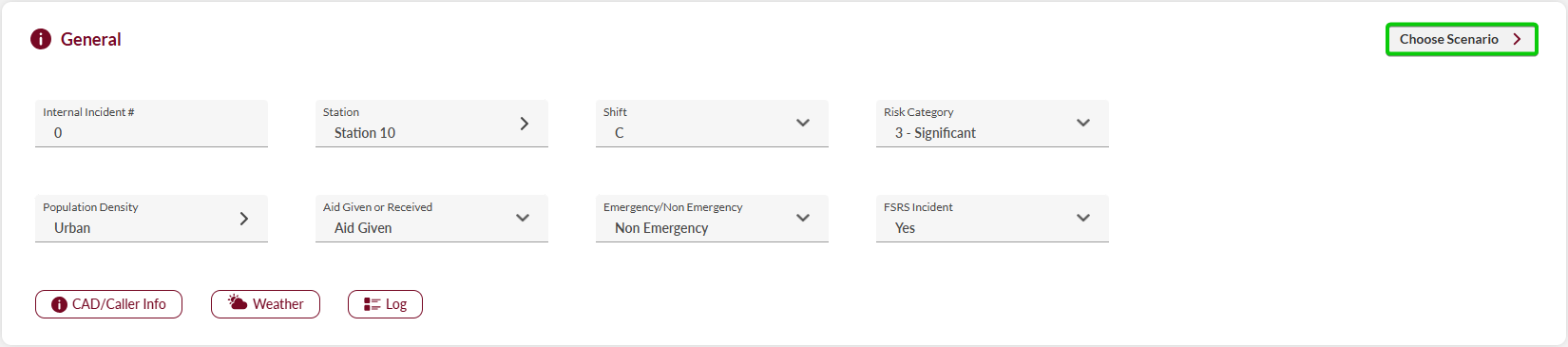
Scenarios
You can now select preset NERIS scenarios to streamline incident documentation with pre-configured field values. When you choose a scenario (e.g., Structure Fire, Medical Emergency, MVC, etc), the system fills applicable fields specific to that incident type, reducing data entry time and ensuring consistency.
To configure scenarios in the back-office , see Back-Office release notes and the NERIS Scenarios user guide.
Personnel Preview
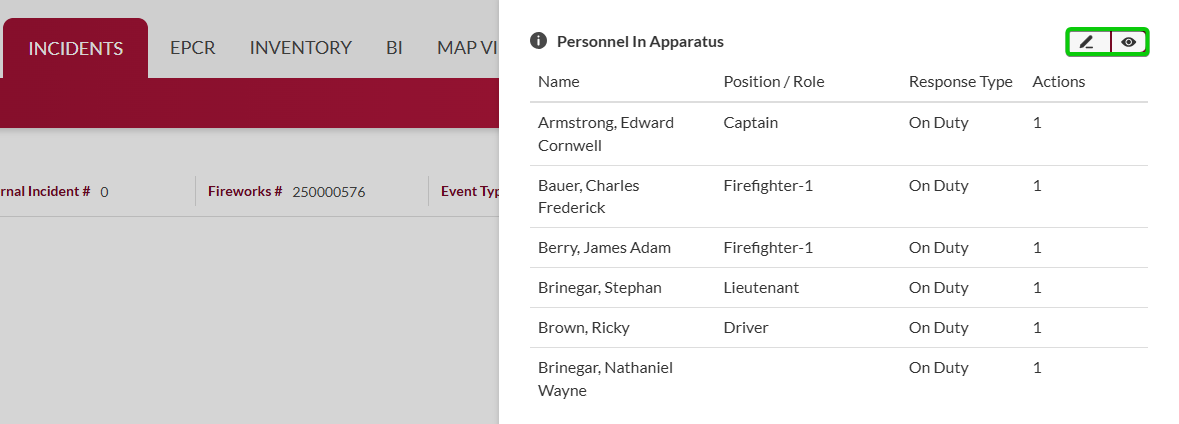
Toggle between detailed personnel forms and a summary list view when managing apparatus personnel. The summary view displays all crew members with their name, position, response type, and actions in a single table, allowing you to verify assignments quickly.
Learn more about adding apparatuses and personnel to the NERIS Response tab