
Scene
Overview
Document scene characteristics, mass casualty status, and multi-agency coordination through the EPR FireWorks Scene section to support resource allocation analysis and NEMSIS 3.5 compliance.
Before You Start
Ensure:
Complete response information before documenting scene details.
Scene characteristics, including patient counts, triage classifications, and additional services, enable proper resource allocation analysis, and multi-agency coordination documentation.
Documenting Scene Details
Record mass casualty status, first responder information, patient count, and arrival time to establish scene context for NEMSIS reporting.
Access the scene documentation section. Scroll to the Scene section within the Incident documentation.
Establish mass casualty status. Indicate whether this was a Mass Casualty Incident (No/Yes) and whether this was the First EMS Unit on Scene (No/Yes).
If this is a mass casualty incident, document scene severity. Complete Triage Classification for MCI Patient using the color-coded options.
Identify collision incidents. Indicate whether this is a Motor Vehicle Collision (MVC) incident (No/Yes).
Establish patient count. Choose Number of Patients at Scene (Single/Multiple/None).
Record first responder arrival. Enter Date and Time of Initial Responder Arrived on Scene.
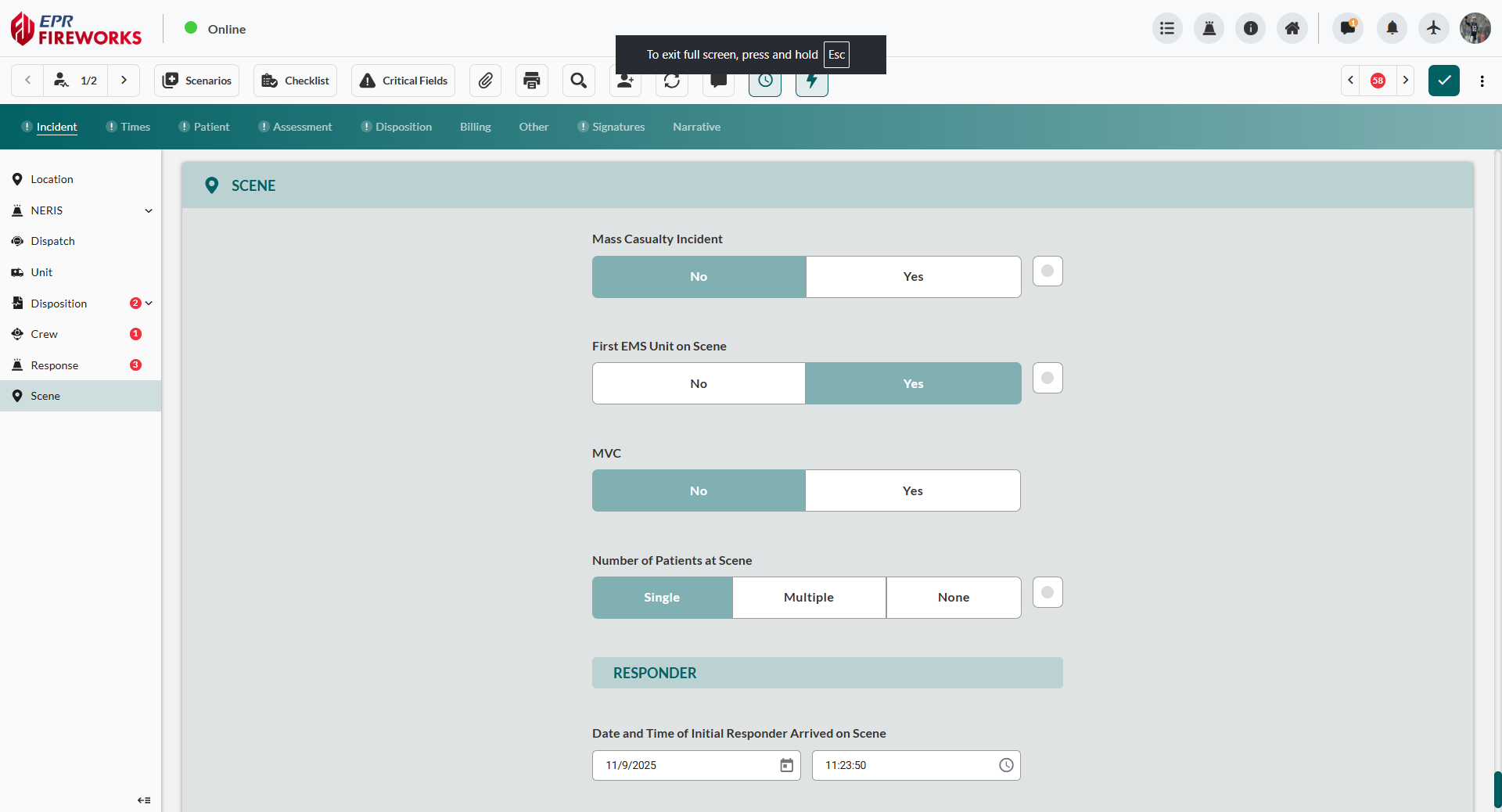
Document multi-agency coordination if applicable. If other agencies provided patient care or scene support, click + Add in the Other Services At Scene section (see Adding Other Services at Scene below).

Result: EPR FireWorks displays completed scene documentation in the Incident section.
Adding Other Services at Scene
Document law enforcement, fire service, or additional EMS agencies that provided patient care or scene support for mutual aid billing and multi-agency coordination.
Click + Add in the Other Services At Scene section.
Complete service details in the sidebar form:
Identify agency type. Select Type of Other Service at Scene.
Record agency identifier. Enter ID Number if required for the service type.
Specify responding agency. Select Other EMS or Public Safety Agencies at Scene from available options.
Identify primary care provider. Indicate First Other EMS or Public Safety Agency at Scene to Provide Patient Care (No/Yes).
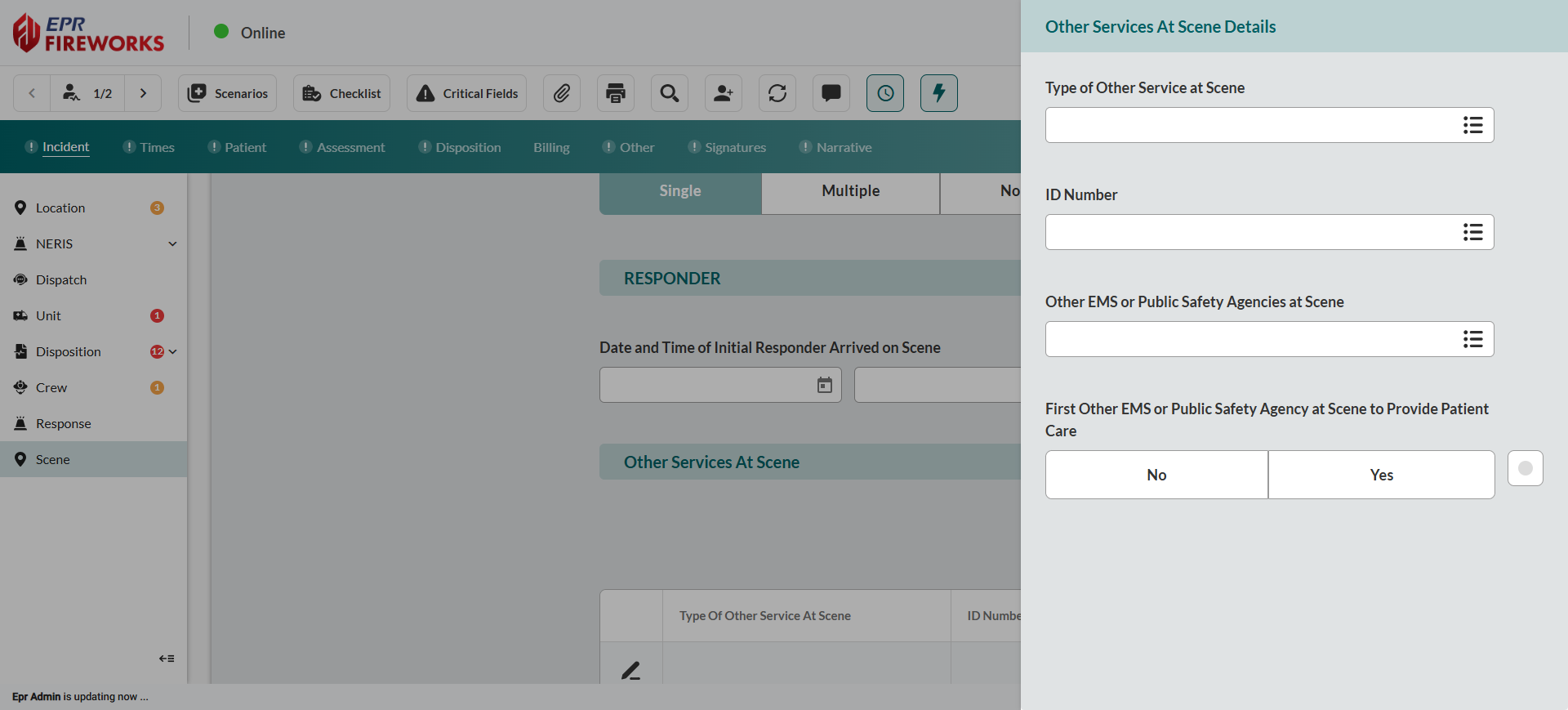
Close the sidebar to save changes.
Result: The Other Services At Scene section displays added agency information showing service type, ID number, and care provider status.
Next Steps
Proceed to Times Documentation to continue incident reporting. If this is an MVC incident, scroll down to MVC Details.
Additional Steps According to Scene Classification
MVC Incidents: Complete the Motor Vehicle Collision Details section immediately below the Scene section (appears automatically when MVC is set to Yes). After MVC documentation, proceed to Times.
Mass Casualty Incidents: After scene-level documentation, proceed to create individual ePCR records for each patient. Each patient record will include patient-specific triage classification, assessment, and treatment documentation.
Multi-Agency Incidents: Ensure all responding agencies are documented in Other Services At Scene before completing incident reporting. Verify primary care provider designation for accurate billing attribution.