
Billing (ePCR)
Overview
Document billing information, insurance coverage, and financial responsibility for transport services. The Billing tab appears only for transport-capable departments with billing integration enabled.
Before You Start
Active transport ePCR with patient demographics documented
Insurance cards and policy information available
Pre-authorization codes, if obtained
Transport destination and mileage recorded

If payment information is unavailable, or if your department does not bill for this specific EMS incident type, clearly document the issue and skip the Billing tab.
Use the No Payment Info or Not for Billing toggle at the top of the page to indicate the reason for not completing this tab.

Proceed to Other.
Basic Payment Details
Establish primary billing classification, payer information, and service level for claim routing and reimbursement determination.
Adding Payment Methods and Level of Urgency
Within the Billing tab, designate the payment classification and any applicable billing exceptions.
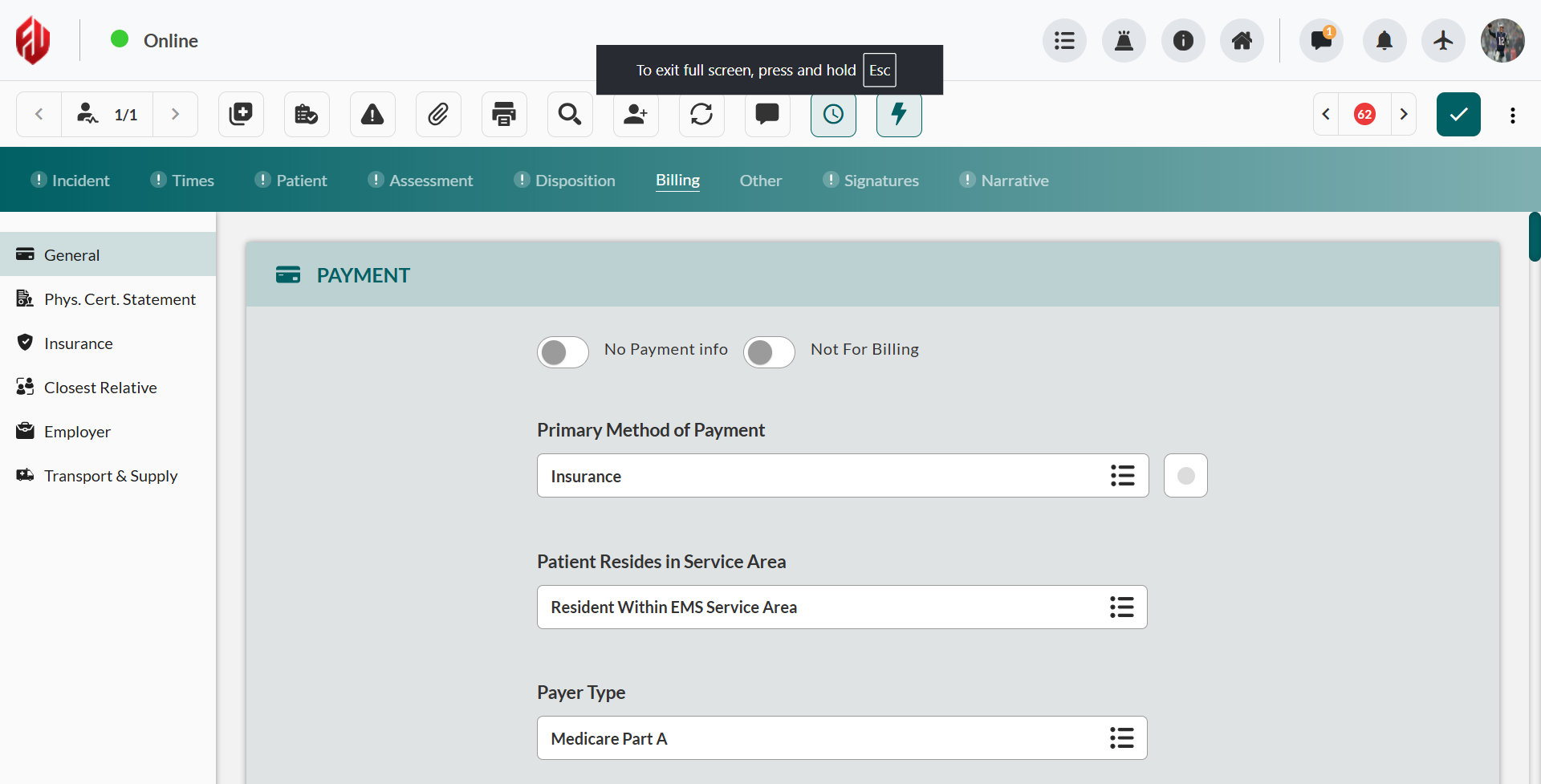
Select Primary Method of Payment from available payer categories.
Confirm Patient Resides in Service Area status for local billing determination.
Choose Payer Type for billing classification and claim routing.
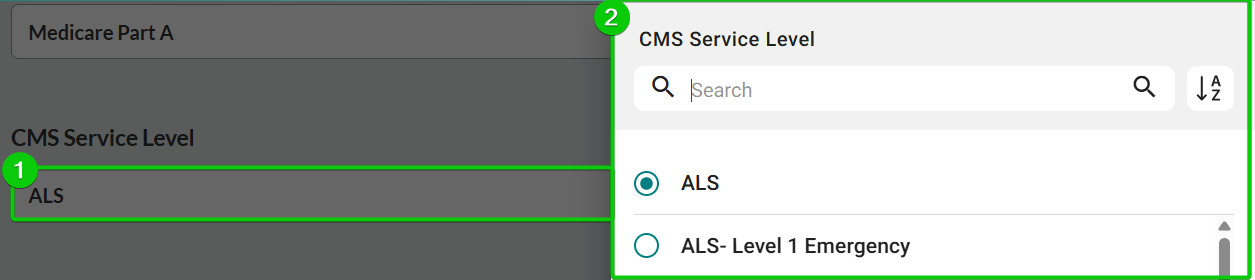
Select CMS Service Level based on care provided.
Select Billing Status.
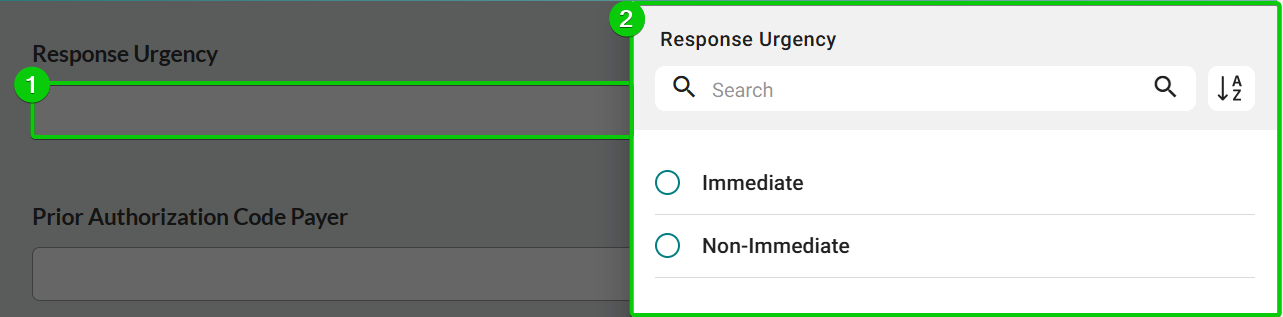
Indicate the level of Response Urgency. Click the Response Urgency field, and then select the appropriate level of urgency (Immediate/Non-Immediate).
Documenting Codes, ALS Assessment Status, and Billing Remarks
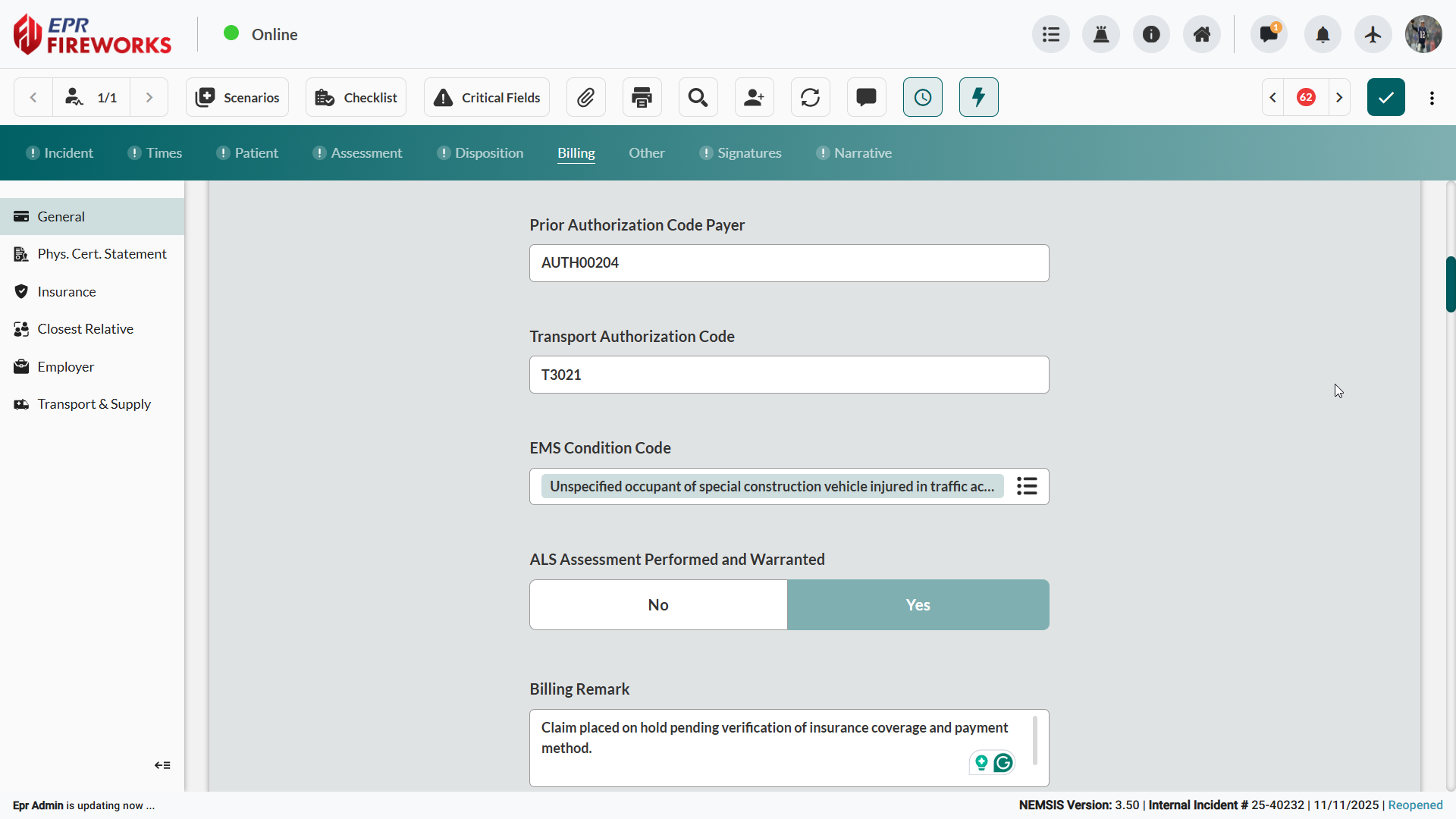
Enter authorization codes:
Prior Authorization Code Payer
Transport Authorization Code
Select the EMS Condition Code from the sidebar.
Indicate whether ALS Assessment Performed and Warranted (Yes/No)
Add Billing Remarks (where applicable).
Physician Certification Statements
Within Billing > Phys. Cert. Statement, document healthcare provider certification statements for Medicare medical necessity compliance.
Indicate whether a physician Statement is available (Yes, No, or Unknown).
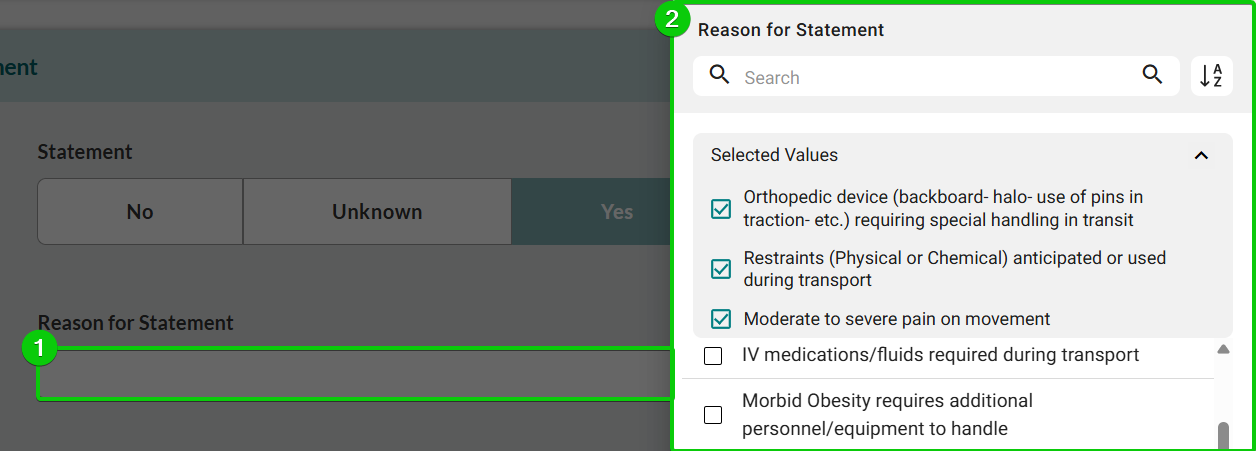
If you obtained the statement, click Reason for Statement, and then select all reasons justifying medical necessity determination.
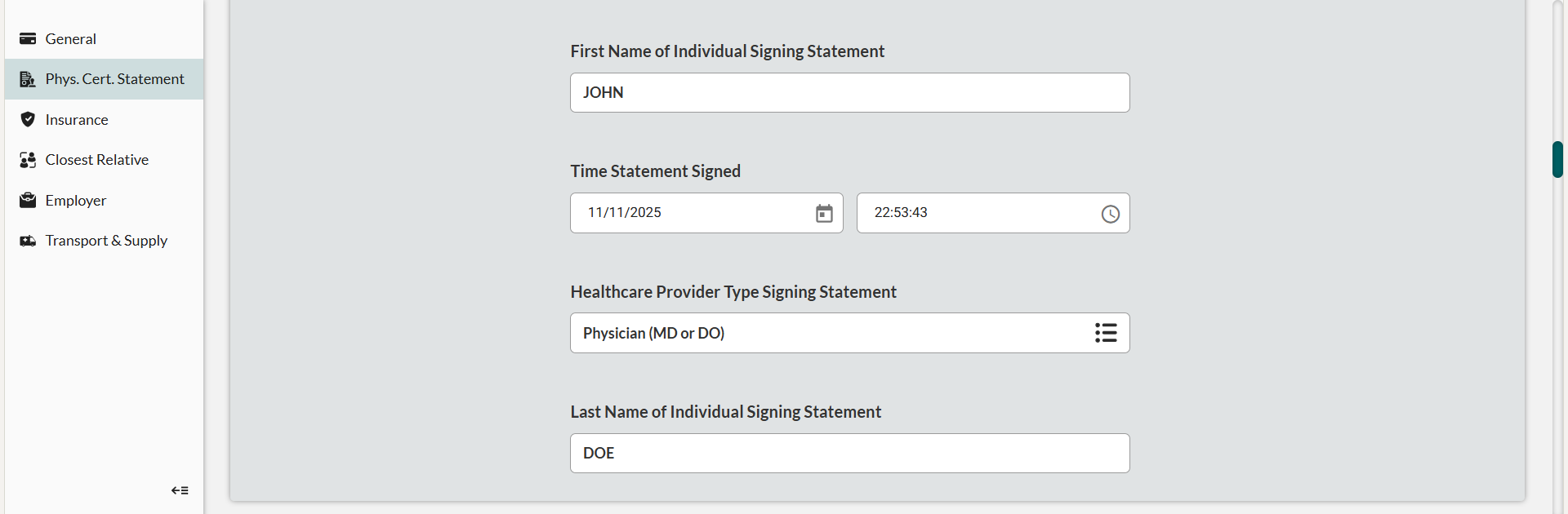
Enter First Name of Individual Signing Statement.
Record Time Statement Signed.
Select Healthcare Provider Type Signing Statement.
Enter Last Name of Individual Signing Statement.
Insurance Coverage
Within Billing > Insurance, create and document patient insurance policies with billing priority designation.
Repeat the following procedures for all applicable insurance instances.
Adding an Insurance Record
Scroll to Insurance.
Click Add.
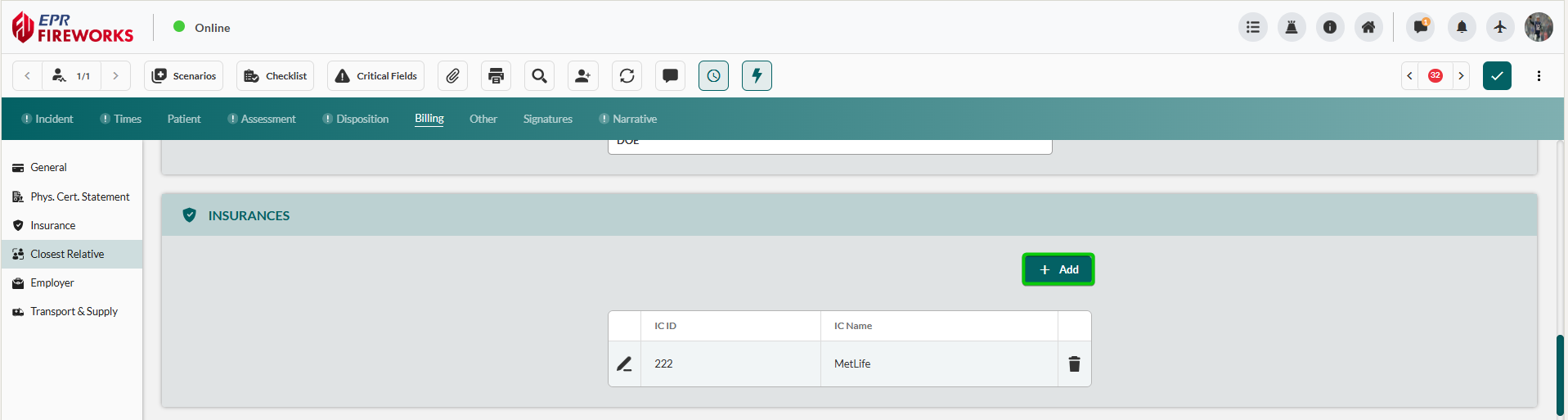
The Insurance Details sidebar opens automatically.
Recording Insurance Company Details
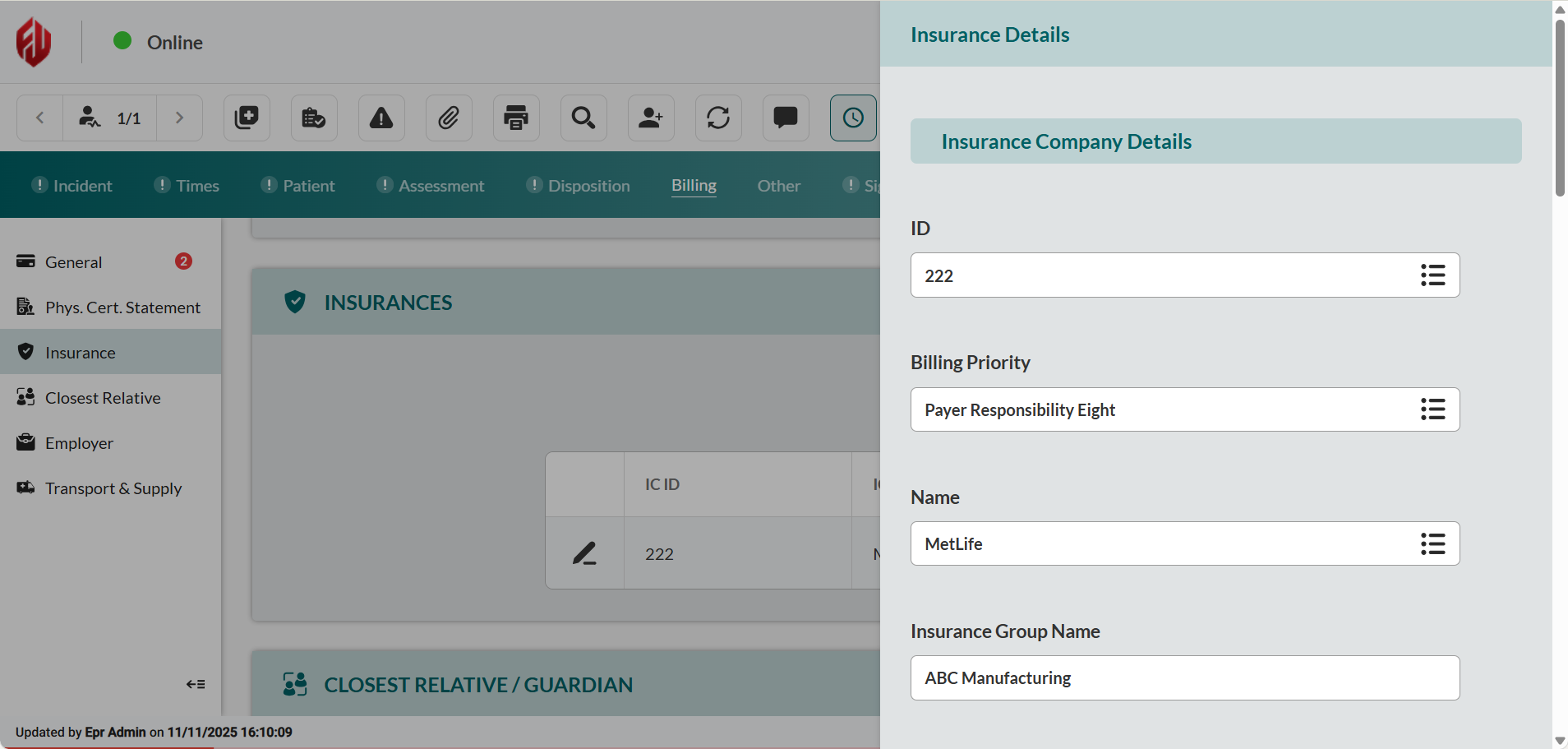
Complete the Insurance Company Details:
ID (i.e., IC ID)
Billing Priority
Name (i.e., IC name)
Complete the insurance group policy details:
Insurance Group Name
Insurance Group ID
Insurance Policy ID Number
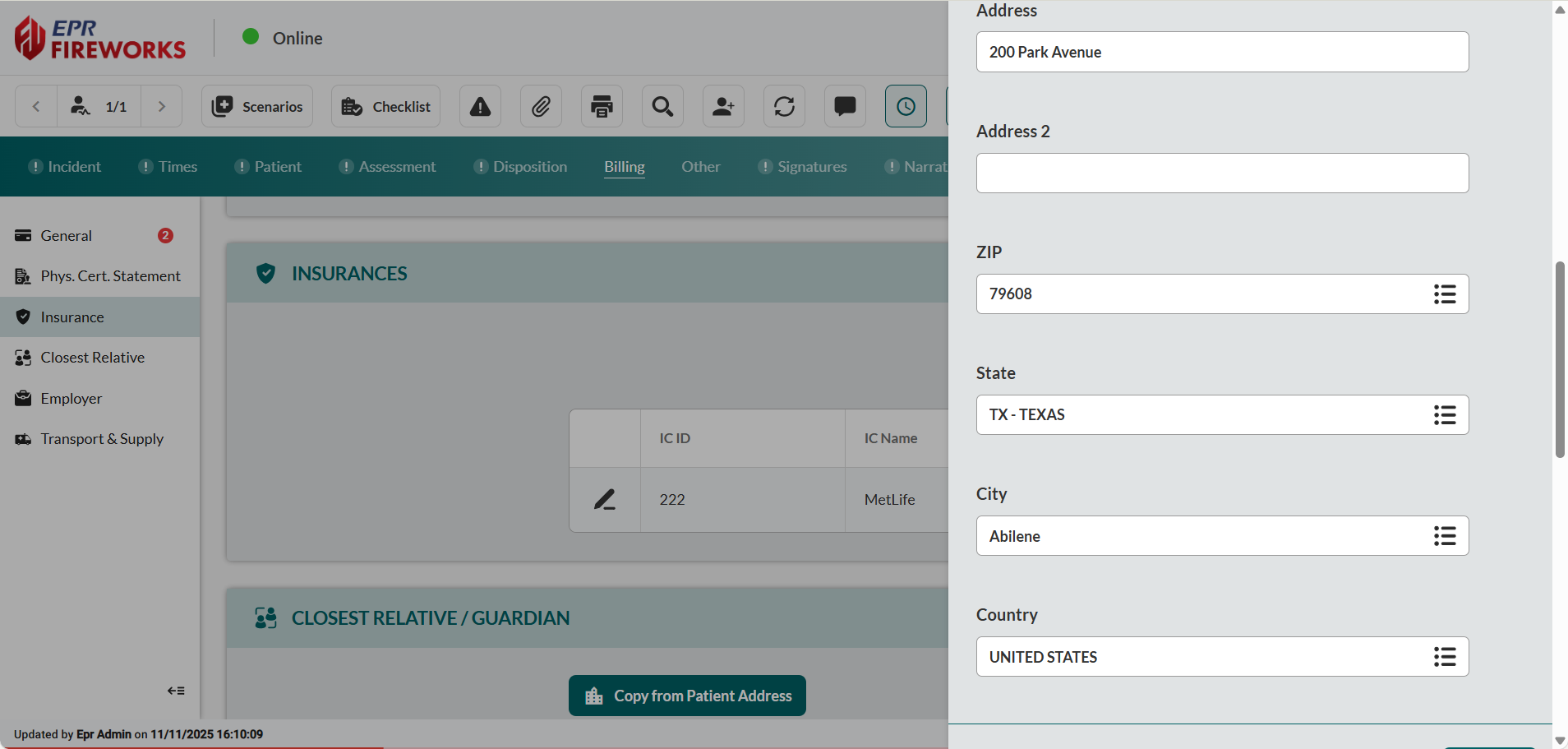
Document the insurance company’s address: enter Address, Address 2 (if applicable), ZIP, State, City, and Country fields.
Add the insurance company’s phone number:
In the Phone Number subsection, click Add.
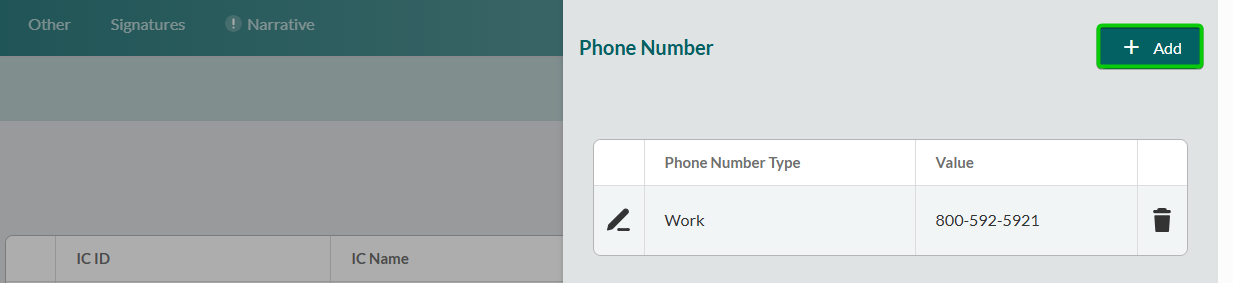
Select Phone Number Type.
In the Value field, type the phone number.

Repeat steps 5a-5c for all applicable phone numbers.
Recording Insured Person Details
Document the individual covered by the insurance policy for claim verification and coordination of benefits.
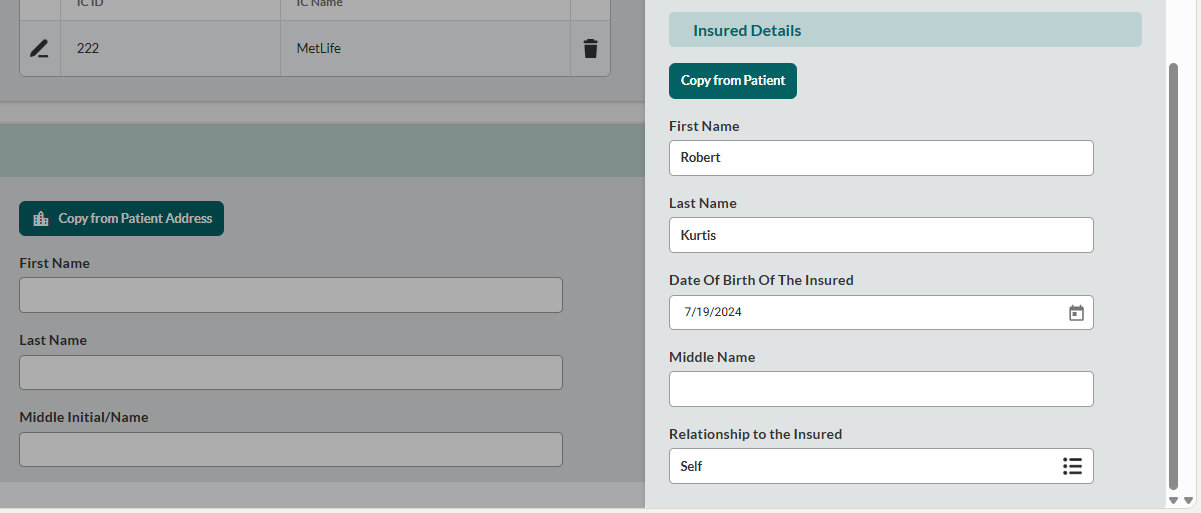
Within the Insurance Details sidebar, scroll to the Insured Details section.
If the patient is insured, click Copy from Patient to auto-populate demographics from the Patient tab.
If the insured person differs from the patient: Complete First Name, Last Name, Middle Name, and Date Of Birth Of The Insured.
Select Relationship to the Insured.
Closest Relative/Guardian Details
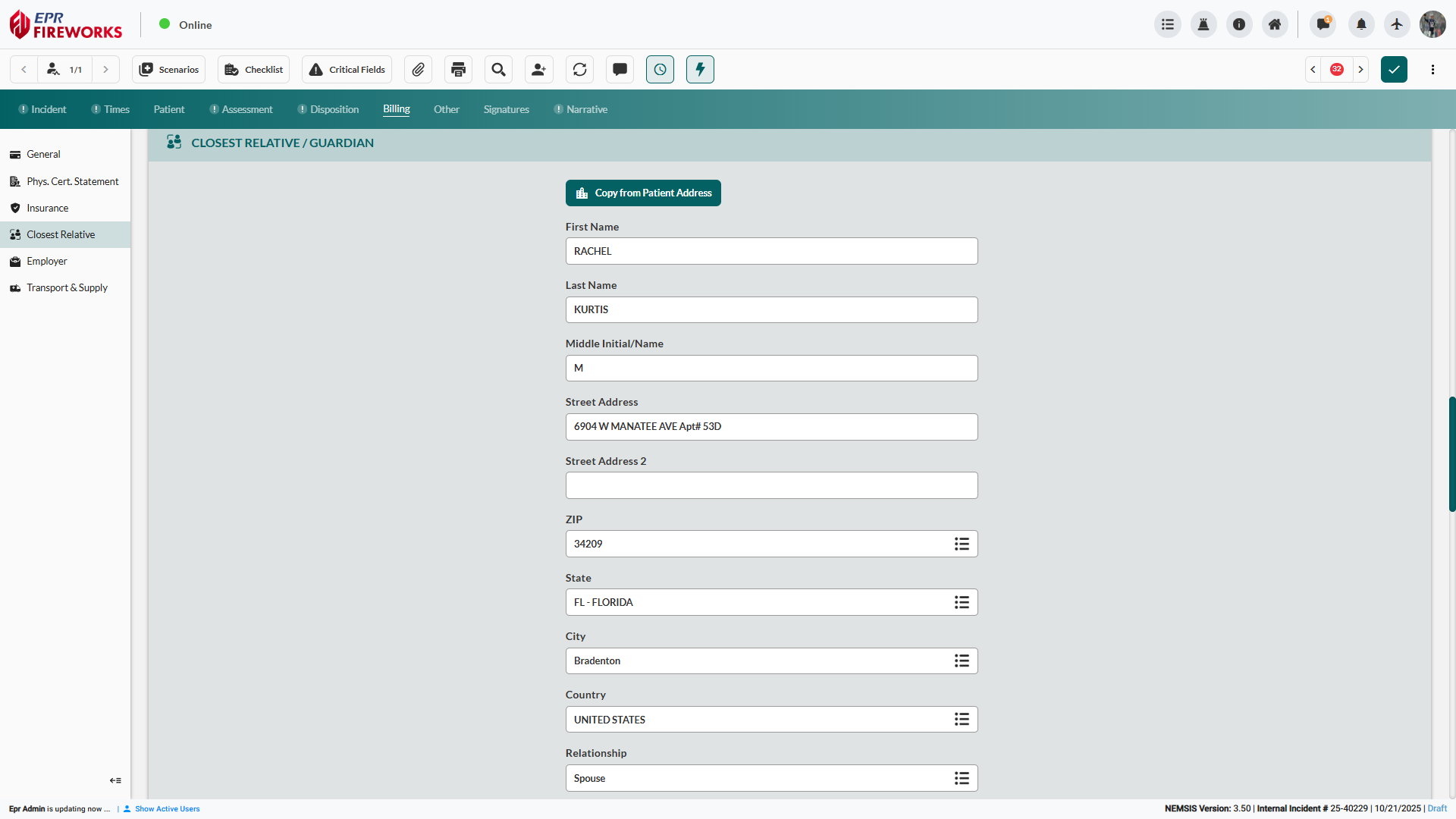
Within Billing > Closest Relative/Guardian, document emergency contact and financial responsibility party information.
Click Copy from Patient Address to populate location fields if relative resides with patient.
Enter First Name, Last Name, and Middle Initial/Name.
Complete Street Address, Street Address 2 (if applicable), ZIP, State, City, and Country.
Select Relationship to patient.
Add the relative/guardian’s phone number:
Scroll to the Phone Number subsection. Click Add.
Select Phone Number Type (Home, Mobile, Work)
In the Value field, type the phone number.

Documenting Employment Information
Within Billing > Employer, document employment details for work-related incidents requiring workers' compensation billing.
Enter Patient's Employer name for work-related incident billing.
Complete Employer Street Address, Employer Street Address 2 (if applicable), ZIP, State, City, and Country.
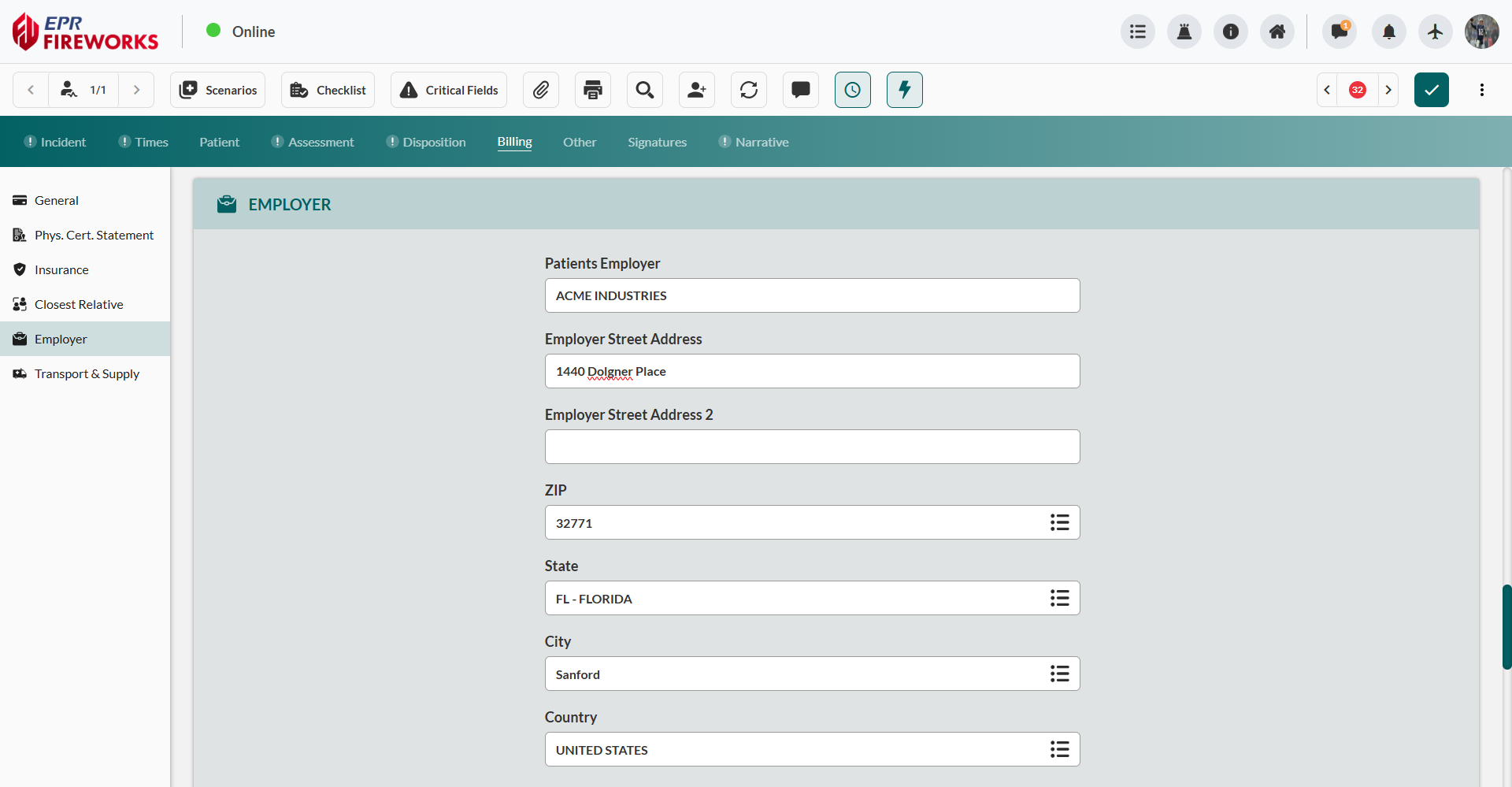
Add Patient's Employer's Primary Phone Number:
Select Phone Number Type.
In the Value field, type the phone number.

Repeat steps a-b for all applicable phone numbers.
Documenting Transport Classification and Medical Necessity
Within Billing > Transport, document transport assessment classification, medical necessity justification, and ambulance service indicators.
Select Patient Transport Assessment classification.
Complete applicable transport fields:
Ambulance Transport Reason Code - Medical necessity for ambulance use
Round Trip Purpose Description - For round-trip transports only
CMS Transportation Indicator - Medicare transport classification
Specialty Care Transport Care Provider - Personnel types for SCT
Ambulance Conditions Indicator - Select all applicable conditions
Stretcher Purpose Description - Medical necessity for stretcher use
Enter Mileage to Closest Hospital Facility for distance-based billing transport calculation.
Adding Supply Item Documentation
Within Billing > Transport & Supply supply section, document medical supplies and equipment which require additional billing.
Scroll to Supply Item. Click Add.

In the Supply Item Used Name, select the item from the available supply inventory.
Enter Number of Supply Item(s) Used for quantity billing.
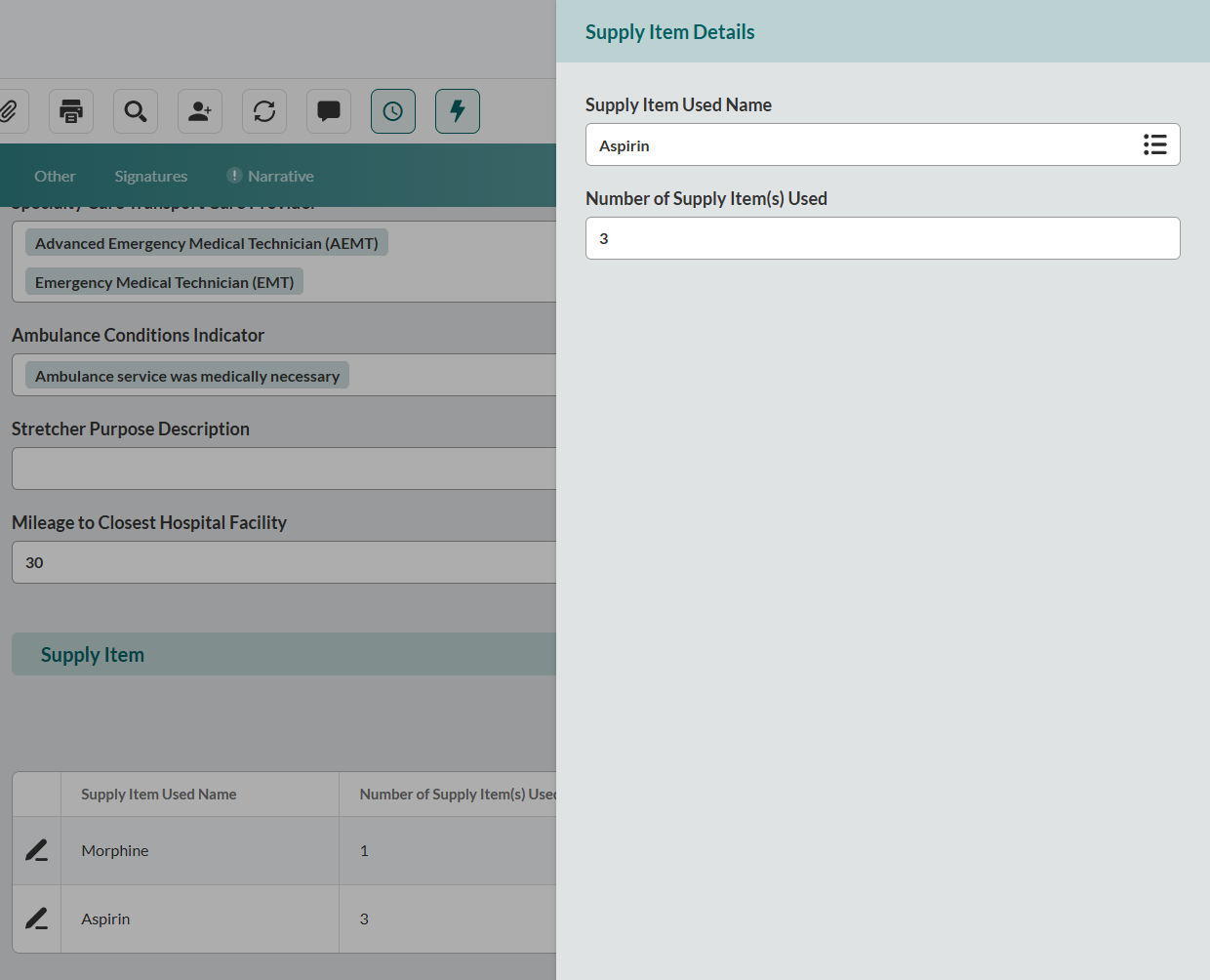
Repeat steps 1-3 for all applicable items.
Next Steps
Other - Quality control, crew exposures, and custom fields
Signatures - Electronic consent and legal documentation
Narrative - Comprehensive incident description and clinical notes