Other (ePCR Tab)
Overview
The Other tab consolidates critical patient care documentation sections that don't fit within primary clinical workflow tabs. This tab includes general incident information, EMS crew exposure tracking, file attachments, quality control assessments, patient outcomes, and custom field presets. Navigate between sections using the left sidebar to complete required documentation for regulatory compliance and quality assurance.
Before You Start
Quality control fields require appropriate permissions and vary by department configuration. Custom fields are configured by individual departments and may include specialized reporting requirements.
General Information
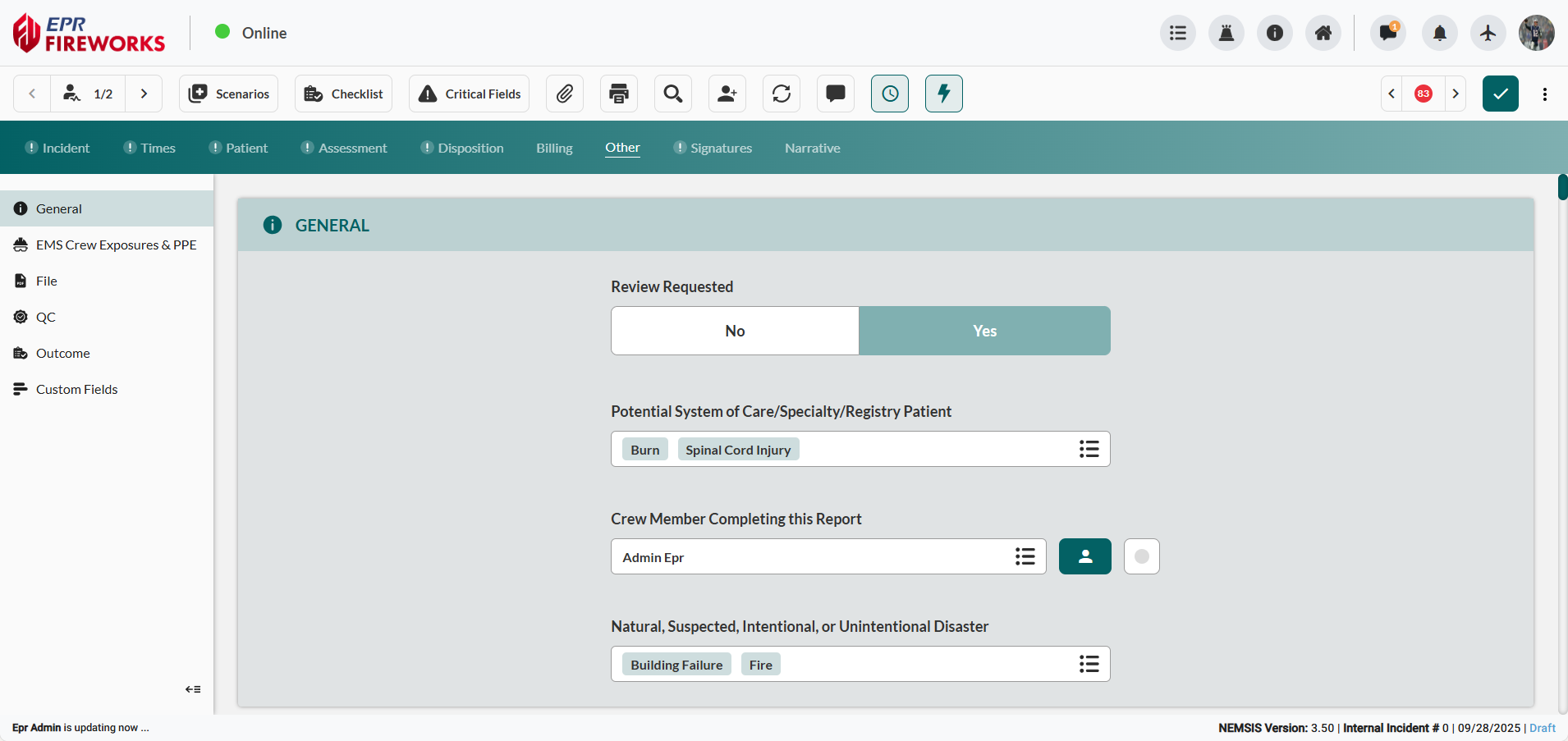
Document general administrative information and report completion details.
Navigate to General section within the Other tab.
Complete Review Requested field if supervisor review is required.
Select Potential System of Care/Specialty/Registry Patient to indicate if the patient may meet entry criteria for an injury or illness specific registry.
Document Crew Member Completing this Report information.
Select Natural, Suspected, Intentional, or Unintentional Disaster to classify events caused by natural forces or suspected and intentional/unintentional disasters (terrorism).
Recording Exposure and PPE

We duplicated the PPE section in Incident > Crew section to streamline your workflow. If you already completed this section in the Incident tab, skip this section.
Document crew exposures and personal protective equipment usage for occupational safety tracking.
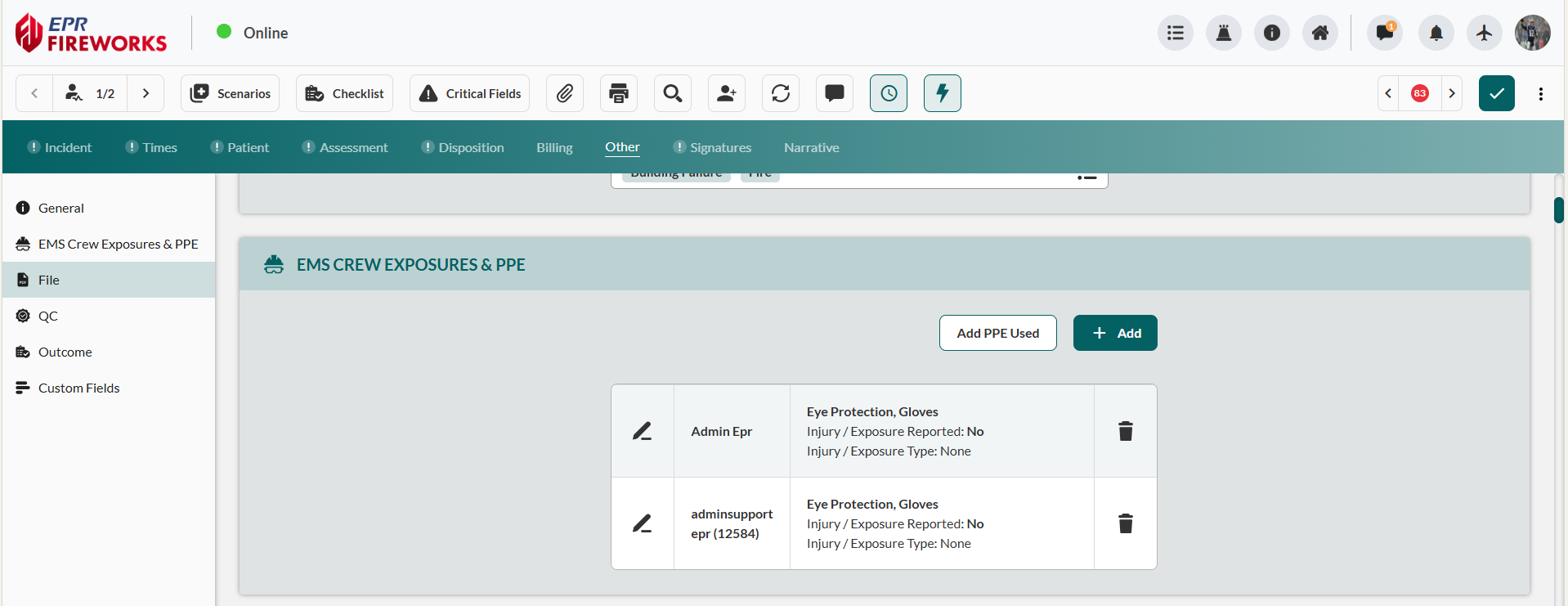
Scroll to EMS Crew Exposures & PPE. Click Add.
Select the crew member from Crew Member search sidebar.
In the PPE Used field, select all PPE items used by the designated crew member during the incident.
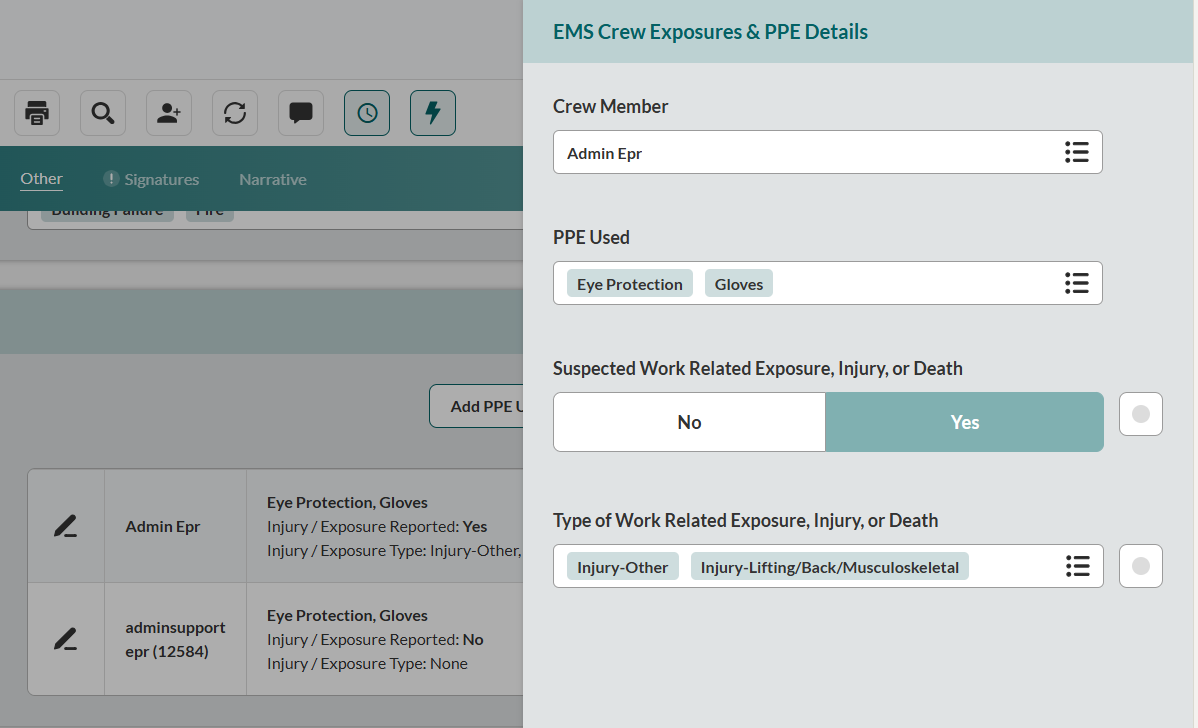
If crew members experienced potential contamination, document it in Exposure Types:
In the Suspected Work Related Exposure, Injury, or Death field, indicate whether this EMS event led to exposure, injury, or death of the crew member (Yes/No).
In the Type of Work Related Exposure, Injury, or Death field, select all applicable exposure types.
Close the sidebar to save changes.
File Attachments
Upload all external files related to the EMS event:
Scroll to Files. Click Add.
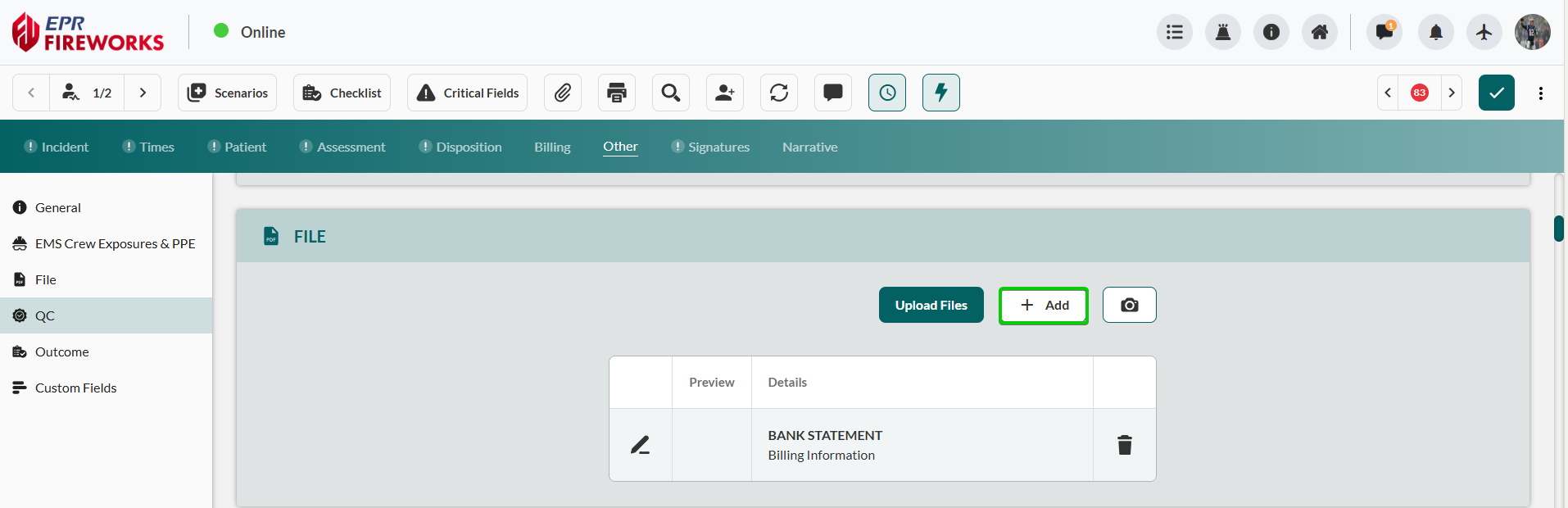
In the Files Details sidebar, complete file details:
Select External Document Type.
Type File Attachment Name.
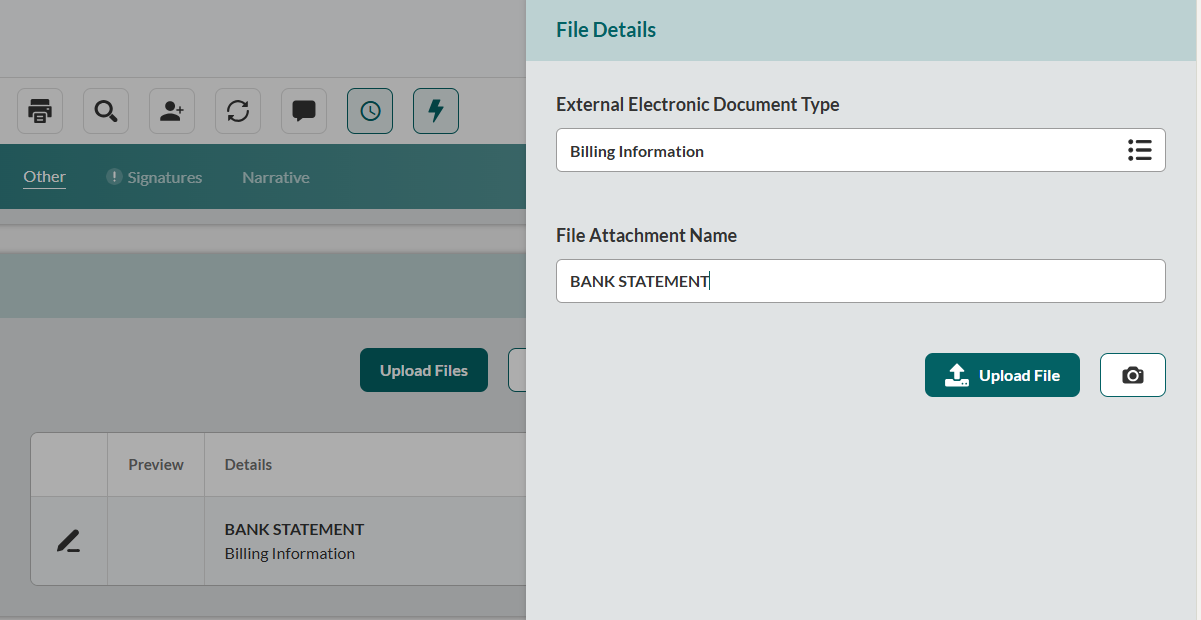
Upload the file:
Click Upload File to upload files from your device.
Click the Camera icon to take pictures related to the incident.
Close the sidebar to save changes.
Repeat for all relevant files.
To add files quickly, click Upload Files to upload files from your browser, or click the Camera icon to take pictures related to the incident.

Files added using these shortcuts will be marked as New File only.
Quality Check (QC)
Quality Check (QC) documentation enables systematic review and assessment of patient care records for compliance, accuracy, and clinical appropriateness. EMS personnel and supervisors use QC processes to identify documentation deficiencies, validate clinical decisions, and ensure regulatory compliance with state and federal reporting requirements.
The QC section captures reviewer assignments, review status tracking, quality scores, and detailed assessment categories that support continuous improvement in patient care documentation and clinical decision-making.
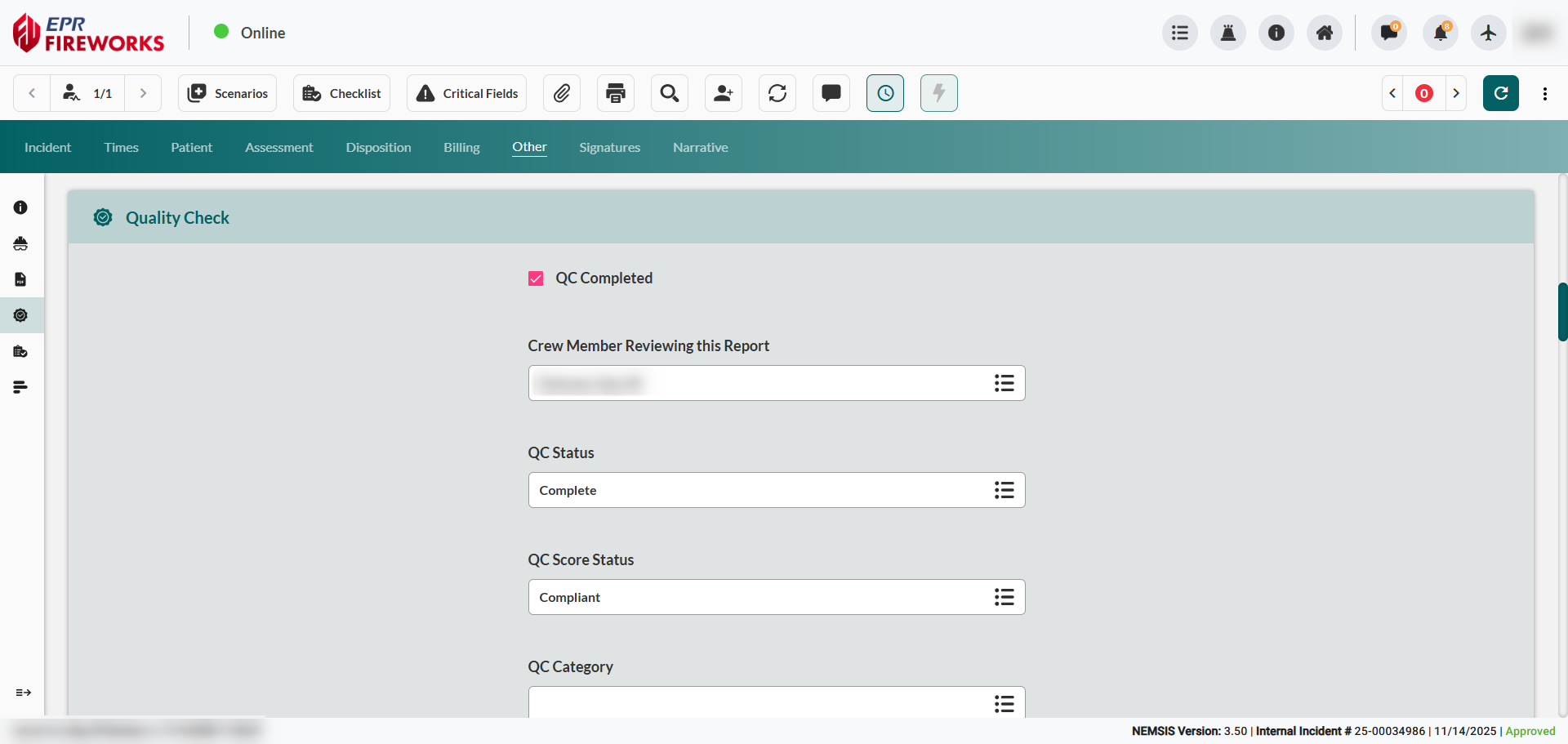

Click here for the full Quality Control section user guide
Outcome Data Integration
The Outcome section documents patient disposition, emergency department outcomes, hospital admissions, and post-care procedures. This information supports continuity of care tracking, quality metrics analysis, and validation of EMS clinical decision-making through hospital outcome verification.
Hospital disposition and diagnostic information enable EMS agencies to assess transport destination appropriateness, evaluate specialty care facility utilization, and identify opportunities for protocol refinement based on actual patient outcomes.
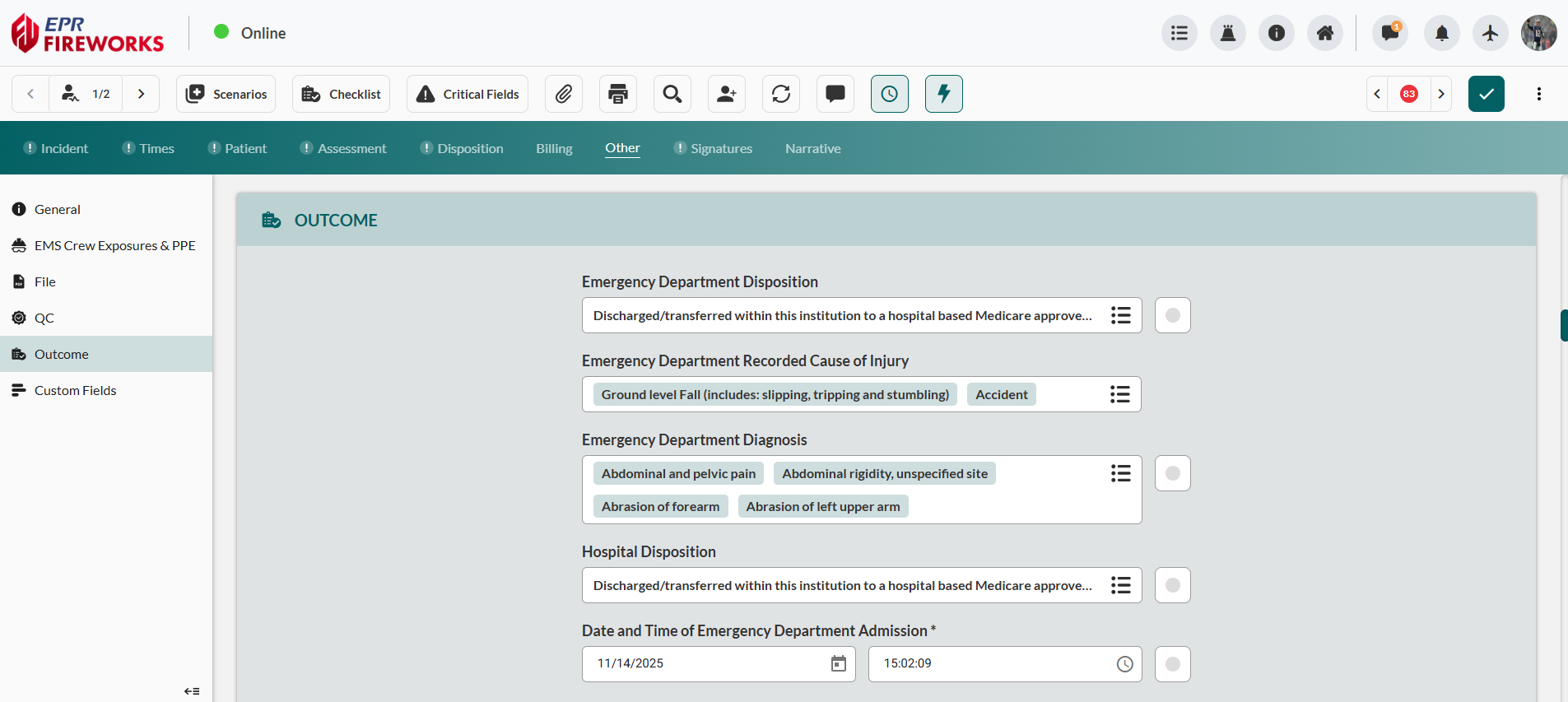
Click here for the full Outcome section user guide
Custom Fields
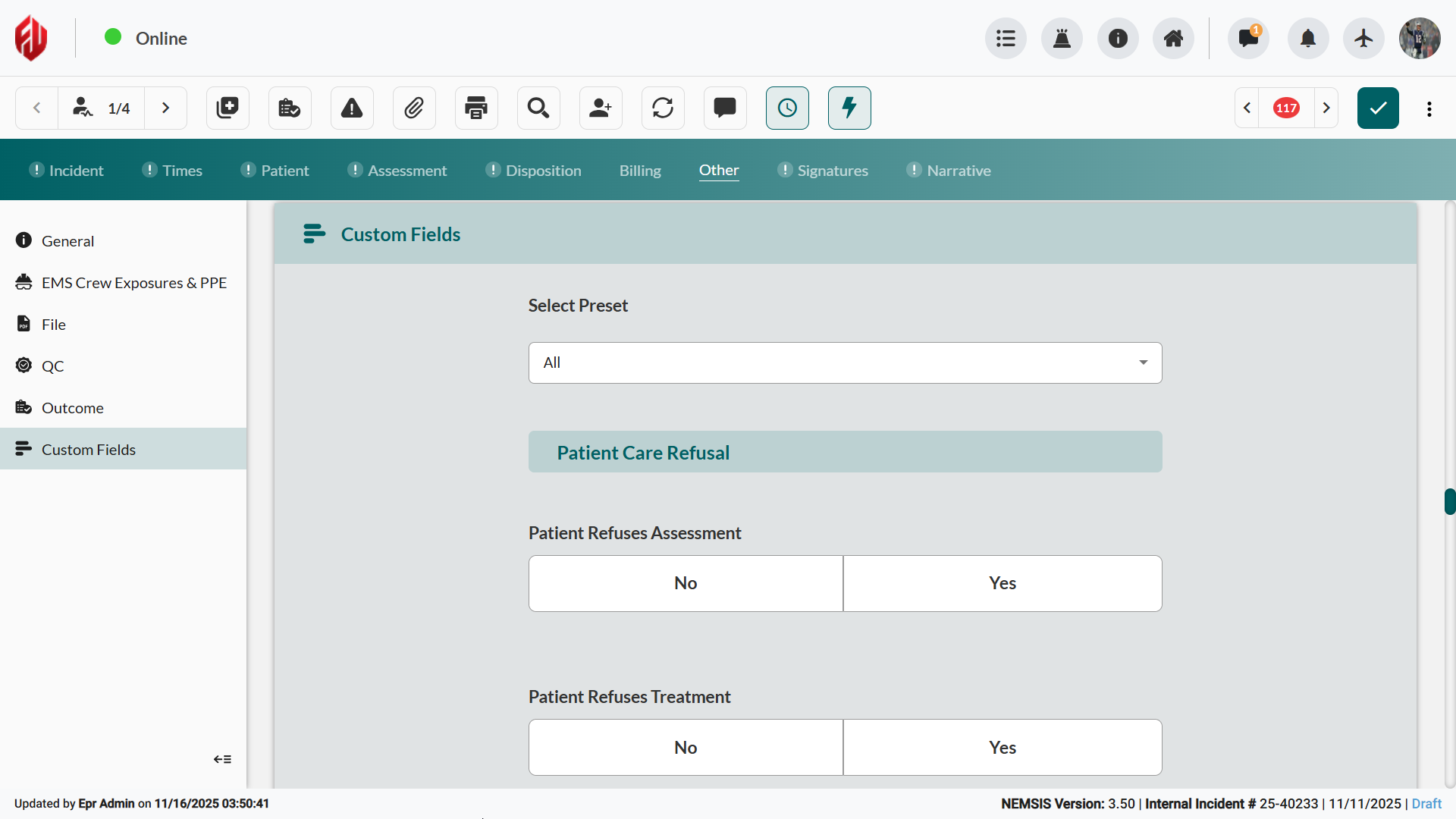
Complete custom fields configured by your department for specialized reporting requirements.
Navigate to Outcome > Custom Fields section (if configured) within the Other tab.
Complete required custom fields based on department protocols.
Common Custom Field Applications
Departments commonly configure custom fields for:
Personnel Training documentation for student or probationary crew members
Equipment Tracking for specialized apparatus or medical device usage
Research Participation for clinical studies or quality improvement projects
Supervisor Notifications for high-risk incidents or unusual circumstances
Billing Classifications for specialized transport or service categories
Next Steps
Signatures for crew member authentication and legal documentation
Narrative for comprehensive incident description and administrative notes