
Checklists
Overview
Document protocol verification and clinical decision criteria using department-configured checklists. Checklists provide structured documentation for patient refusals, trauma criteria, and protocol compliance with organized sections, checkboxes, and attached protocol references.
Non-NEMSIS Status: Checklists are internal EPR FireWorks documentation tools, not NEMSIS 3.5 data elements. Completed checklists print with the ePCR and embed in billing PDFs but do not populate ePCR fields or submit to state reporting systems.
Checklists support the Rapid Field Response workflow: Quick Actions → Critical Fields → Checklists → Scenarios → Complete ePCR documentation.
Before You Start
Active ePCR: Checklists require an open patient record for the current incident.
Opening Checklists
Click the Checklist icon (clipboard with checkmarks) in the toolbar at the top of the patient record.

Result: The Procedure Checklists modal opens displaying available checklists with category filter and protocol document access.
Selecting and Opening a Checklist
Use the category filter dropdown to narrow available checklists (optional).
Scroll through available checklists to locate the appropriate form.
Click the checklist name or the expand arrow to open the checklist.
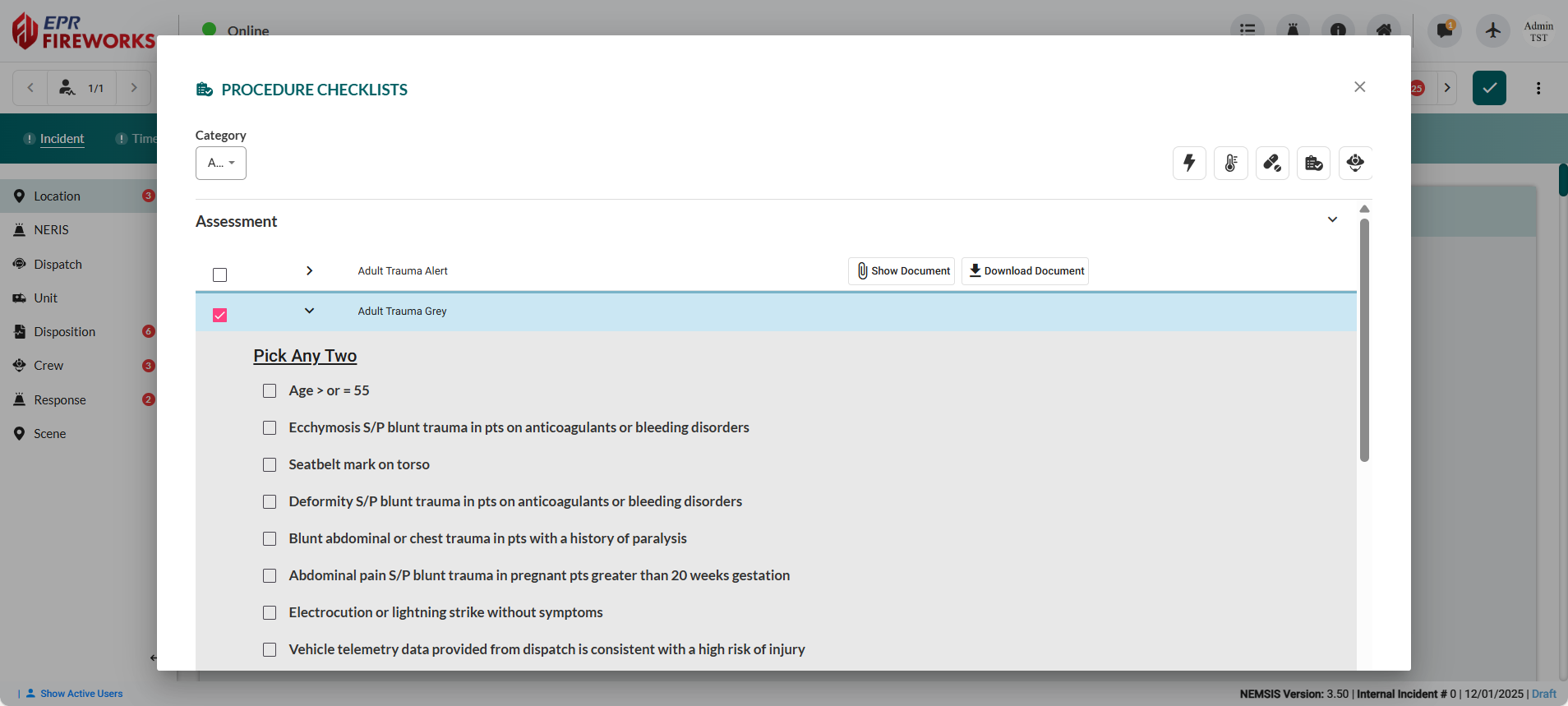
Result: The selected checklist expands displaying organized sections with checkboxes, text fields, and clinical criteria. Protocol documents (if attached) show access buttons.
Completing Checklist Items
Review checklist sections and category headers organizing related criteria.
Select checkboxes for applicable criteria or observed conditions.
Complete text fields, date/time selectors, or dropdown menus as required.
Review completed sections for accuracy and completeness.
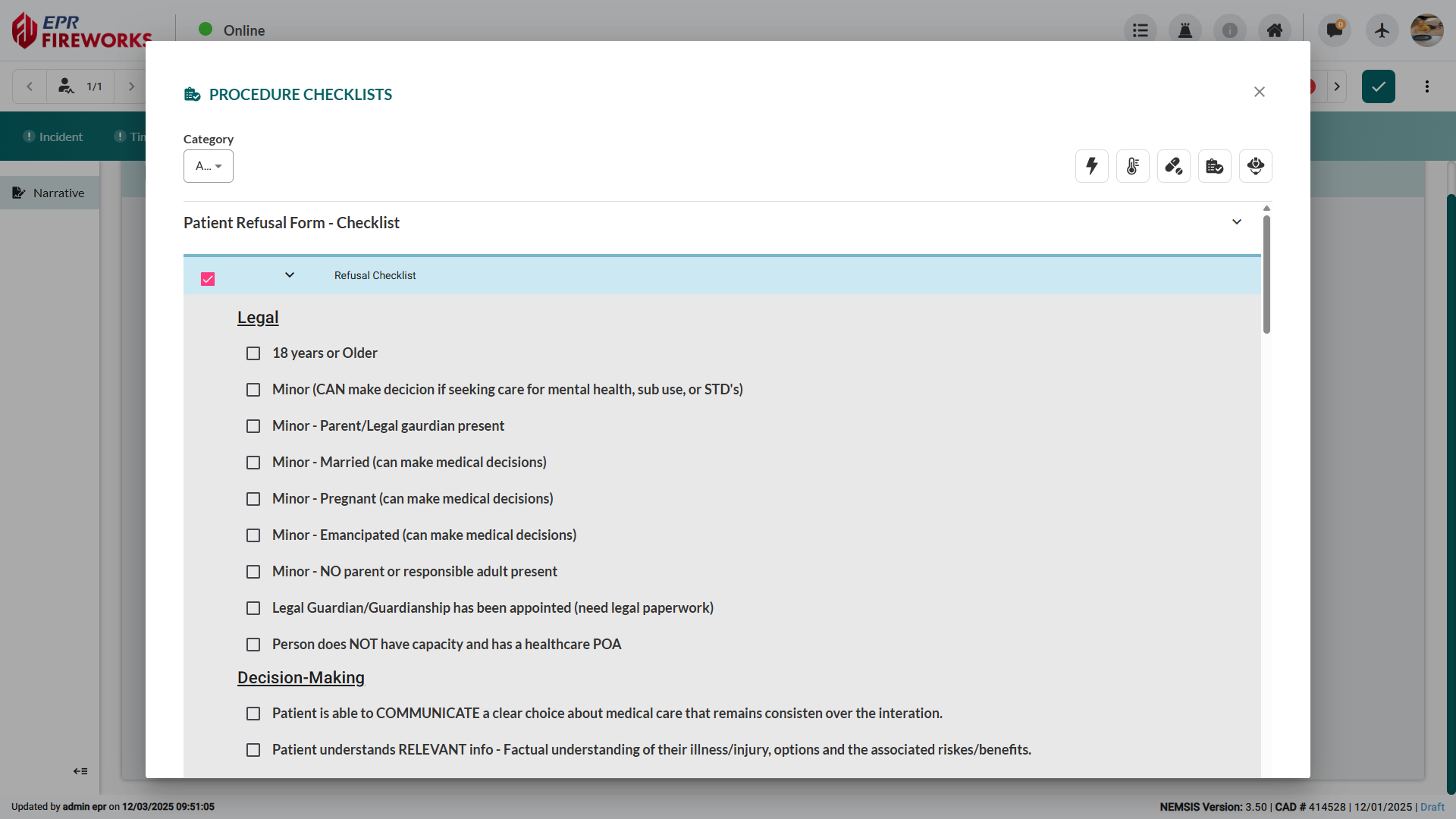

Result: Completed checklist items save automatically and display on printed ePCR reports and billing PDFs for quality assurance review.
Accessing Protocol Documents
Reference attached protocol documents and clinical flowcharts during checklist completion.
Locate checklists displaying Show Document or Download Document buttons.

Click Show Document to view the protocol in a new browser window.
Click Download Document to save the protocol file to your device.
Common Checklist Types
Checklist Type | Purpose |
|---|---|
Patient Refusal | Capacity assessment and informed refusal documentation |
Trauma Criteria | Transport destination decision support |
Protocol Verification | Low-frequency procedure compliance |
Medication Protocols | Reference materials for dosing and contraindications |
See Also
Quick Actions - Rapid treatment documentation
Critical Fields - Required ePCR submission fields
Scenarios - Streamlined call type workflows