
Scenarios
Overview
Complete routine EMS incidents using pre-configured scenarios that consolidate required fields into single-page workflows. Scenarios streamline documentation for common call types by presenting only relevant fields in vertical format, enabling report completion in under 5 minutes for straightforward incidents.
Scenarios complement the Rapid Field Response workflow: Quick Actions → Critical Fields → Checklists → Scenarios → Complete ePCR documentation.
Before You Start
Active ePCR: Scenarios requires an open patient record for the current incident.
Opening Scenarios
Click Scenarios in the toolbar at the top of the patient record.

Result: The Scenarios modal opens, displaying department-configured scenario buttons organized by call type.
Selecting and Starting a Scenario
Review available scenarios in the Scenarios modal.
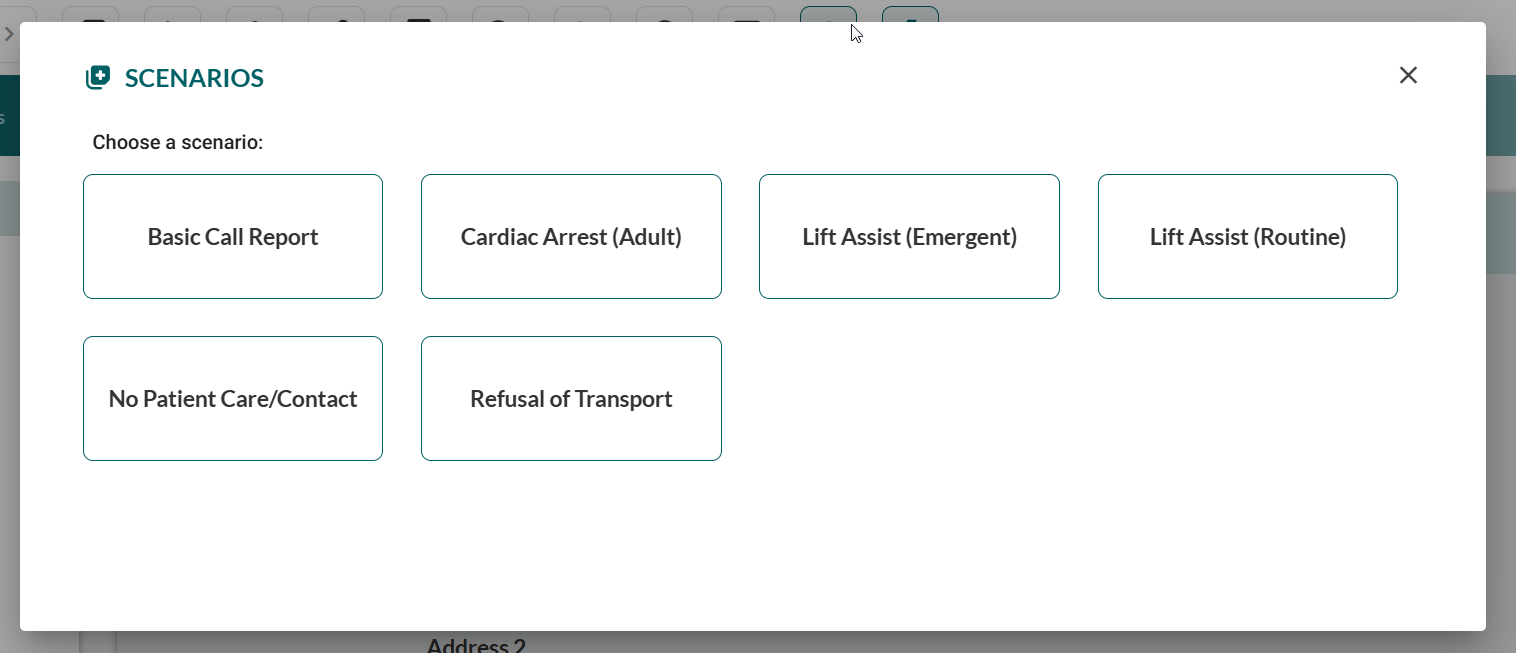
Click the scenario button matching your incident type.

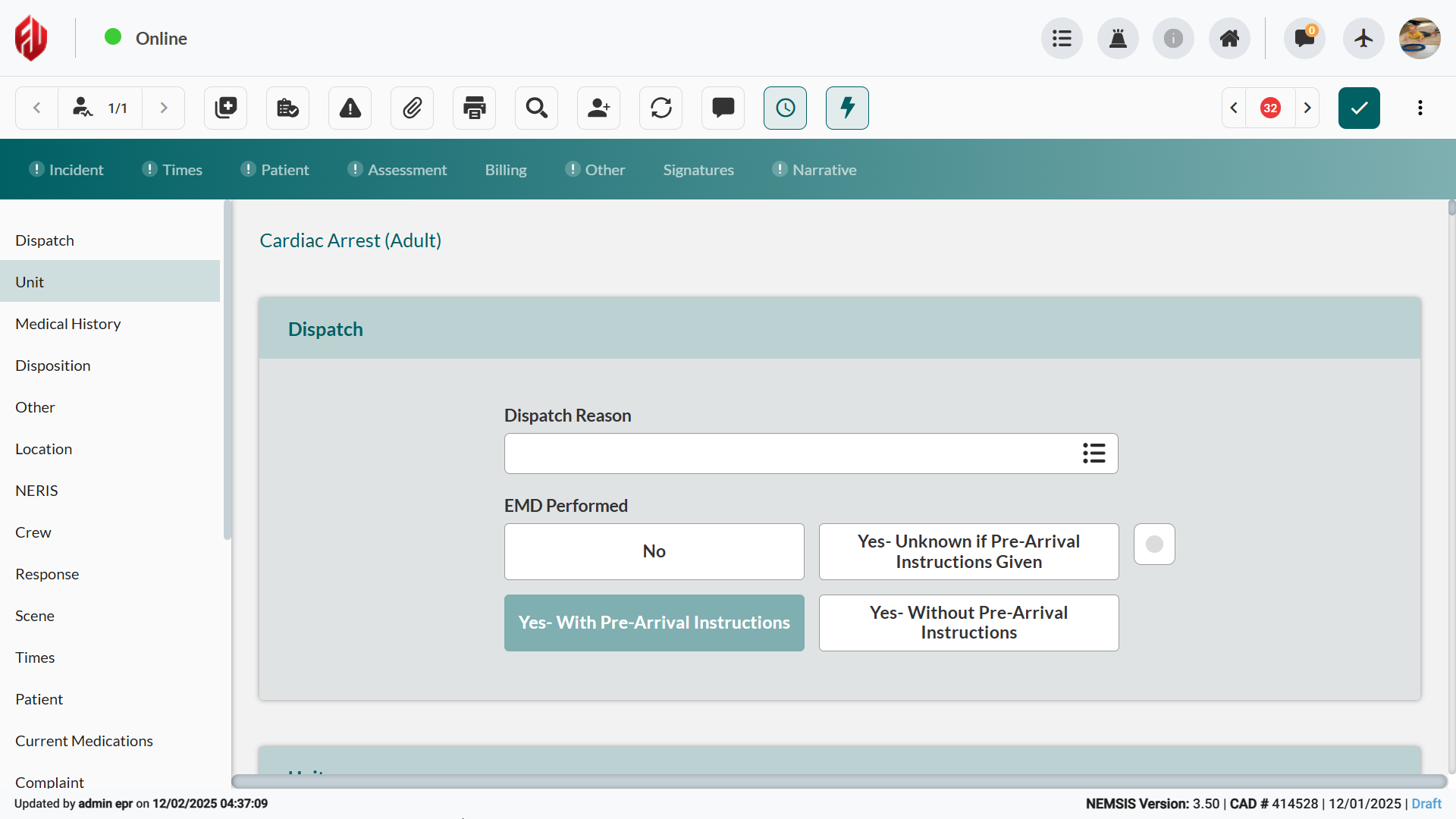
Result: The ePCR interface transitions to a consolidated, single-page format that displays only fields relevant to the selected scenario type. Pre-configured values may automatically populate based on scenario configuration.
Common Scenario Types
Scenario Type | Best Used For |
|---|---|
Patient Refusal | Documented refusals with capacity assessment |
Cancelled | Dispatches cancelled en route or on scene |
No Patient Found | Patient gone on arrival |
Lift Assist | Non-transport assistance requests |
Medical/Trauma | Routine BLS or ALS transports by presentation |
Completing the Scenario
Scroll vertically through consolidated sections, as described in Documenting Patient Care.
Review and modify any pre-populated fields.
Complete the remaining required fields highlighted in red.
When done, click Complete or Submit.
Result: The scenario submits and the ePCR returns to standard multi-tab interface with scenario data populated across appropriate tabs.
When to Use Scenarios vs. Standard ePCR
Use Scenarios for:
Routine transports with minimal interventions
Non-transport calls (cancellations, refusals, lift assists)
Straightforward incidents requiring basic documentation
Time-sensitive situations requiring rapid completion
Use Standard ePCR for:
Complex medical or trauma presentations
Multiple interventions or medications administered
Extensive assessment findings requiring detailed documentation
Critical patients requiring comprehensive care documentation
See Also
Quick Actions - Rapid treatment documentation
Critical Fields - Required ePCR submission fields
Checklists - Protocol verification tools
Documenting Patient Care (ePCR) - Complete multi-tab interface reference